28
HOW TO USE THE SOUND SYSTEM
To play music or audio books through the console
sound system while you exercise, plug a 3.5 mm male
to 3.5 mm male audio cable (not included) into the
jack on the console and into a jack on your personal
audio player; make sure that the audio cable is fully
plugged in. Note: To purchase an audio cable, see
your local electronics store.
Next, press the play button on
your personal audio player.
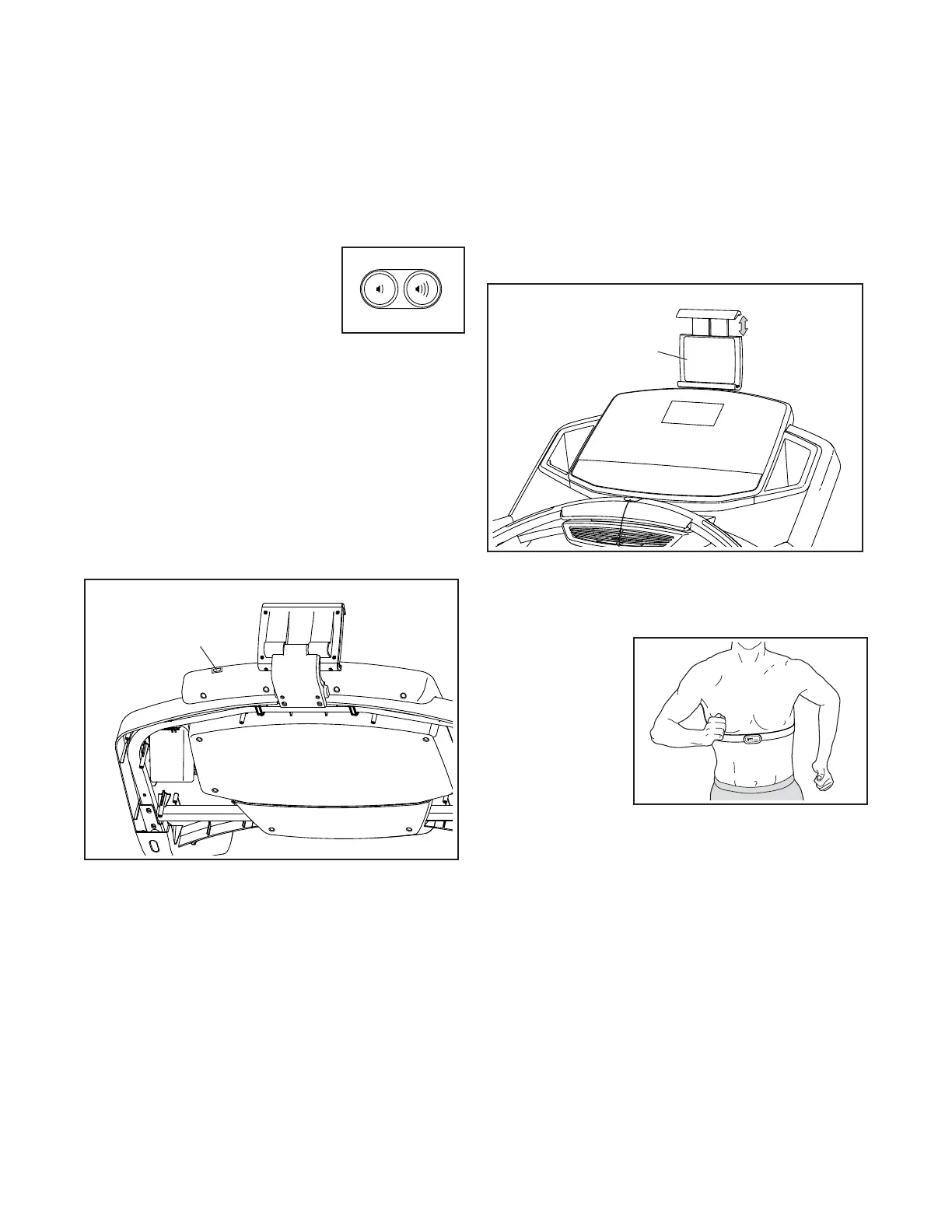
Adjust the volume level using the
volume increase and decrease
buttons on the console or the
volume control on your personal
audio player.
HOW TO CONNECT AN HDMI CABLE
To display your console screen on a TV or a monitor,
plug an HDMI cable (not included) into the port on the
console and into a port on your TV or monitor; make
sure that the HDMI cable is fully plugged in. Note:
To purchase an HDMI cable, see your local elec-
tronics store.
HOW TO USE THE TABLET HOLDER
IMPORTANT: The tablet holder is designed for use
with most full-size tablets. Do not place any other
electronic device or object in the tablet holder.
To insert a tablet into the tablet holder, set the bottom
edge of the tablet in the tray. Then, pull the clip over
the top edge of the tablet. Make sure that the tablet is
firmly secured in the tablet holder. Reverse these
actions to remove the tablet from the tablet holder.
THE OPTIONAL CHEST HEART RATE MONITOR
Whether your
goal is to
burn fat or to
strengthen your
cardiovascular
system, the key
to achieving the
best results is
to maintain the
proper heart
rate during your
workouts. The optional chest heart rate monitor will
enable you to continuously monitor your heart rate
while you exercise, helping you to reach your personal
fi tness goals. To purchase a chest heart rate moni-
tor, please see the front cover of this manual.
Note: The console is compatible with all BLUETOOTH
Smart heart rate monitors.
Port
Tablet
Holder





 To Next Page