EasyManua.ls Logo

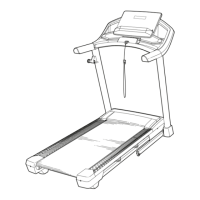
Pro-Form SPORT 5.5 - User Manual

Pro-Form SPORT 5.5
40 pages
Print Icon
To Next Page IconTo Next Page
Loading...
USER’S MANUAL
Model No. PFTL50921-INT.0
Serial No.
Write the serial number in the space
above for reference.
CAUTION
Read all precautions and
instructions in this manual before
using this equipment. Save this
manual for future reference.
Serial Number
Decal
iconeurope.com
MEMBER CARE
UNITED KINGDOM
Call: 0330 123 1045
From Ireland: 053 92 36102
Website: iconsupport.eu
E-mail: csuk@iconeurope.com
Write:
ICON Health & Fitness, Ltd.
Unit 4, Westgate Court
Silkwood Park
OSSETT
WF5 9TT
UNITED KINGDOM
AUSTRALIA
Call: 1800 993 770
E-mail: australiacc@iconfitness.com
Write:
ICON Health & Fitness, Inc.
PO Box 635
WINSTON HILLS NSW 2153
AUSTRALIA

Questions and Answers

  • H
    Hunter ChavezJul 30, 2025
    How to fix Pro-Form SPORT 5.5 Fitness Equipment that does not turn on?
    • B
      bradley73Jul 30, 2025
      If your Pro-Form Fitness Equipment does not turn on, ensure that you are using a 3-conductor, 14-gauge (2 mm[2]) cord that is no longer than 5 ft. (1.5 m). Also, make sure that the key is inserted into the console. Check the power switch located on the treadmill frame near the power cord. If the switch protrudes, the switch has tripped. To reset the power switch, wait for five minutes and then press the switch back in.
  • J
    Janet PetersAug 5, 2025
    What to do if Pro-Form SPORT 5.5 power turns off during use?
    • C
      Carol LopezAug 6, 2025
      If your Pro-Form Fitness Equipment's power turns off during use, there are a few things you can check. First, examine the power switch; if it has tripped, wait five minutes before pressing it back in. Next, ensure the power cord is securely plugged in; if it is, unplug it, wait five minutes, and then plug it back in. Finally, try removing and reinserting the key from the console.
  • C
    Carlos BauerAug 14, 2025
    Why does Pro-Form Fitness Equipment walking belt slip when walked on?
    • M
      Mr. Leonard MorrisAug 14, 2025
      If the walking belt on your Pro-Form Fitness Equipment slips when walked on, first remove the key and unplug the power cord. Then, using the hex key, turn both idler roller screws clockwise, 1/4 of a turn. When the walking belt is correctly tightened, you should be able to lift each edge of the walking belt 2 to 3 in. (5 to 7 cm) off the walking platform.
  • E
    Eric Young MDAug 21, 2025
    What to do if Pro-Form SPORT 5.5 walking belt slows when walked on?
    • E
      elijah98Aug 21, 2025
      If the walking belt slows down when you walk on your Pro-Form Fitness Equipment, and it feels overtightened, remove the key and unplug the power cord. Using the hex key, turn both idler roller screws counterclockwise, 1/4 of a turn. When the walking belt is properly tightened, you should be able to lift each edge of the walking belt 2 to 3 in. (5 to 7 cm) off the walking platform. If the walking belt still slows when walked on, see the front cover of this manual.

Summary

WARNING DECAL PLACEMENT

IMPORTANT PRECAUTIONS

BEFORE YOU BEGIN

ASSEMBLY INSTRUCTIONS

HOW TO USE THE TREADMILL

POWER CONNECTION AND SAFETY

Ensures safe electrical connection, proper grounding, and handling of the power cord.

CONSOLE OPERATION

CONSOLE DIAGRAM AND FEATURES

Visual guide and explanation of the treadmill console's layout, buttons, and functions.

BASIC OPERATION MODES

POWERING ON AND MANUAL MODE

Steps to power on the treadmill and operate it using manual speed and incline controls.

TRACKING PROGRESS AND SCAN MODE

Understanding workout metrics, progress tracking, and utilizing the console's scan mode.

ADVANCED FEATURES AND SETTINGS

USING IFIT WORKOUTS

Guide to downloading the iFIT app and utilizing interactive workouts for enhanced training.

DEVICE CONNECTIVITY AND SETTINGS

Connecting heart rate monitors, navigating console settings, and calibrating systems.

SOUND SYSTEM USAGE

Instructions for connecting and using the console's audio playback system.

TREADMILL HANDLING AND STORAGE

FOLDING, MOVING, AND LOWERING

Detailed procedures for folding, moving, and unfolding the treadmill safely.

MAINTENANCE AND TROUBLESHOOTING

ROUTINE MAINTENANCE

Guidelines for regular cleaning and care of the treadmill to ensure longevity and performance.

COMMON TROUBLESHOOTING SOLUTIONS

Solutions for common treadmill problems like power, belt, and incline issues.

FITNESS GUIDELINES AND STRETCHES

EXERCISE INTENSITY AND MEASUREMENT

Guidance on setting exercise intensity and measuring heart rate for fitness goals.

WORKOUT AND FREQUENCY GUIDELINES

Recommendations for structuring workouts, warming up, cooling down, and workout frequency.

SUGGESTED STRETCHES

Instructions and illustrations for performing basic stretches for flexibility and injury prevention.

REPLACEMENT PARTS AND DISPOSAL

ORDERING REPLACEMENT PARTS

Information on how to order replacement parts using model and key numbers.

RECYCLING INFORMATION

Instructions for environmentally responsible disposal and recycling of the electronic product.

Pro-Form SPORT 5.5 Specifications

General IconGeneral
Weight203 Lbs
Incline0-10%
Speed0 – 10 MPH Digital Speed Control
iFit CompatibilityYes
Weight Capacity300 lbs
Heart Rate MonitoringYes

Related product manuals