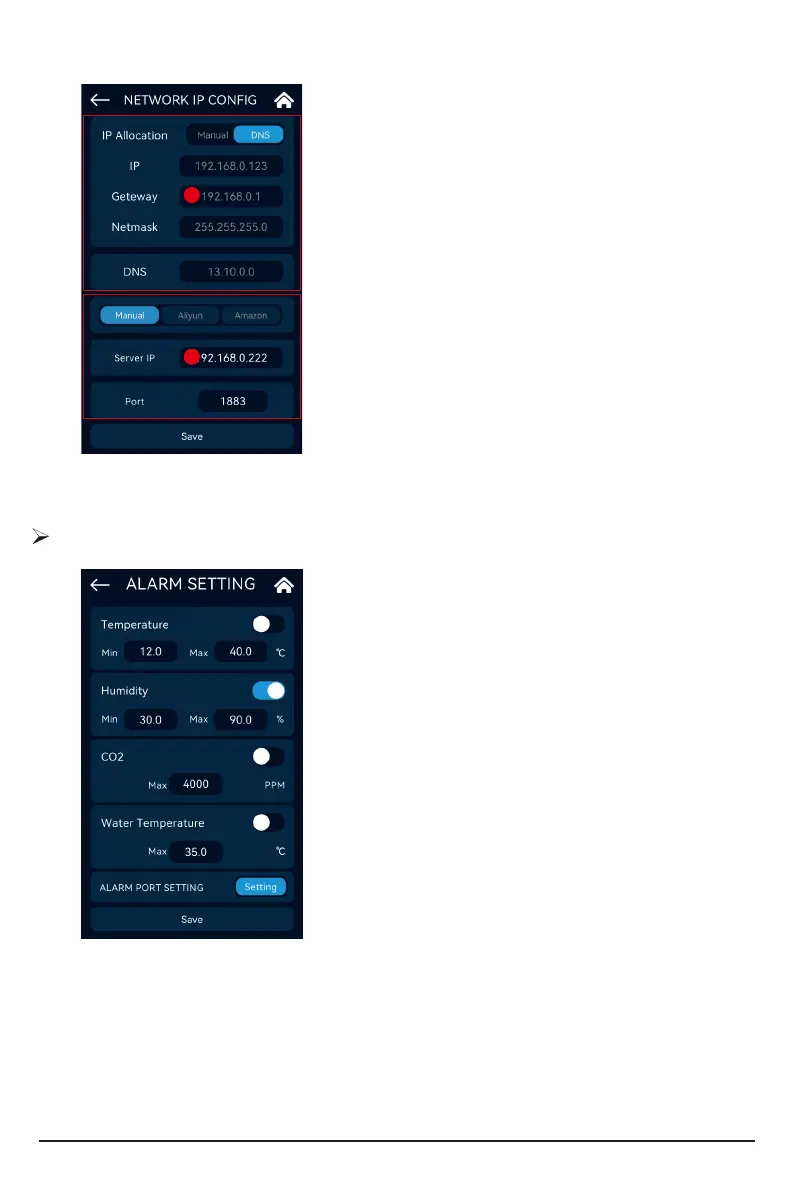
Enter the relevant setting inteace through the Setting button of the "Network IP Cong"
menu.
Set the DNS to automatically obtain the network IP,
and the relevant local information cannot be
modied at this time.
Set to "Manual" to set the options manually.
In Manual Mode, you can input information for
Gateway, Netmask, DNS node IP and other devices
respectively.
Amazon Mode: use the Amazon seer working
mode.
Aliyun Mode: use Aliyun seer working mode.
In Cloud Mode, seer IP and po information
cannot be modied.
Manual Local Mode: manually set to the local seer
working mode, you need to manually set the seer
IP and seer po.
A.
B.
A
B
Temperature Alarm: switch state, low alarm value, high
alarm value.
Humidity Alarm: switch state, low alarm value, high
alarm value.
CO2 Alarm: switch state, high alarm value.
Water Temperature Alarm: switch state, high alarm
value.
Alarm settings
28



 To Next Page