Slope Setup
Follow the suggestions in the "initial setup guidelines" section (page 6).
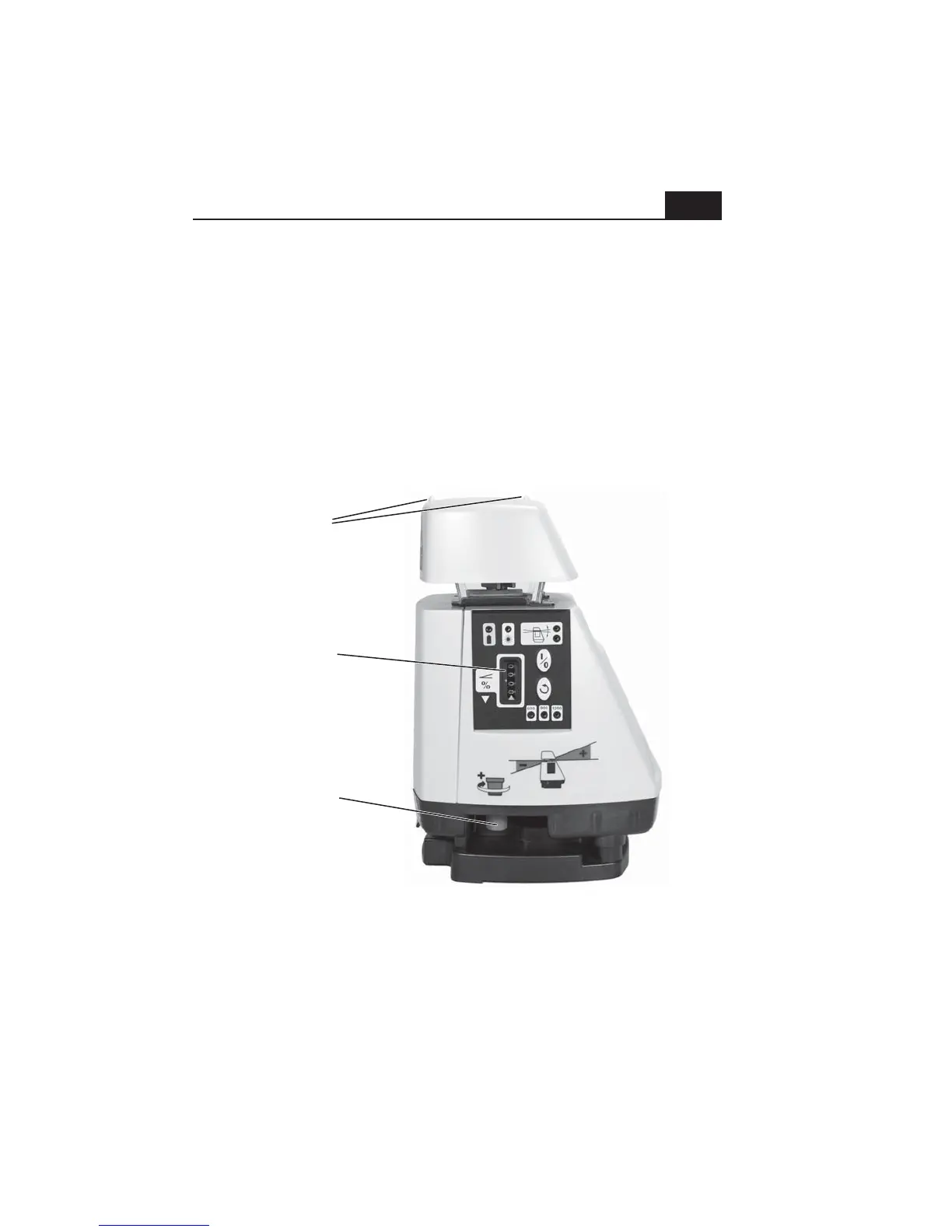
Carefully aim the laser using the sights on the top cap. These sights indicate
the direction of slope. The front sloped face of the laser should be aimed
uphill (as shown on the graphic just above the slope knob).
Using the red slope adjustment knob, adjust the slope display to your
required slope. Note that if the laser has finished leveling and H.I. Alert has
become active (see initial controls and displays pg. 2/3) you will need to turn
the laser off, then on again to clear H.I. Alert.
8
Slope
alignment
sights
Slope
adjustment
knob
Note: When using either AS2 model at slope settings over 14%, you will
need to tilt the tripod to allow the laser to reach the desired slope. By
aligning the laser so that one tripod leg is to the rear (down slope side), you
can shorten that leg to tilt the tripod head and the setup will remain stable.
Slope
display
counter


 To Next Page