EasyManua.ls Logo

Process Sensors MCT 300 - Page 20

Default Icon
75 pages
Print Icon
To Next Page IconTo Next Page
To Previous Page IconTo Previous Page
Loading...
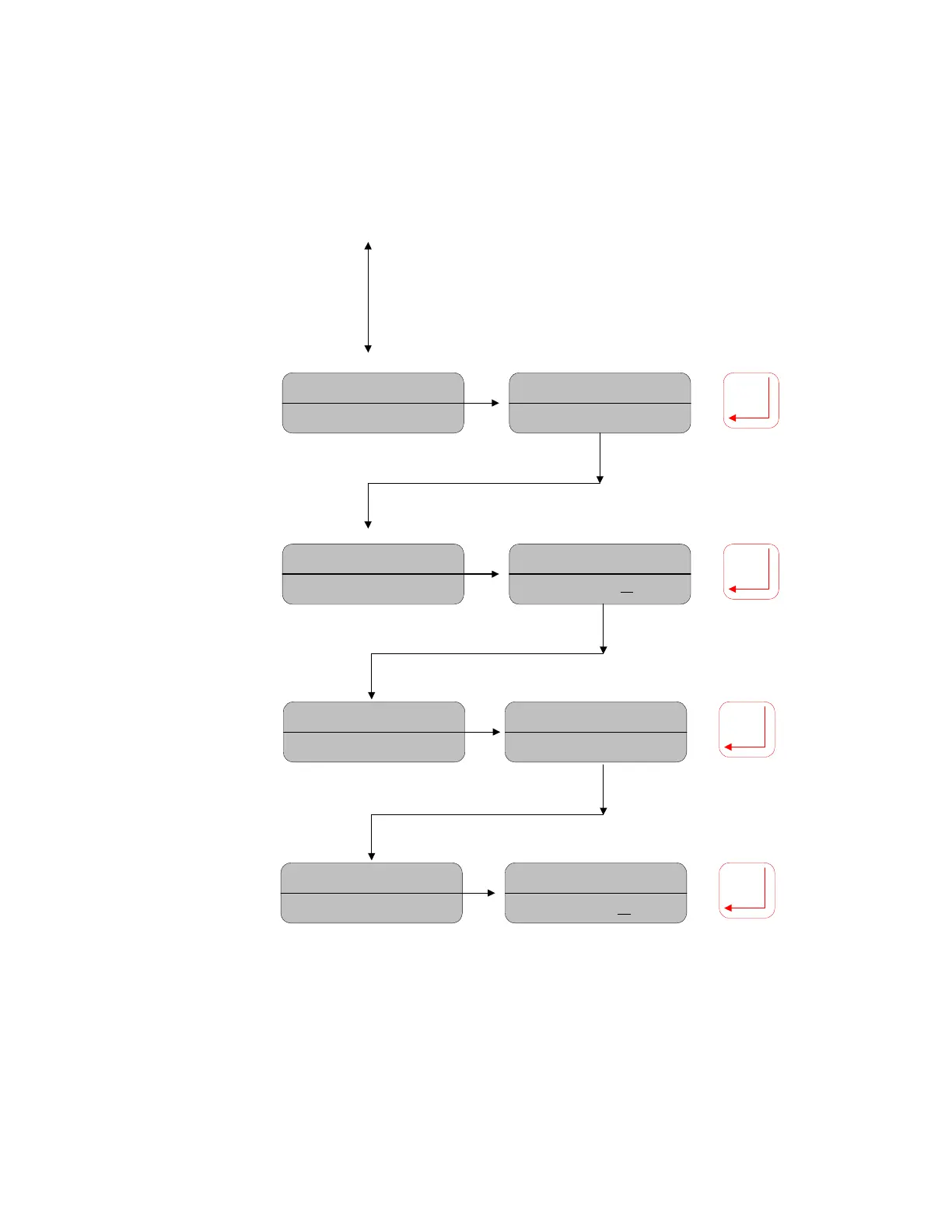
Moisture= 12.89%
Anout (1) HI: 100.0
Moisture= 12.89%
Anout (1) HI: 50.00
Analog Out 1 High
Setting:
Move the
cursor under the
value. Move up/
down to set the
desired value, press
Enter to confirm.
Moisture= 12.89%
Anout (1) LO: 00.00
Moisture= 12.89%
Anout (1) LO: 2
0.0
Analog Out 1 Low
Setting:
Repeat as per
previous parameters.
Move Down to access
Analog #2 settings,
repeat as above.
Analog Out 2
Settings:
Press
DOWN to access
Analog Out 2, then
down again to access
Analog Out 3. Repeat
as per Analog 1 for
different values
compared to the
default values of 0.0
and 100.0
Analog Ranges:
Move down to
access the Analog
Output Ranges.
Moisture= 12.89%
Anout (2) HI: 100.0
Moisture= 12.89%
Anout (2) HI: 50.00
Moisture= 12.89%
Anout (2) LO: 2
0.0
Moisture= 12.89%
Anout (2) LO: 00.00
17

Related product manuals