EasyManua.ls Logo

Process Sensors MCT 300 - Calibration Parameters; Zero Settings Adjustment; Span Settings Adjustment

Default Icon
75 pages
Print Icon
To Next Page IconTo Next Page
To Previous Page IconTo Previous Page
Loading...
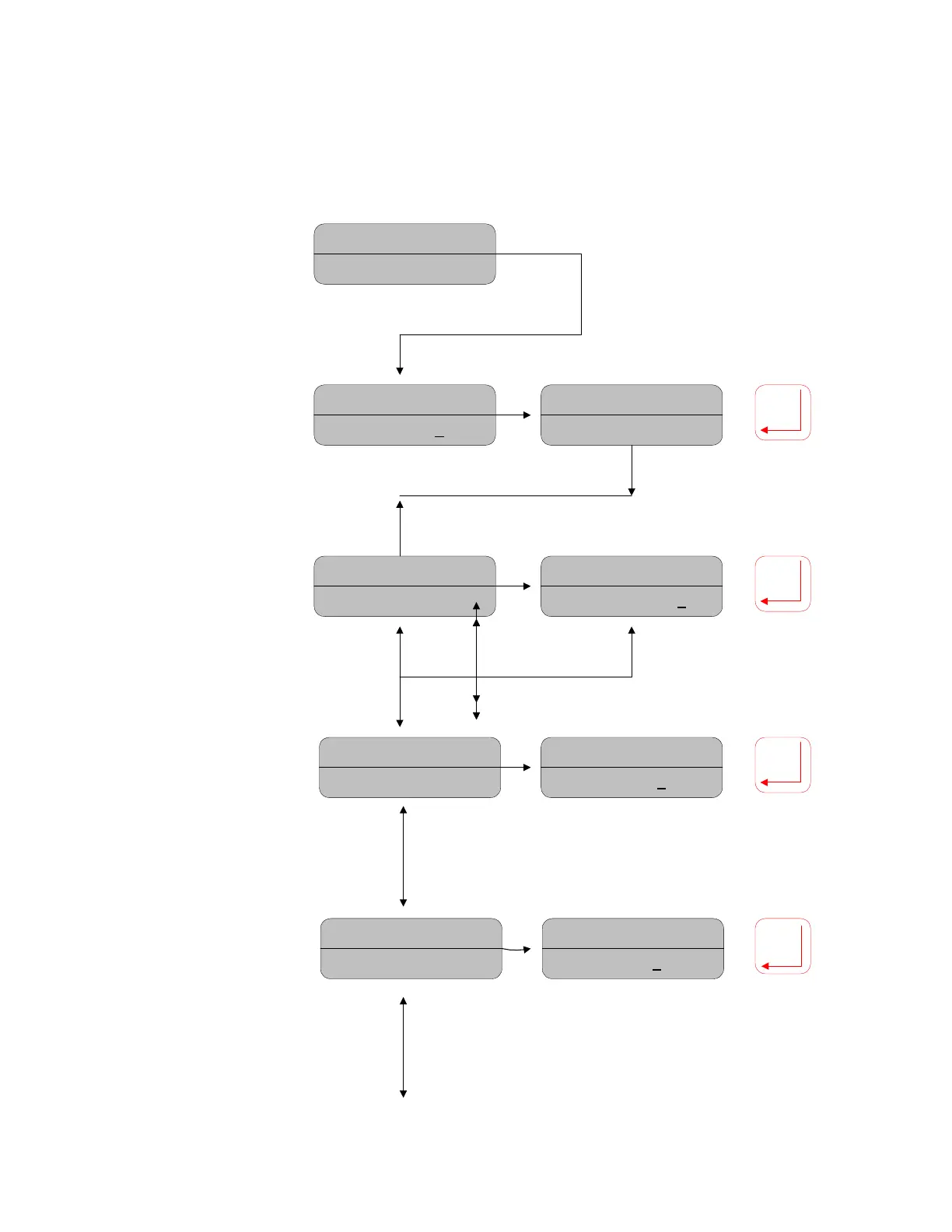
7.4 Calibration Parameters
Moisture= 12.89%
CAL Parameters
Move down to display
CAL Parameters
Move right to enter the
menu
Moisture= 12.89%
PASSWORD=0000
Moisture= 12.89%
PASSWORD=____
Password:
Move
cursor under digits,
move up/down to
set the correct
password, Press
ENTER to accept
Moisture= 12.89%
PARA: PROD. A (01)
Moisture= 12.89%
PARA: Prod E (05
)
Moisture= 12.89%
ZERO = -43.75
Moisture= 12.89%
ZERO = -45.78
Moisture= 12.89%
SPAN = 14.56
Moisture= 12.89%
SPAN = 18.78
Prod. Code Selection:
To view and adjust the
settings stored in each of
the 9 calibration
channels, move the
cursor under the digits,
move up/down to set the
desired value, then press
Enter to confirm Move
down to the next menu
parameter
Zero Settings:
Move
the cursor under the
digits, move up/down
to set the desired
value, then press
Enter to confirm.
Move up or down for
other menu
parameters
Span Settings:
Repeat as per the
offset setting
adjustment
16

Related product manuals