Refer to Section 11.0
5. 1 AC Power Connection
The sensor is powered directly using the 6-foot (2mtrs) power cord provided. The input is auto ranging
and accepts 90-260VAC volts, 15 amps. It is recommended that the power be supplied via a breaker or
on/off switch mounted close to the sensor. An optional breaker switch is available from PSC.
5.2 Analog and Serial Cable Connections
Customer data cables connect to the sensor by two 6-way I/O connectors on the rear of the sensor.
Details of the respective terminals in these connectors are given in Section 11.0
5.3 Displays and Operator Interfaces
The MCT may be set-up by using several operator interface and display modules.
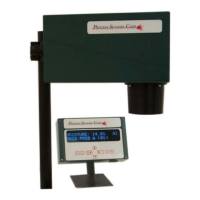
Wall Mountable: This display interface is designed to be permanently connected
to the sensor. It connects using a cable up to 500 feet (150
meters) in length.
The interface connects to the sensor using the 9 pin circular socket located on the rear of the sensor
housing.
Detailed descriptions of these interfaces are given in Sections 6.0 & 7.0
Host Computer: This interface is a PC program designed to allow access to
an individual sensors internal setup and calibration settings.
It connects to the serial port of the sensor.
The PC software program has its own Operation Manual.
6.0 Operator Interfaces
4



 To Next Page