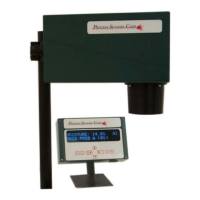
7.0 Set-Up Instructions - Operator Interface
The wall mountable and handheld operator interfaces both operate in identical ways; the only difference
between the two is the size of the display and the style of enclosure. All the information required to
operate and calibrate the MCT, is given on the 2-line/20 character vacuum fluorescent display.
7.1 Menu Structure
The interface software is organized in a menu “tree” structure. Using the keypad on the front of the
operator interface allows selection of the menu items. The lower half of the display changes as the user
moves through the menu choices.
7.1.1 Keypad Lock
The complete keypad may be ‘locked’ preventing use of any key until the correct key push
sequence is made to unlock the keypad. Contact Process Sensors to obtain the lock and unlock
sequences.
7.1.2 Display Selector
The MCT may be ‘Set-up’ to measure up to three constituents in a product. Depending on this
set-up the MCT’s ‘Home Screen’ will be different.
Home Screen for Single Constituent
Constit : 13.6%
Prod: Prod A (01)
Home Screen for Dual Constituents
9



 To Next Page