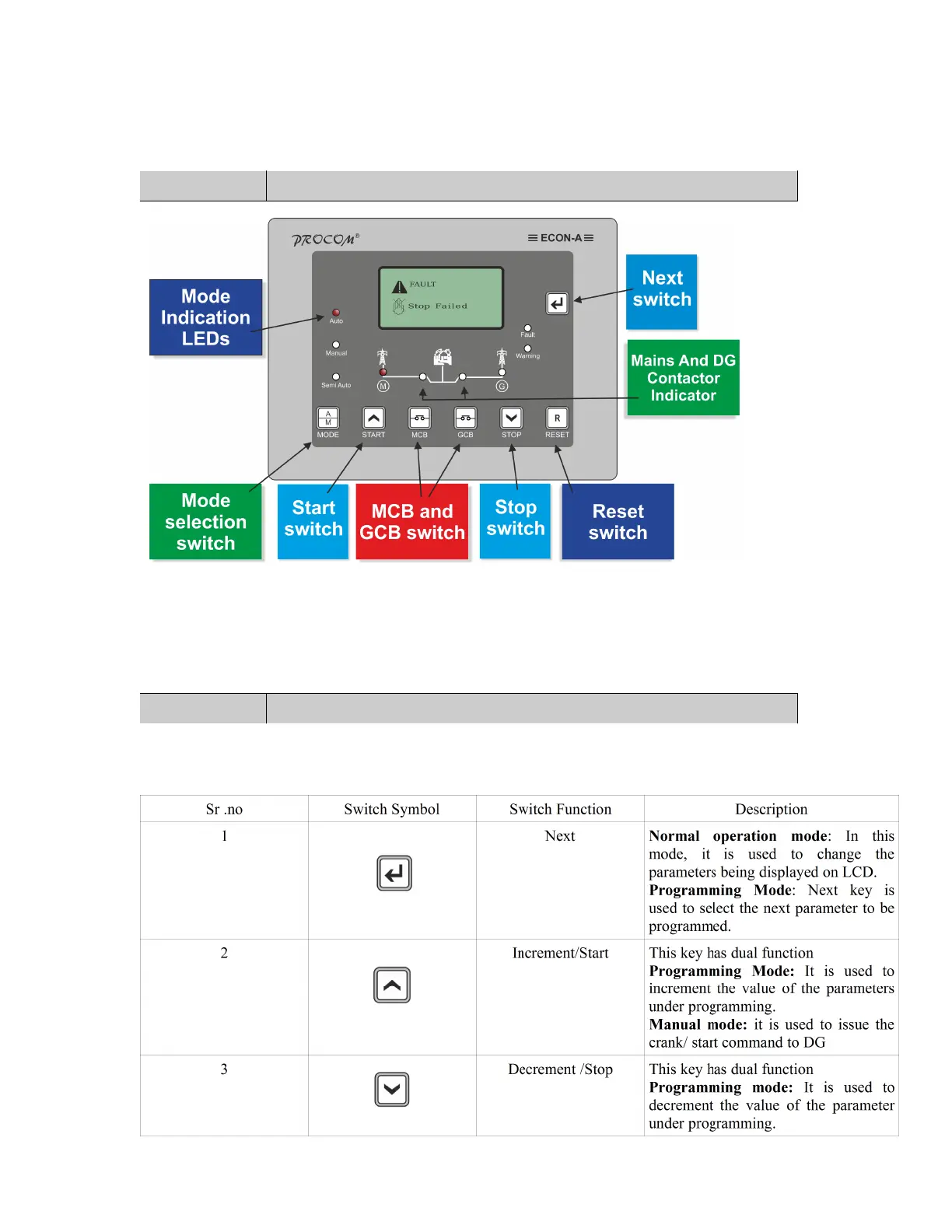
3.0 Display / Front Panel
128x64 pixels Graphical LCD Display for ease of readout.128x64 pixels Graphical LCD Display for ease of
readout. Parameters are displayed in English along with symbolic representation.Normally the display auto scrolls
and displays a set of parameter for 10 seconds, but any time the Next key (
) can be pressed to select the next
parameter window.
4.0 Switches Description
ECON-A has 7 switches provided on its front panel. The table below describes the operation of these.
Cat_ECON-06-15 -Ver1.0. Page 5/21



 To Next Page