EasyManua.ls Logo

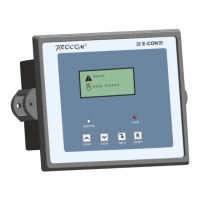
Procom ECON-F - User Manual

Procom ECON-F
20 pages
Print Icon
To Next Page IconTo Next Page
Loading...
OPERATING INSTRUCTIONS
ECON-F(GC)/F(4C)
Question and Answer IconNeed help?

Do you have a question about the Procom ECON-F and is the answer not in the manual?

Procom ECON-F Specifications

General IconGeneral
BrandProcom
ModelECON-F
CategoryController
LanguageEnglish

Summary

Introduction

Protection, Supervision Salient Features

Digital Output

Digital Input

Indication

Front Panel Switch

Setting Procedure; Menu

System Parameter

Password-protected system parameters can be viewed or edited after entering the correct password.

Engine; Generator Parameter

Allows viewing and modification of engine and generator parameters after navigating from System Parameters.

Annunciation Setting

RS-485 Parameter

Display History

Display Event

Display Start Stop

Reset Service Alarm

Adjust Clock

Reset Password

Technical Specification

Analog Channel Data

High Water Temperature Sensors Data

Provides resistance data for High Water Temperature sensors at various temperature points.

Related product manuals