EasyManua.ls Logo

Procom QNSD250T - User Manual

Procom QNSD250T
28 pages
Print Icon
To Next Page IconTo Next Page
Loading...
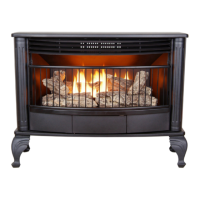
VENT-FREE GAS STOVE
OWNER’S OPERATION
AND INSTALLATION
MANUAL
MODEL
QNSD250T
Questions, problems, missing parts? Before returning to your retailer, call
our customer service department at 1-866-573-0674, 7:30 am - 4:15 pm CST,
Monday through Friday or email customerservice@usaprocom.com
PFS
®
US
WARNING: If the information in this manual is not
followed exactly, a re or explosion may result causing
property damage, personal injury or loss of life.
Do not store or use gasoline or other ammable va-
pors and liquids in the vicinity of this or any other
appliance.
WHAT TO DO IF YOU SMELL GAS
Do not try to light any appliance.
Do not touch any electrical switch; do not use any
phone in your building.
Immediately call your gas supplier from a neighbors
phone. Follow the gas suppliers instructions.
If you cannot reach your gas supplier, call the re
department.
Installation and service must be performed by a quali-
ed installer, service agency or the gas supplier.
WARNING: This appliance is equipped for Natural and
Propane gas. Field conversion is not permitted other than
between natural or propane gases.

Questions and Answers

  • G
    Gary GarciaSep 8, 2025
    Why does my Procom QNSD250T heater produce a whistling noise when the burner is lit?
    • L
      Linda EricksonSep 8, 2025
      If your Procom Stove heater makes a whistling noise when the burner is lit, try turning the control knob to the low position and letting it warm up for a minute if the burner is cold. Air in the gas line could also be the cause, so operate the burner until the air is removed from the line, and have the gas line checked by your local gas supplier. Blocked air passageways on the heater or a dirty/partially clogged burner orifice can also cause this issue, so clean the burner or replace the burner orifice.
  • J
    Jessica KingSep 10, 2025
    Why does my Procom QNSD250T produce unwanted odors?
    • S
      shearichardSep 10, 2025
      If your Procom Stove produces unwanted odors, it might be burning vapors from paint, hair spray, glues, etc. Ventilate the room and stop using odor-causing products while the heater is running. There could also be a gas leak, so locate and correct all leaks. If you are using Propane/ LP models, check if the fuel supply is low and refill the supply tank.
  • B
    Brian BowmanSep 12, 2025
    Why is there white powder residue forming within the burner box or on adjacent walls or furniture when using my Procom Stove?
    • L
      Linda VincentSep 12, 2025
      The white powder residue forming within the burner box or on nearby surfaces when using your Procom Stove is likely due to vapors from furniture polish, wax, carpet cleaners, etc. When heated, these vapors turn into a white powder residue. To prevent this, turn off the heater when using such products.
  • L
    ldavidsonSep 13, 2025
    Why does my Procom QNSD250T heater produce a clicking/ticking noise just after burner is lit or shut off?
    • S
      Stephanie GuzmanSep 13, 2025
      The clicking or ticking noise your Procom Stove heater makes just after the burner is lit or shut off is typically due to metal expanding while heating or contracting while cooling. This is common with most heaters. If the noise is excessive, contact a qualified service technician.
  • J
    Joseph CooperSep 15, 2025
    Why is my Procom QNSD250T Stove using natural gas and the pilot will not light?
    • C
      Catherine MartinezSep 15, 2025
      If you are using natural gas and the pilot will not light on your Procom Stove, the inlet pressure may exceed 9" WC. Bypass the pressure switch.
  • A
    Anthony ChambersSep 18, 2025
    Why is there slight smoke or odor during initial operation of my Procom Stove?
    • B
      Brandon SheaSep 18, 2025
      The slight smoke or odor during the initial operation of your Procom Stove is due to residues from the manufacturing process. This problem will stop after a few hours of operation.

Summary

Safety

Specifications

Qualified Installing Agency

Product Features

Safety Pilot

Safety feature with Oxygen Depletion Sensing (ODS) shutoff system.

Piezo Ignition System

Electronic piezo control system requiring one AAA battery for ignition.

Thermostatic Control

Automatically cycles burner to maintain desired room temperature.

2 Gas Options Available

Heater can operate on Propane/LP or Natural gas, with factory preset for Propane/LP.

Local Codes

State of Massachusetts

Specific installation requirements for Massachusetts, including licensed plumber and gas fitter.

Product Identification

Heater Controls (Inside Panel)

Location of the heater's control panel, typically inside.

Unpacking

Leg Installation

Instructions for attaching the legs to the heater unit during setup.

Water Vapor: A By-Product of Unvented Room Heaters

Air for Combustion and Ventilation

Ventilation Air

Requirements for providing fresh air for combustion and ventilation.

Ventilation Air From Inside Building

Method of providing ventilation air from an adjoining unconfined space.

Air for Combustion and Ventilation

Ventilation Air From Outdoors

Method of providing ventilation air directly from outdoors via grills or ducts.

Installation

Clearances to Combustibles

Minimum safety clearances required from combustible materials for installation.

Minimum Wall and Ceiling Clearances

Specifies required distances from walls and ceiling for safe heater placement.

Installation

Gas Selection

Instructions for selecting and connecting the correct gas type (Propane/LP or Natural Gas).

For Propane;LP Gas Installation: Blue

Specific steps for installing the heater with propane or LP gas.

Installation

For Natural Gas (NG) Installation: Yellow

Specific steps for installing the heater with natural gas.

Installation

Connecting to Gas Supply

Detailed instructions and safety precautions for connecting the heater to the gas supply.

Installation

Checking Gas Connections

Procedures for verifying gas connections are secure and leak-free.

Pressure Testing Gas Supply Piping System

Steps for testing the gas supply piping system for leaks.

Test Pressures Equal To or Less Than 1;2 PSIG (3.5 kPa)

Specific testing procedure for low-pressure gas systems.

Installation

Pressure Testing Heater Gas Connections

Final checks of heater gas connections after installation, including leak testing.

Battery Instructions

How to install and replace the AAA battery for the ignitor.

Installation

Installing Logs

Step-by-step guide for correctly positioning the decorative logs within the heater.

Operation

For Your Safety Read Before Lighting

Critical safety warnings and procedures to follow before attempting to light the appliance.

Lighting Instructions

Step-by-step guide for safely lighting the heater's pilot and main burner.

Operation

Thermostat Control Operation

Explanation of how the thermostat senses room temperature and cycles the burner.

To Turn Off Gas to Appliance

Procedures for safely shutting off the heater and its gas supply.

Manual Lighting Procedure

Alternative method for lighting the pilot using a match if the ignitor fails.

Inspecting Burners

Pilot Flame Pattern

How to identify a correct pilot flame pattern and what to do if it's incorrect.

Burner Flame Pattern

How to identify a correct burner flame pattern and what to do if it's incorrect.

Burner Primary Air Holes

Importance of keeping primary air holes clean to prevent sooting.

Care and Maintenance

Main Burner

How to inspect and maintain the main burner flame holes for proper operation.

Burner Injector Holder and Pilot Air Inlet Hole

Guide for cleaning the burner injector holder and pilot air inlet holes.

Care and Maintenance

ODS;Pilot

Cleaning procedures for the Oxygen Depletion Sensing (ODS) and pilot assembly.

Cabinet

Instructions for cleaning the heater's cabinet and air passageways.

Logs

Guidance on removing and replacing logs, and when to replace them.

Troubleshooting

Pressure Switch

Explanation of the pressure switch function and troubleshooting steps for natural gas inlet pressure.

Accessories

Service Hints

Technical Service

Parts

Parts

Replacement Parts

List of available replacement parts with item numbers and descriptions.

Parts Under Warranty

Information on how to obtain warranty service and required details.

Parts Not Under Warranty

Information on obtaining replacement parts outside of the warranty period.

Warranty

Limited Warranty

ProCom's warranty covering defects in materials and components for one year.

Responsibility of Owner

Owner's responsibilities regarding installation, operation, and obtaining warranty parts.

What Is Not Covered

Exclusions from the warranty, such as misuse, accidents, or improper installation.

Procom QNSD250T Specifications

General IconGeneral
BrandProcom
ModelQNSD250T
CategoryStove
LanguageEnglish

Related product manuals