Troubleshooting
Diagnostic Tools
Timeout in Seconds is the number of seconds to allow per attempt to test a
connection before determining that the current attempt has failed.
To halt a Link or Ping test before it concludes, click on the Stop button.
To reset the screen to its default settings, click on the Defaults button.
CLI: Ping or Link Tests
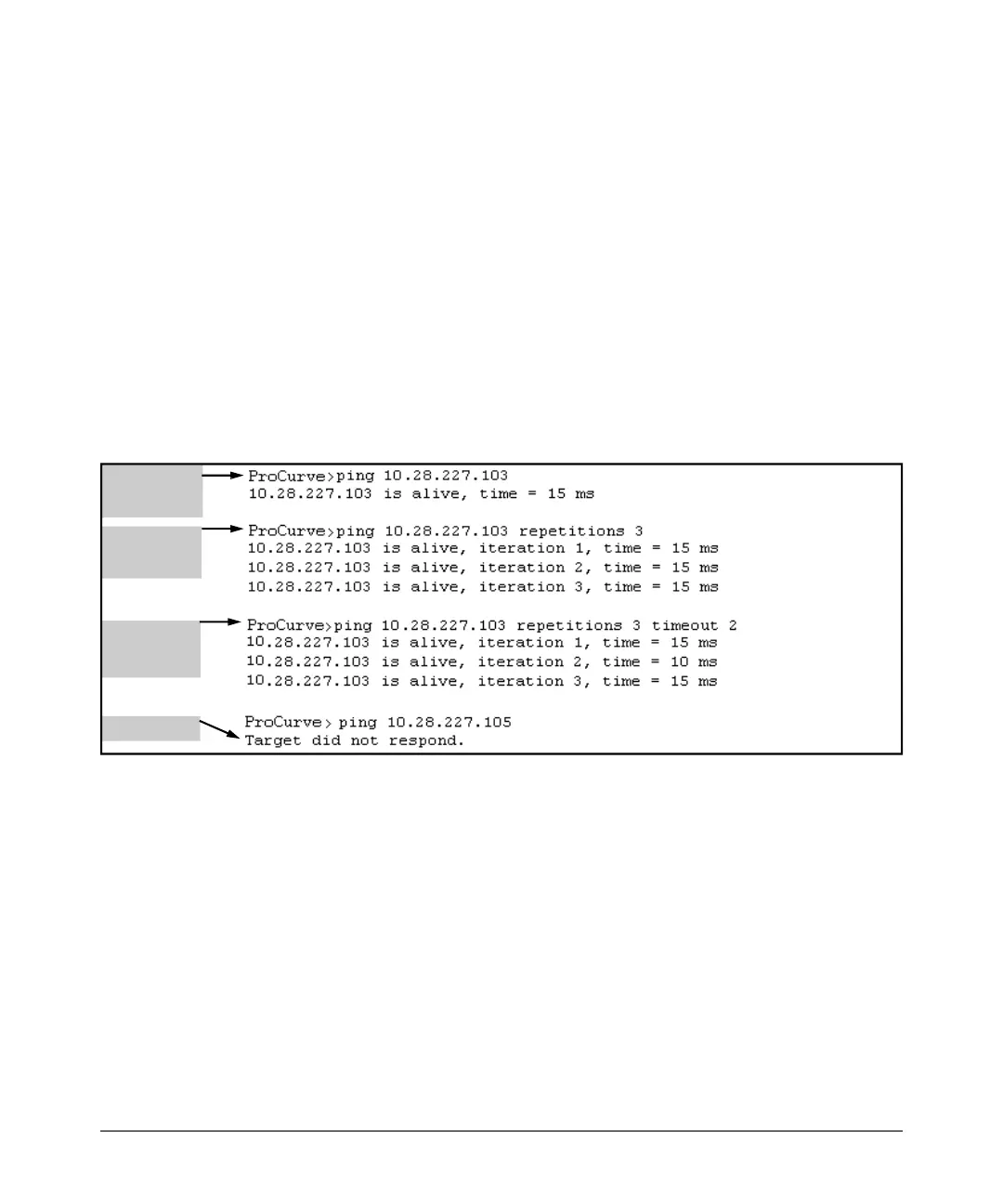
Ping Tests. You can issue single or multiple ping tests with varying repeti-
tions and timeout periods. The defaults and ranges are:
■ Repetitions: 1 (1 - 999)
■ Timeout: 5 seconds (1 - 256 seconds)
Syntax: ping < ip-address > [repetitions < 1 - 999 >] [timeout < 1 - 256 >]
Basic Ping
Operation
Ping with
Repetitions
Ping with
Repetitions
and Timeout
Ping Failure
Figure C-15. Examples of Ping Tests
To halt a ping test before it concludes, press
[Ctrl] [C].
C-37



 To Next Page