PRODIGY
Voice® Blood Glucose Meter PRODIGY
Voice® Blood Glucose Meter
Owner’s Manual Owner’s Manual
System Troubleshooting
Special Messages
Special messages and Error messages help to
identify certain problems but do not appear in all
cases when a problem has occurred. Improper
use may cause an inaccurate result without
producing an error message.
In the event of a problem, refer to the information
under “Action” in the “Error Messages” section.
If you continue to have a problem, please refer
to the “Troubleshooting Guide” section. If you
follow the actions recommended but the problem
is not resolved, please contact Customer Care at
1.800.243.2636 for assistance.
Message What it means
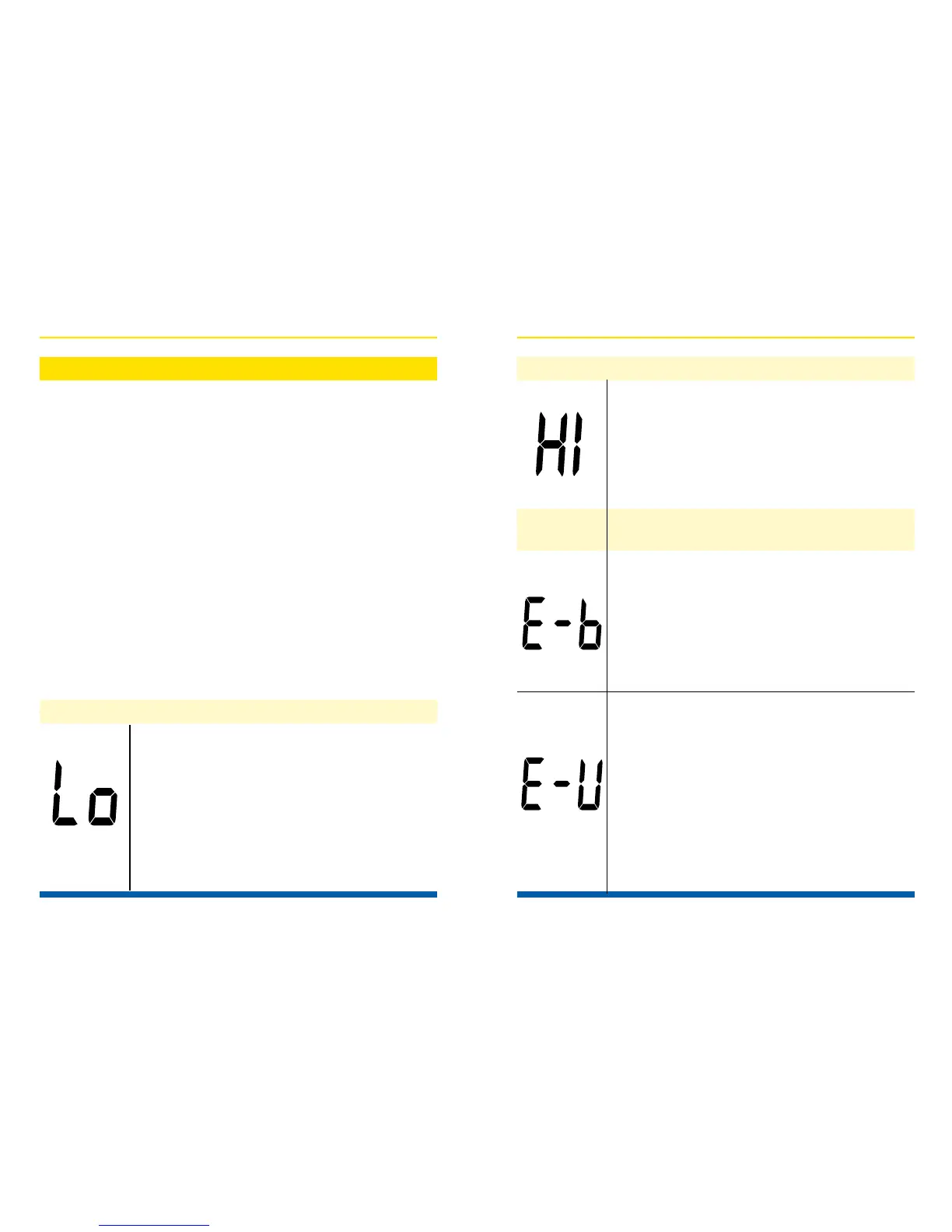
“Lo” appears when your result is
below the measurement limit, which is
less than 20 mg/dL (1.1 mmol/L). “Lo”
indicates hypoglycemia (low blood
glucose). You should immediately
consult your healthcare professional.
62
“HI” appears when your result is
above the measurement limit, which
is higher than 600 mg/dL (33.3
mmol/L). You should immediately
consult your healthcare professional.
What it means: Appears when the
battery cannot provide enough
power for a test.
Action: Replace the battery
immediately.
What it means: Appears when
inserting a used test strip.
Action: Test with a new test strip. If
the problem persists, please contact
Customer Care at 1.800.243.2636.
Message What it means
Message Description
Error
63


 To Next Page