PRODIGY
Voice® Blood Glucose Meter PRODIGY
Voice® Blood Glucose Meter
Owner’s Manual Owner’s Manual
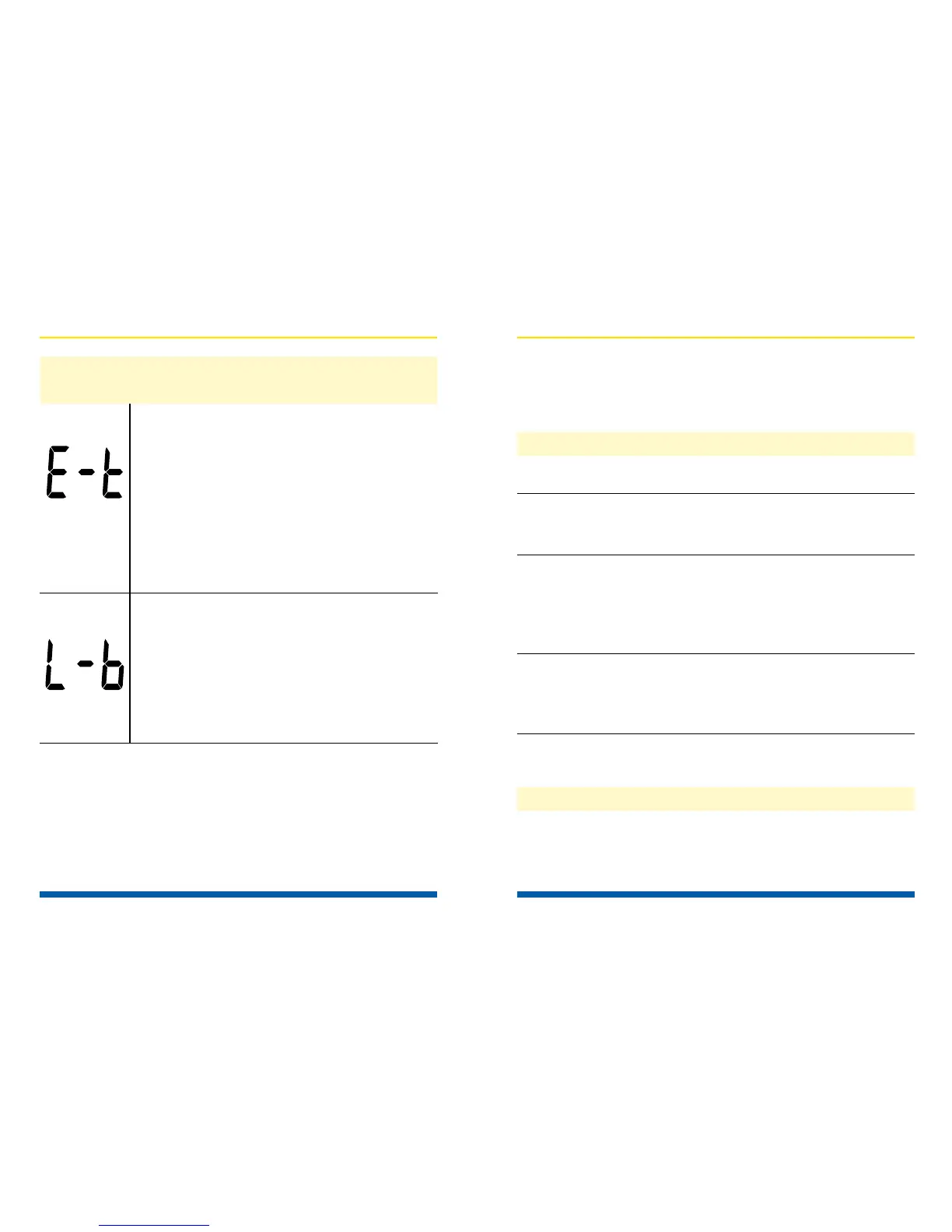
What it means: Appears when the
temperature is out of the system
operating range (50°F–104° or
10°C–40°C).
Action: Repeat the test after the
meter and test strip are within the
operating temperature range.
What it means: Insufcient blood
sample.
Action: Insert a new test strip.
Message Description
64
Only the most common error messages are listed.
If your meter displays an error message that is not
listed, please contact Prodigy
®
Customer Care at
1.800.243.2636.
Error
Battery exhausted. Replace the batteries.
Battery incorrectly Check that the batteries
installed or absent. are correctly installed.
Test strip inserted Insert the test strip
upside down or correctly with the bar
incompletely. end entering into the
test strip port rst.
Defective meter. Please contact Customer
Care at 1.800.243.2636
for assistance.
v The test does not start after applying
the sample.
Insufcient blood Repeat the test using
sample. a new test strip with a
larger blood sample.
Probable Cause Actions
Probable Cause Actions
Troubleshooting Guide
v The meter does not display a message after
inserting a test strip
65



 To Next Page