Prodys S.L. Tel: +34 91 6896880 Fax: +34 91 6943777 Email: sales@prodys.net Web: www.prodys.com
Page 21
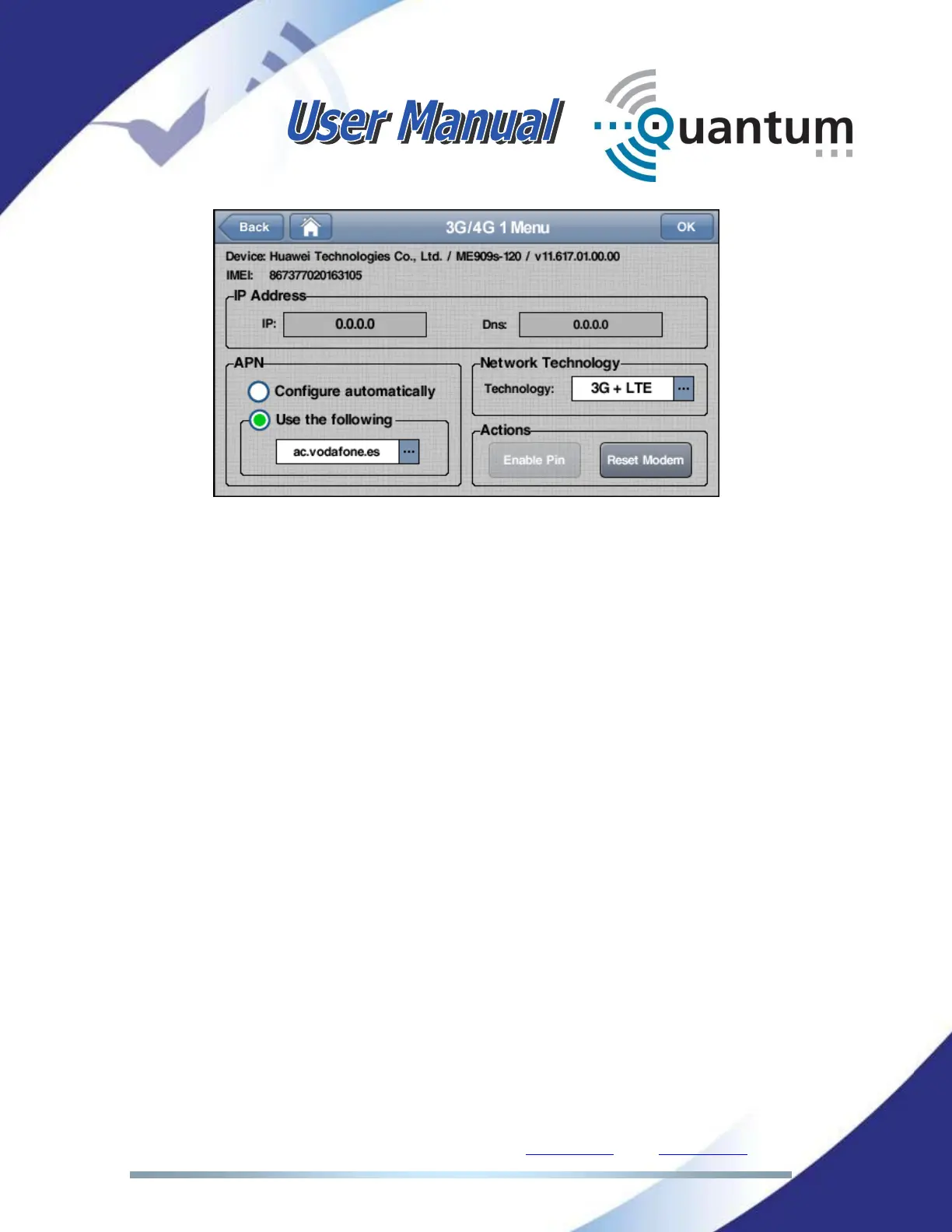
In this configuration window the user has to set up the APN (Access Point Name)
information, corresponding to the provider of the IP data connection for the
3G/4G modem under configuration. They can choose between setting the APN
manually or to let the codec to look for the right APN in their database.
This option can provide undesired results when APN values have been changed
recently by the operator and the firmware has not been updated since, so it is
always advisable to use the manual setting. The APN settings are widely
available on the Internet for each 3G/4G data provider.
It is also possible to Enable or Disable the Pin number, and to reset the modem
associated to that SIM card.
To end with and regarding the configuration of the 3G/4G connectivity, it is
possible to configure the wireless link to make use of 3G + 4G (LTE) technology,
or just limit the connectivity to one specific technology (either 3G or 4G/LTE).
Take into account that the step above must be followed for all internal modems
that have been provided with a SIM card in its corresponding SIM card slot.
Detailed information on the status of the different 3G/4G connections can be
found at the 3G/4G section in the monitor menu.



 To Next Page