Prodys S.L. Tel: +34 91 6896880 Fax: +34 91 6943777 Email: sales@prodys.net Web: www.prodys.com
Page 25
III.6 Establishing the IP connection
Once the IP settings, be it Ethernet or 3G/4G, have been properly configured,
and the Program connection bar shows the word ‘IDLE’, the unit is ready to
establish a call.
Please pay attention if LAN1 or LAN2 must be related to the proper Internet
gateway according to LAN2 being enabled or not.
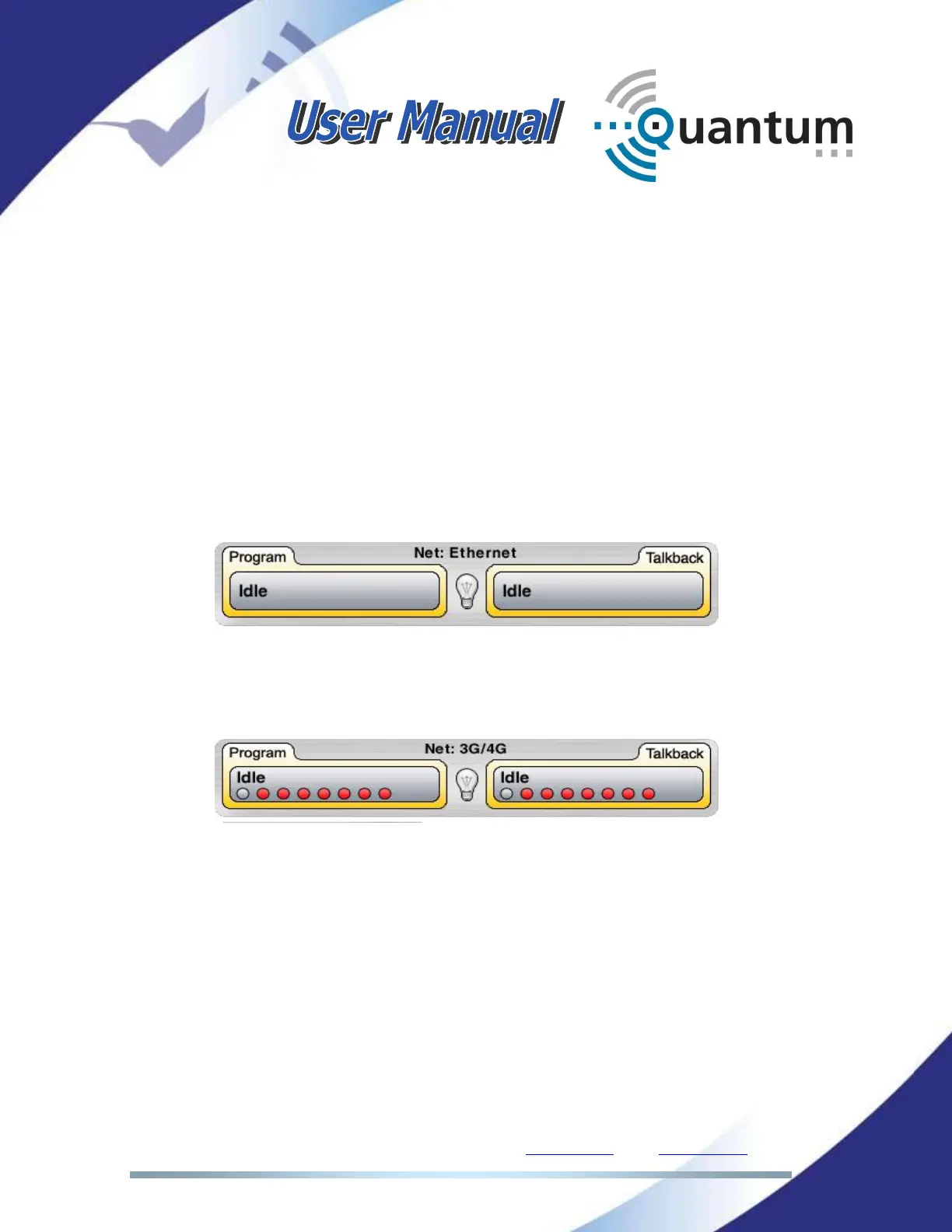
In order for the user to be able to establish an IP connection, the Program
connection bar should show the word ‘Idle’, meaning that the streaming
interface is ready to be used. Otherwise, the message ‘Down’ would appear in
this bar:
When working with 3G/4G as streaming network, or when bonding different
interfaces, there will be some circles representing each of the different interfaces
as in the picture below:
One red circle means that the corresponding 3G/4G data link is not up and
running. Grey means that the connection is fine. As long as one of them is up
and running, the connection bars will show ‘Idle’, allowing the user to establish a
connection. Otherwise, the connection bars will show the word ‘Down’ in a red
background colour.
Using BRAVE transmission protocol Quantum units with double codec capacity
can service two independent bidirectional stereo communications:
1. PROGRAM or CODEC 1
2. TALKBACK or CODEC 2



 To Next Page