EasyManua.ls Logo

PROEL FLASH12A-V2 - User Manual

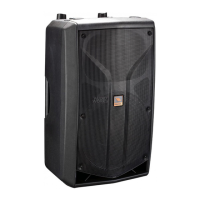
PROEL FLASH12A-V2
20 pages
Print Icon
To Next Page IconTo Next Page
Loading...
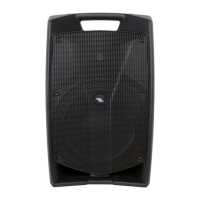
FLASH12A-V2
ac ve loudspeaker
FLASH12P-V2
passive loudspeaker
USER MANUAL
MANUALE D'USO

Questions and Answers

  • B
    brookesmithAug 1, 2025
    What to do if my PROEL FLASH12A-V2 Speakers have no sound?
    • S
      scottharrisAug 1, 2025
      If your PROEL Speakers aren't producing any sound, there are several things to check: * Is the input LEVEL control for the channel turned up? * Is the SIGNAL LED illuminated? * Ensure the SPEAKON cable connector is correctly inserted by turning it clockwise until it clicks. * Verify your signal level isn't too low. Also, check the signal cable, mixer, and other equipment settings and cabling. * Confirm your signal and power cables work properly, using a cable tester or replacing them with new ones.
  • C
    Colin FloresAug 6, 2025
    How to troubleshoot no power issue in PROEL FLASH12A-V2 Speakers?
    • J
      Jonathan DavisAug 6, 2025
      If your PROEL Speakers aren't powering on, ensure the following: * The mains AC outlet is live by testing it with a tester or a lamp. * The mains plug is securely plugged into the mains AC outlet.
  • E
    Eric OrtizAug 12, 2025
    What to do if PROEL Speakers sound is distorted?
    • D
      Denise BranchAug 12, 2025
      If the sound from your PROEL Speakers is distorted, it might be because the input signal level is too high. Try turning down your level controls to resolve this.
  • M
    Mr. John WestAug 19, 2025
    Why do my PROEL Speakers have noise or hum?
    • H
      Holly CarlsonAug 19, 2025
      If you're experiencing noise or hum with your PROEL Speakers: * Enable the GND LIFT button on the rear panel. If the problem persists, press all GND LIFT buttons for all system's amplifiers. * Use balanced cables whenever possible. * Try plugging all audio equipment into the same AC circuit to ensure they share a common ground.
  • D
    dayjamesAug 25, 2025
    What causes different channel levels in PROEL Speakers?
    • M
      Mark BeasleyAug 25, 2025
      If you notice a difference in channel levels with your PROEL Speakers: * Check if you're using a balanced cable for one channel and an unbalanced one for the other, as this can cause a considerable difference. * Be sure that your loudspeaker system is fully connected and both loudspeakers have the same impedance.

Summary

FCC Compliance and Safety Warnings

FCC Compliance Notice

Device complies with FCC rules, operation subject to conditions.

Safety Symbols Explained

Alerts for dangerous voltage and important operating instructions.

Manufacturer Disclaimer

Information prepared carefully; no responsibility taken for errors or modifications.

Technical Specifications Overview

Model and System Type

Specifies the model and enclosure type of the loudspeaker.

Frequency Response and Sensitivity

Details the loudspeaker's frequency range and output sensitivity.

Power Handling and SPL

Specifies continuous power, peak power, and maximum sound pressure level.

Frequency Response Charts

Frequency Response Graphs

Visual representation of the loudspeaker's frequency response characteristics.

Dimensions and Mounting Points

Loudspeaker Dimensions

Provides the physical dimensions of the loudspeaker in metric and imperial units.

Flying and Mounting Points

Identifies points for suspending or mounting the loudspeaker.

Available Accessories

Speaker Poles and Stands

Details adjustable speaker poles and professional floor stands.

Mounting Brackets and Eyebolts

Describes wall mount brackets, eyebolts for flying, and couplers.

Protective Covers

Information on heavy-duty covers for carrying the speakers.

FLASH12 A Control Panel and Connections

Control Panel Overview

Identifies and explains the controls on the FLASH12A front panel.

Indicators and Power

Explains the function of LEDs, power switch, and fuse holder.

Input and Output Connections

Details the wiring for MIC IN, MIX OUT, LINE IN (XLR/Jack), and GND LIFT.

FLASH12 A System Configurations

Single Voice System Setup

Diagram for a basic conference system with one FLASH12A.

Basic Stereo System

Diagram for a stereo system using two FLASH12A loudspeakers.

SUB+SAT System Configuration

Diagram for combining FLASH12A satellites with subwoofers.

FLASH12 P Input Panel and Connections

FLASH12 P Input Panel Details

Details the SPEAKON INPUT and LINK connectors on the FLASH12P.

Speakon Cable Connector Wiring

Wiring and pinout information for Neutrik NL4 Speakon connectors.

Loudspeaker Line Losses

Table showing permissible cable lengths based on gauge and impedance.

FLASH12 P System Configurations

FLASH12 P Basic System

Diagram for a basic stereo system using two FLASH12P loudspeakers.

FLASH12 P Doubled System

Diagram for a stereo system using four FLASH12P loudspeakers.

FLASH12 P SUB+SAT System

Diagram for combining FLASH12P satellites with subwoofers.

Safety, Precautions, and Troubleshooting

General Safety Instructions

Important safety guidelines for using the product and general precautions.

Hearing Loss Warning

Information on potential hearing damage from high sound levels and exposure limits.

Troubleshooting Common Issues

Steps to diagnose and resolve issues like no power, no sound, or noise/hum.

Compliance, Warranty, and Installation

CE Conformity

Details compliance with EU directives for EMC and Low Voltage.

Warranty and Returns

Information on product warranty period, coverage, and return procedures.

Installation and Maintenance

Guidelines for safe installation, usage, cleaning, and fuse replacement.

General Information and FLASH12 A Instructions

General Product Information

Introduction to the PROEL FLASH V2 series and its features.

FLASH12 A LINE IN Connection

Details the combo connector for line signals, including wiring.

FLASH12 A MIC IN and MIX OUT

Details the balanced XLR input for mics and the unbalanced MIX OUT.

FLASH12 A Controls Explained

Explanation of GND LIFT, LINE LEVEL, MIC GAIN, and LOW EQ controls.

FLASH12 A Controls Continued

FLASH12 A HIGH EQ and Indicators

Description of HIGH EQ control and SIGN/LIMIT, ON indicators.

FLASH12 A Power and Fuses

Instructions for the power switch, fuse holder, and AC socket.

FLASH12 A Product Label

Information found on the product label.

FLASH12 P Instructions and Protection

FLASH12 P INPUT and LINK Connectors

Details the SPEAKON connectors for power input and linking.

FLASH12 P Protection Circuit

Explanation of the protection circuit for the HF driver.

Choosing Amplifier Power

Guidance on selecting amplifier power and avoiding clipping.

PROEL FLASH12A-V2 Specifications

General IconGeneral
Speaker TypeActive
Amplifier TypeClass D
Frequency Response50 Hz - 20 kHz
Max SPL126 dB
OutputsXLR
Woofer Size12 inches
HF Driver1 inch
Tweeter Size1 inch
InputsXLR

Related product manuals