20
5
Thank you for selecting the revolutionary PROFORM
¨
615 treadmill. The PROFORM
¨
615 combines ad-
vanced technology with innovative design to help you
get the most from your exercise program in the conve-
nience and privacy of your home. And when youÕre not
exercising, the unique treadmill can be folded up, re-
quiring less than half the floor space of other treadmills.
For your benefit, read this manual carefully before
using the PROFORM
¨
615 treadmill. If you have ad-
ditional questions, please call our our Customer
Service Department at 0345-089009. To help us assist
you, please note the product model number and serial
number before calling. The model number of the tread-
mill is PETL61591. The serial number can be found on
a decal attached to the treadmill (see the front cover of
this manual for the location).
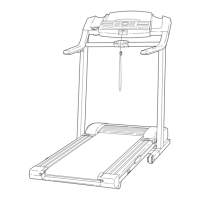
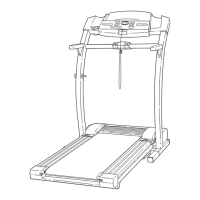
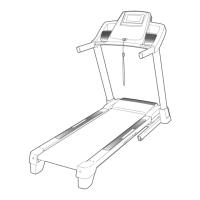
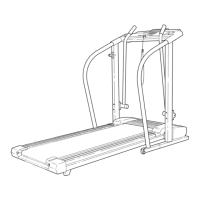
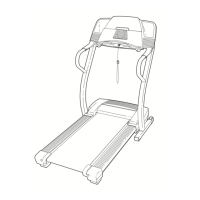
Before reading further, please review the drawing
below and familiarise yourself with the parts that are
labeled.
BEFORE YOU BEGIN
Handrail
Console
Latch Knob
Latch Pin
Pulse Sensor
Book Holder
Key/Clip
Circuit
Breaker
On/Off Switch
Walking Belt
Cushioned Walking Platform
Foot Rail
Rear Roller
Adjustment Bolts
Water Bottle
Holder (Bottle
not included)
RIGHT SIDE
LEFT SIDE
TROUBLE-SHOOTING
Most treadmill problems can be solved by following the steps below. Find the symptom that applies, and
follow the steps listed. If further assistance is needed, please call our Customer Service Department.
PROBLEM: The power does not turn on
SOLUTION: a. Make sure that the power cord is plugged into a properly earthed outlet. (See HOW TO PLUG IN
THE POWER CORD on page 8.) If an extension cord is needed, use only a 3-conductor, 14-
gauge (1mm
2
) cord that is no longer than 1.5 meters (5 feet). Important: The treadmill is not com-
patible with GFCI-equipped outlets.
b. After the power cord has been plugged in, make sure that the key is fully inserted into the con-
sole. See step 1 on page 10.
c. Check the circuit breaker located on the treadmill
near the power cord. If the switch protrudes as
shown, the circuit breaker has tripped. To reset the
circuit breaker, wait for five minutes and then press
the switch back in.
d. Check the on/off switch located on the treadmill
near the power cord. The switch must be in the on
position.
PROBLEM: The power turns off during use
SOLUTION: a. Check the circuit breaker located on the treadmill frame near the power cord (see c. above). If the
circuit breaker has tripped, wait for five minutes and then press the switch back in.
b. Make sure that the power cord is plugged in.
c. Remove the key from the console. Reinsert the key fully into the console. See step 1 on page 10.
d. Make sure that the on/off switch is in the on position.
e. If the treadmill still will not run, please call our Customer Service Department.
PROBLEM: The speed display on the console does not function properly
SOLUTION: a. Remove the key from the console and UNPLUG THE
POWER CORD. Remove the screws from the hood
and carefully remove the hood. Locate the Reed
Switch (21) and the Magnet (43) on the left side of the
Pulley (42). Turn the Pulley until the Magnet is aligned
with the Reed Switch. Make sure that the gap be-
tween the Magnet and the Reed Switch is about
3mm. If necessary, loosen the Screw (76) and move
the Reed Switch slightly. Retighten the Screw. Re-at-
tach the hood, and run the treadmill for a few minutes
to check for a correct speed reading.



 To Next Page