8
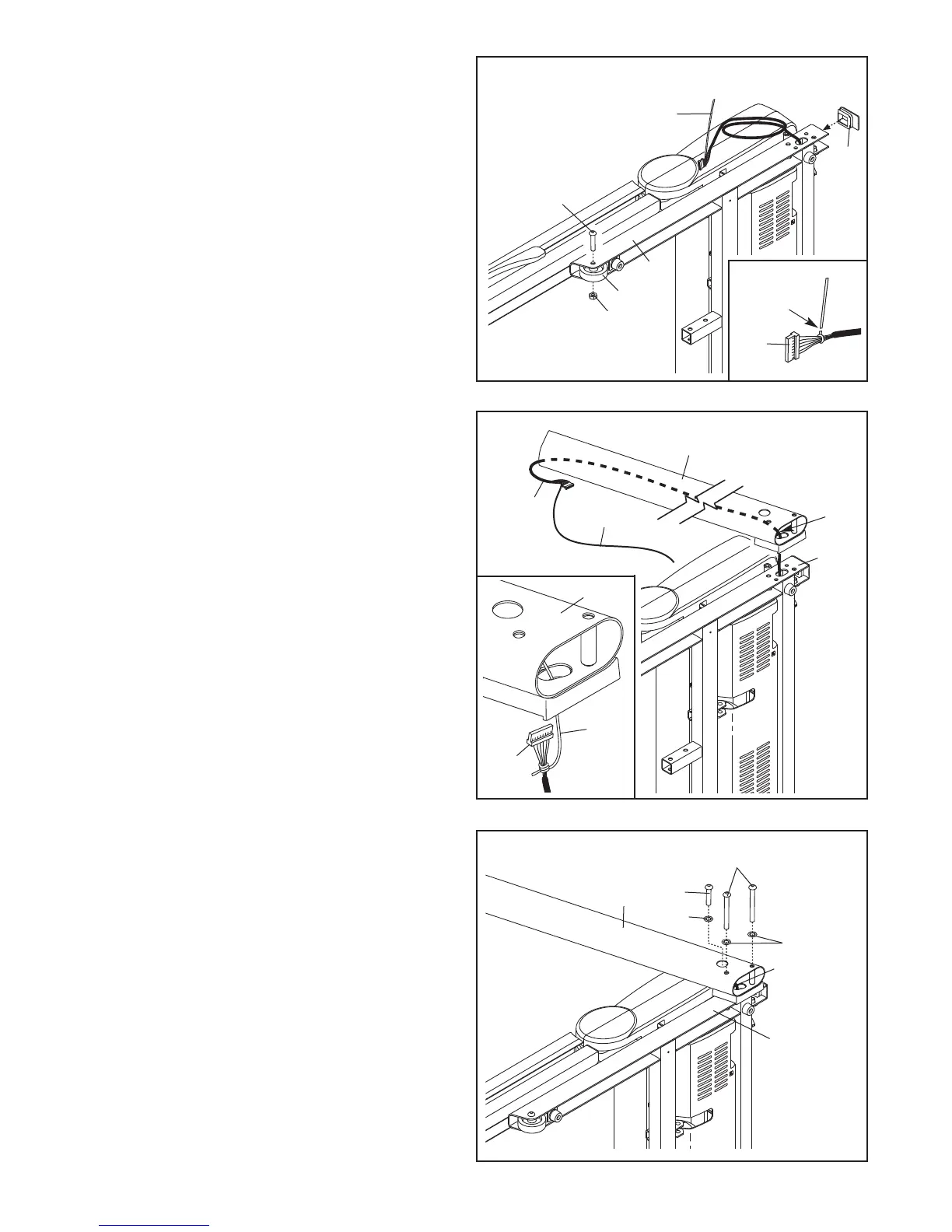
5. Hold the Right Upright (85) against the Base
(95). Be careful not to pinch the Upright Wire
(87). Insert two 3/8" x 4" Patch Bolts (7) and a
3/8" x 1 1/2" Patch Bolt (3) with three 3/8" Star
Washers (11) into the Right Upright.
Tighten the 3/8" x 4" Patch Bolts (7) and the
3/8" x 1 1/2" Patch Bolt (3) until the heads of the
Patch Bolts touch the Right Upright (85); do not
fully tighten the Patch Bolts yet.
95
85
87
11
11
3
7
5
4. Identify the Right Upright (85), which is marked
with a “Right” sticker. Hold the Right Upright
near the Base (95) as shown.
See the inset drawing. Tie the wire tie in the
Right Upright (85) securely around the end of
the Upright Wire (87). Then, pull the other end
of the wire tie until the Upright Wire is routed
completely through the Right Upright.
Wire Tie
87
85
95
87
4
Wire
Tie
85
87
3. See the inset drawing. Cut the plastic tie near
the Upright Wire (87).
A
ttach a Wheel (96) to the Base (95) with the
3/8" x 2" Bolt (8) and the 3/8" Nut (10) that you
r
emoved in step 1. Do not overtighten the Nut;
the Wheel must turn freely.
Press a Base Cap (89) into the Base (95).
95
8
10
3
96
89
Plastic Tie
Cut
87









 To Next Page