EasyManua.ls Logo

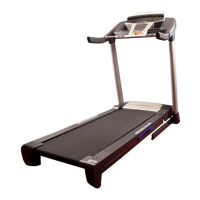
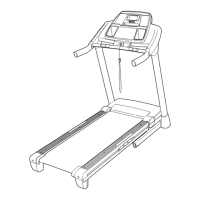
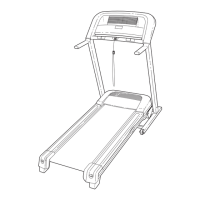
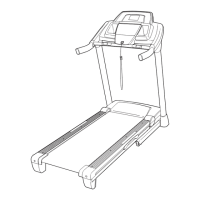
ProForm 710 Zlt Treadmill - User Manual

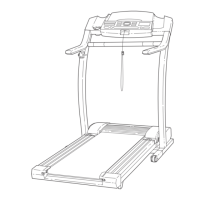
ProForm 710 Zlt Treadmill
36 pages
Print Icon
To Next Page IconTo Next Page
Loading...
USER’S MANUAL
Model No. PETL81711.0
Serial No.
Write the serial number in the space
above for reference.
QUESTIONS?
If you have questions, or if there are
missing parts, please contact us:
UK
Call: 08457 089 009
From Ireland: 053 92 36102
Website: www.iconsupport.eu
E-mail: csuk@iconeurope.com
Write:
ICON Health & Fitness, Ltd.
c/o HI Group PLC
Express Way
Whitwood, West Yorkshire
WF10 5QJ, UK
AUSTRALIA
Call: 1-800-237-173
E-mail:
australiacc@icontness.com
CAUTION
Read all precautions and instruc-
tions in this manual before using
this equipment. Save this manual
for future reference.
Serial Number
Decal
www.iconeurope.com

Other manuals for ProForm 710 Zlt Treadmill

Questions and Answers

  • C
    Cynthia RosalesJul 31, 2025
    Why does my ProForm Treadmill power turn off during use?
    • T
      Tracy ThomasJul 31, 2025
      If your ProForm Treadmill's power turns off during use, first check the power switch. Also, ensure that the power cord is properly plugged in. If the issue persists, remove the key from the console and then reinsert it.
  • L
    Laura AlexanderAug 5, 2025
    How to fix ProForm 710 Zlt Treadmill if the power does not turn on?
    • C
      christopherbaldwinAug 5, 2025
      If the power of your ProForm Treadmill does not turn on, make sure that the power cord is plugged into a properly earthed outlet and that the key is inserted into the console. If the switch protrudes, wait for five minutes and then press the switch back in.
  • M
    mariabyrdAug 9, 2025
    How to turn off demo mode on ProForm 710 Zlt?
    • G
      garrett65Aug 9, 2025
      If the console displays on your ProForm Treadmill remain lit after you remove the key, try holding down the Stop button for a few seconds to turn off the demo mode.
  • C
    Cindy YoungAug 14, 2025
    What to do if the console display does not function properly on ProForm 710 Zlt Treadmill?
    • A
      Aaron BowersAug 14, 2025
      If the displays of the console of your ProForm Treadmill do not function properly, remove the key from the console and unplug the power cord.
  • K
    Karen BlairAug 19, 2025
    How to fix console display with lines on ProForm 710 Zlt Treadmill?
    • M
      Mark FrancisAug 19, 2025
      Adjust the contrast level of the display of your ProForm Treadmill.
  • R
    randy34Aug 25, 2025
    What to do if the walking belt is off-center or slips on ProForm 710 Zlt?
    • G
      gsanchezAug 25, 2025
      If the walking belt on your ProForm Treadmill has shifted to the left, turn the left idler roller screw clockwise 1/2 of a turn. If the walking belt slips when walked on, remove the key and unplug the power cord.

Summary

Warning Decal Placement

Important Precautions

Before You Begin

Treadmill Parts Identification

Familiarize yourself with the main components of the treadmill by reviewing the provided diagram.

Assembly

Operation and Adjustment

Power Connection

Instructions for connecting the treadmill to a power source and ensuring proper grounding.

Console Features Overview

Description of the treadmill's console functions and features for effective workouts.

Manual Mode Operation

Steps to power on the treadmill and use the basic manual mode operation for exercise.

Progress Tracking and Heart Rate Measurement

How to track workout progress and measure heart rate using the console's features.

Cool-Down Mode

How to use the cool-down feature to properly end your workout session.

Workout Modes

Onboard Workouts

Guide to selecting and performing pre-programmed workouts on the treadmill.

iFit Live Workouts

Instructions for connecting and using the iFit Live module for interactive workouts.

Audio System and Information Mode

Using the console's audio features and accessing console settings and information.

Folding and Moving the Treadmill

Troubleshooting

Exercise Guidelines and Stretches

Exercise Intensity and Guidelines

Recommendations for exercise intensity, duration, and frequency for fitness goals.

Suggested Stretches

Illustrated guide to basic stretches for pre- and post-workout routines.

Replacement Parts and Recycling

Ordering Replacement Parts

Information on how to obtain spare parts for the treadmill.

Recycling Information

Guidelines for responsible disposal and recycling of the electronic product.

ProForm 710 Zlt Treadmill Specifications

General IconGeneral
BrandProForm
Model710 Zlt Treadmill
CategoryTreadmill
LanguageEnglish

Related product manuals