EasyManua.ls Logo

ProForm 785ss PFTL79103 - User Manual

ProForm 785ss PFTL79103
30 pages
Print Icon
To Next Page IconTo Next Page
Loading...
USER'S MANUAL
®
CAUTION
Read all precautions and instruc-
tions in this manual before using
this equipment. Save this manual
for future reference.
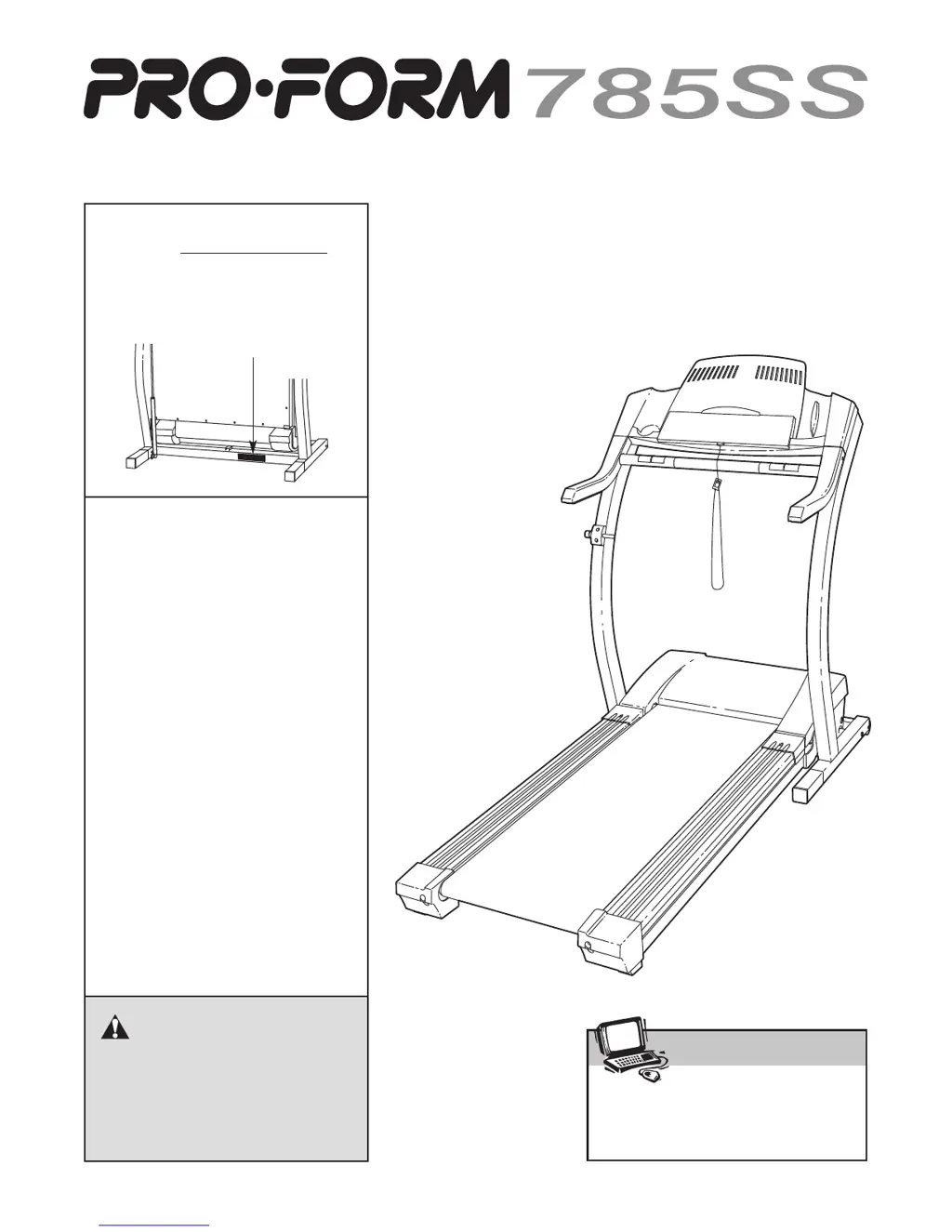
Serial Number Decal
Model No. PFTL79103
Serial No.
Find the serial number in the loca-
tion shown below. Write the serial
number in the space above.
Visit our website at
www.proform.com
new products, prizes,
fitness tips, and much more!
QUESTIONS?
If you have questions, or if there
are missing parts, we will guar-
antee complete satisfaction
through direct assistance from
our factory.
TO AVOID DELAYS, PLEASE
CALL DIRECT TO OUR TOLL-
FREE CUSTOMER HOT LINE.
The trained technicians on our
Customer Hot Line will provide
immediate assistance, free of
charge to you.
CUSTOMER HOT LINE:
1-800-999-3756
Mon.–Fri., 6 a.m.–6 p.m. MST
Patent Pending

Questions and Answers

  • J
    Jessica PriceJul 30, 2025
    How to turn on ProForm 785ss PFTL79103 Treadmill?
    • S
      Scott Singh MDJul 30, 2025
      First, ensure the power cord is properly plugged into a surge suppressor, and the surge suppressor is connected to a grounded outlet, using a surge suppressor meeting the specifications. Note that the ProForm Treadmill isn't compatible with GFCI outlets. Then, make sure the key is fully inserted into the console. Finally, check the reset/off circuit breaker on the treadmill frame near the power cord; if it's protruding, wait five minutes, then press it back in to reset it.
  • C
    Chelsea GrimesAug 4, 2025
    How to recalibrate the incline on a ProForm Treadmill?
    • R
      Richard DyerAug 4, 2025
      With the key in the console, press an Incline button. While the incline is changing, remove the key. After a few seconds, re-insert the key. The treadmill will automatically rise to the maximum incline and then return to the minimum level, recalibrating the incline.
  • L
    Lisa DavisAug 8, 2025
    Why does my ProForm Treadmill turn off during use?
    • B
      Bradley KellerAug 9, 2025
      The treadmill might be turning off due to a few reasons. Check the reset/off circuit breaker. Also, ensure the power cord is securely plugged in; if it is, unplug it, wait five minutes, then plug it back in. Another potential fix is to remove and reinsert the key fully into the console.
  • M
    Mitchell BrownAug 13, 2025
    What to do if the ProForm 785ss PFTL79103 Treadmill walking belt slips or is off-center?
    • S
      Stacy DickersonAug 13, 2025
      If the walking belt is off-center, first remove the key and unplug the power cord. If the belt has shifted left, turn the left rear roller bolt clockwise 1/2 turn; if it's shifted right, turn the bolt counterclockwise 1/2 turn. Avoid overtightening. Plug in the power cord, insert the key, and run the treadmill briefly. Repeat until centered. If the belt slips, remove the key and unplug the power cord. Turn both rear roller bolts clockwise 1/4 turn. The belt should be tight enough that you can lift each side 3 to 4 inches off the platform. Keep the belt centered. Plug in the power cord, insert the key, and walk on the treadmill for a few minutes. Repeat until properly tightened.
  • J
    Jamie DaltonAug 18, 2025
    Why does the ProForm 785ss PFTL79103 walking belt slow down when I walk on it?
    • J
      James BentonAug 19, 2025
      The walking belt might be slowing down because of the surge suppressor or the belt tightness. Use only a single-outlet surge suppressor that meets the specified requirements. If the walking belt is too tight, remove the key and unplug the power cord. Use an allen wrench to turn both rear roller adjustment bolts counterclockwise 1/4 of a turn. When properly tightened, you should be able to lift each side of the belt 3 to 4 inches off the platform. Keep the belt centered. Plug in the power cord, insert the key, and run the treadmill for a few minutes. Repeat until properly tightened.
  • G
    Gloria PatelAug 23, 2025
    Why is the thumb pulse sensor on my ProForm Treadmill not working?
    • M
      Melanie MoralesAug 23, 2025
      Wash your hands before using the pulse sensor. Clean the pulse sensor with a damp cloth and a small amount of mild detergent.

Summary

IMPORTANT PRECAUTIONS

BEFORE YOU BEGIN

ASSEMBLY GUIDE

OPERATION AND ADJUSTMENT

Power Cord Connection

Correct procedure for connecting the treadmill's power cord.

CONSOLE OVERVIEW

Console Diagram and Features

Visual guide to console layout, controls, and advanced features.

STARTING AND USING THE TREADMILL

Manual Mode Operation

Instructions for using the treadmill in manual mode.

PERSONAL TRAINER PROGRAMS

iFIT.COM CONNECTIVITY AND PROGRAMS

Connecting Various Devices

Steps to connect CD players, stereos, VCRs, and computers.

Using iFIT.com Programs

How to use iFIT.com CD, video, and web-based programs.

TREADMILL FOLDING, MOVING, AND LOWERING

Folding and Moving Procedures

Step-by-step guides for folding and moving the treadmill.

Lowering for Use

Procedure for unfolding the treadmill from storage to ready position.

TROUBLESHOOTING

Specific Troubleshooting Issues

Resolving problems with pulse sensor, belt, and incline.

CONDITIONING GUIDELINES

Suggested Stretches

Illustrations and descriptions of beneficial stretching exercises.

PARTS AND WARRANTY

Ordering Replacement Parts

Information and contact details for ordering replacement parts.

ProForm 785ss PFTL79103 Specifications

General IconGeneral
BrandProForm
Model785ss PFTL79103
CategoryTreadmill
LanguageEnglish

Related product manuals