9
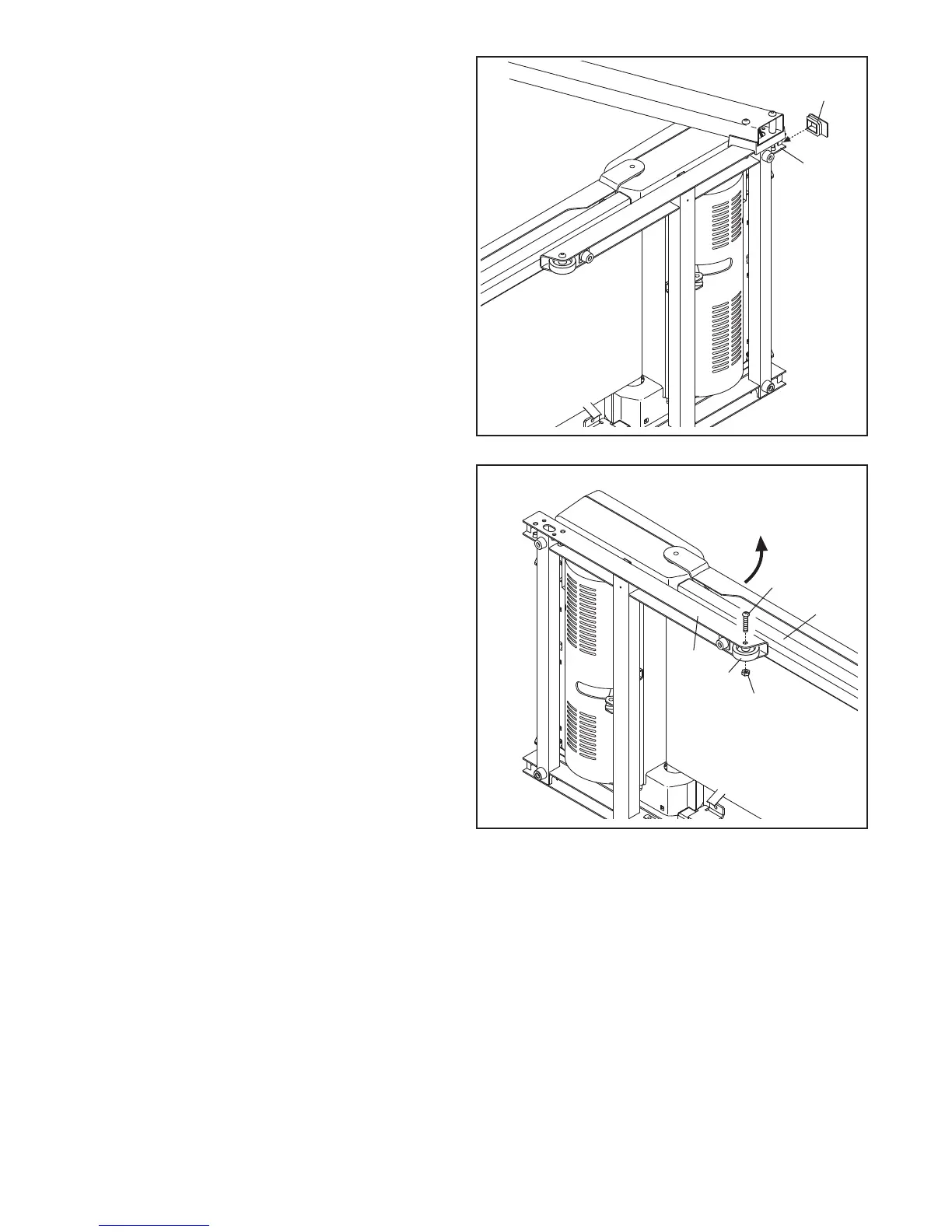
6. Press a Base Cap (91) into the Base (99).
91
99
6
7. With the help of a second person, carefully tip
the treadmill onto its right side. Partially fold the
Frame (57) so that the treadmill is more stable;
do not fully fold the Frame yet.
Attach a Wheel (95) to the Base (99) with an
M10 x 50mm Bolt (26) and an M10 Locknut
(36). Do not overtighten the Locknut; the
Wheel must turn freely.
7
99
95
26
57
36



 To Next Page