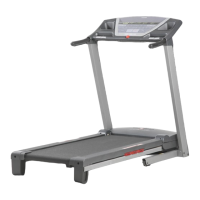
This document describes the ProForm 505 CST treadmill, a fitness device designed for home use.
Function Description
The ProForm 505 CST treadmill provides an impressive selection of features designed to make your workouts at home more effective and enjoyable. It allows users to walk, jog, or run indoors, offering various workout programs and settings to customize the exercise experience. The treadmill is equipped with an iFIT®-enabled console, allowing users to connect to iFIT workouts for interactive training.
Important Technical Specifications
The treadmill has a length of 6 ft. 10 in. (177 cm) and a width of 2 ft. 9 in. (83 cm). It is designed to support users weighing up to 300 lbs. (136 kg). The console features a display that shows workout information such as calories, calories per hour, distance, pace, pulse, speed, and time. It also includes a fan, a console sound system with a 3.5 mm audio cable, and an optional tablet holder. The treadmill requires a dedicated 120-volt, 15-amp circuit with a surge suppressor for optimal performance and safety.
Usage Features
The ProForm 505 CST treadmill offers a variety of usage features to enhance the user's workout experience:
Console Features:
- Activation: To activate the console and begin using its exclusive features, users need to assemble the console and plug in the power cord.
- Manual Mode: Users can start a manual workout by pressing the Start button. They can adjust the speed of the walking belt using the speed increase and decrease buttons (0.5 mph increments) and the incline of the treadmill using the incline increase and decrease buttons (0.5% increments).
- Onboard Workouts: The console includes 12 onboard workouts. To select an onboard workout, users press the Onboard Workouts button repeatedly until the desired workout appears in the display.
- iFIT® Connectivity: The treadmill supports Bluetooth connections to tablets via the iFIT®-Workouts at Home app. This allows users to download and install the iFIT®-Workouts at Home app on their tablet, connect a heart rate monitor to the console, and track their workout information.
- Heart Rate Monitoring: The console is compatible with Bluetooth Smart heart rate monitors. For information about purchasing an optional chest heart rate monitor, users can refer to page 24 of the manual.
- Sound System: The console includes a sound system with a 3.5 mm audio cable, allowing users to play music or audio books through the console speakers.
- Optional Tablet Holder: An optional tablet holder is available to securely hold a tablet in place during workouts.
Workout Programs:
- Calories Workouts (CALS): These workouts are designed to help users burn a specific number of calories.
- Calories per Hour Workouts (CALS/HR): These workouts help users maintain a specific calorie burn rate.
- Distance Workouts (MI or KM): These workouts are designed to help users travel a specific distance.
- Pace Workouts: These workouts help users maintain a specific pace.
- Pulse Workouts (BPM and heart symbol): These workouts are heart rate-based and require a compatible heart rate monitor.
- Speed Workouts (MPH or KPH): These workouts help users maintain a specific speed.
- Time Workouts: These workouts are designed for a specific duration.
Safety Features:
- Safety Key: The treadmill is equipped with a safety key that must be inserted into the console for the treadmill to operate. If the safety key is pulled from the console, the walking belt will stop.
- Emergency Stop: In an emergency, users can pull the safety key from the console to stop the walking belt.
- Important Precautions: The manual outlines important precautions, including consulting a physician before starting any exercise program, wearing appropriate exercise clothes, using a surge suppressor, and ensuring the treadmill is placed on a level surface.
Folding and Moving:
- SpaceSaver® Design: The treadmill can be folded into an upright position for storage, saving floor space.
- Transport Wheels: The treadmill is equipped with transport wheels to facilitate moving it to a desired location.
Maintenance Features
Regular maintenance is important to keep the treadmill in optimal performance and extend its lifespan.
- Cleaning: The treadmill should be cleaned regularly to keep the walking belt clean and dry. Users should first press the power switch into the off position and unplug the power cord. The exterior of the treadmill can be wiped with a damp cloth and a small amount of mild soap. Avoid spraying liquids directly onto the console.
- Walking Belt Maintenance: The walking belt should be inspected periodically for proper tension and lubrication. If the walking belt is off-center, slips, or slows, adjustments may be necessary. The manual provides instructions for centering and tightening the walking belt. It is important to avoid over-tightening the walking belt, as this can damage the treadmill.
- Lubrication: The walking belt platform is coated with high-performance lubricant. It is important not to apply silicone spray or other substances to the walking belt or the walking platform unless instructed to do so by an authorized service representative.
- Troubleshooting: The manual includes a troubleshooting section to help users diagnose and resolve common issues such as the power not turning on, the power cord not being plugged in, the console display not illuminating, and the incline not changing correctly.
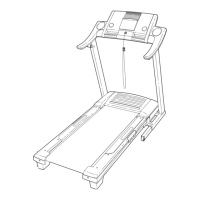
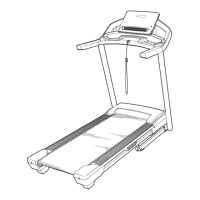
- Part Replacement: The manual includes a part identification chart and an exploded drawing to help users identify and order replacement parts. ICON Health & Fitness, Inc. provides a limited warranty for the treadmill.
By following these guidelines, users can ensure the safe and effective operation of their ProForm 505 CST treadmill for years to come.

 Need help?


 To Next Page
 General