EasyManua.ls Logo

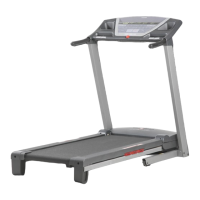
ProForm PFTL59506.0 - User Manual

ProForm PFTL59506.0
28 pages
Print Icon
To Next Page IconTo Next Page
Loading...
Serial Number Decal
Model No. PFTL59506.0
Serial No.
CAUTION
Read all precautions and instruc-
tions in this manual before using
this equipment. Save this manual
for future reference.
QUESTIONS?
As a manufacturer, we are com-
mitted to providing complete
customer satisfaction. If you
have questions, or if parts are
damaged or missing, PLEASE
CONTACT OUR CUSTOMER
SERVICE DEPARTMENT
DIRECTLY.
CALL TOLL-FREE:
1-888-533-1333
Mon.–Fri. 6 a.m.–6 p.m. MST
Sat. 8 a.m.–5 p.m. MST
ON THE WEB:
www.proformservice.com
Visit our website at
www.proform.com
new products, prizes,
fitness tips, and much more!
V
USER'S MANUAL

Questions and Answers

  • M
    Matthew ReyesJul 30, 2025
    What to do if ProForm PFTL59506.0 Treadmill power turns off during use?
    • S
      Samantha ClarkJul 30, 2025
      If the power turns off during use, ensure the key is inserted into the console. Check if the power cord is plugged into the surge suppressor and that the circuit breaker hasn't tripped. As a last resort, unplug the power cord, wait five minutes, and then plug it back in.
  • J
    jeffrey67Aug 5, 2025
    How to fix a ProForm PFTL59506.0 Treadmill walking belt that is off-center or slips?
    • K
      Kristen MillerAug 5, 2025
      If the walking belt is off-center, remove the key and unplug the power cord. If the belt has shifted to the left, turn the left rear roller bolt clockwise 1/2 turn. If it has shifted to the right, turn the left bolt counterclockwise 1/2 turn. If the walking belt slips, remove the key and unplug the power cord. Turn both rear roller bolts clockwise 1/4 of a turn. The walking belt is correctly tightened when you can lift each edge 3 to 4 inches off the walking platform.
  • J
    Joseph ShortAug 11, 2025
    What to do if the incline of my ProForm Treadmill does not change correctly?
    • T
      Tanya WhiteAug 11, 2025
      If the incline is not changing correctly, recalibrate the incline system. With the key in the console, press an Incline button. While the incline is changing, remove the key. After a few seconds, reinsert the key. The treadmill will rise to the maximum incline and then return to the minimum, recalibrating the system.
  • D
    Desiree KennedyAug 17, 2025
    What to do if the display of the ProForm Treadmill console does not function properly?
    • C
      Chad ThomasAug 18, 2025
      If the console display isn't functioning correctly, remove the key and unplug the power cord. Carefully lower the Uprights. Locate the Reed Switch and the Magnet on the left side of the Pulley. Turn the Pulley until the Magnet aligns with the Reed Switch, ensuring the gap between them is correct.
  • V
    Valerie KlineAug 23, 2025
    Why does the walking belt slow down when I walk on my ProForm Treadmill?
    • K
      Karen DoyleAug 23, 2025
      The walking belt might slow down when walked on if you are not using a single-outlet surge suppressor that meets the required specifications. Also, the walking belt may require tightening. To tighten it, remove the key and unplug the power cord. Then, using the hex key, turn both rear roller bolts counterclockwise, 1/4 of a turn. The walking belt is properly tightened when you can lift each edge 3 to 4 inches off the walking platform.

Summary

Important Safety Precautions

General Safety Precautions (Points 1-20)

Essential safety guidelines for operating the treadmill, covering user responsibilities, equipment placement, and usage rules.

Specific Safety Warnings and Cautions

Critical Warnings and Cautions

Highlights critical warnings and cautions regarding operation, maintenance, and storage for user safety.

Before You Begin

Product Overview and Registration

Introduces the PROFORM SPORT 1200 treadmill and explains the importance of product registration.

Treadmill Parts Identification

Diagram identifying key components and parts of the PROFORM SPORT 1200 treadmill.

Assembly Instructions

Assembly Requirements and Hardware Guide

Details required tools, number of persons, and visual guide to assembly hardware for the treadmill.

Assembly Steps: Base and Legs

Instructions for attaching base pads, extension legs, and connecting components during treadmill assembly.

Assembly Continued

Assembly Steps: Uprights and Console Connection

Instructions for raising uprights, connecting wire harness to console, and attaching the console assembly.

Assembly Final Steps

Assembly Steps: Latch and Pulse Sensor Installation

Instructions for attaching latch housing and installing optional chest pulse sensor receiver.

Operation and Adjustment

Walking Belt Care and Power Cord Setup

Guidance on walking belt care, power cord connection, surge protection, and grounding requirements.

Console Diagram and Features

Console Layout and Function Overview

Diagram of the console with labeled buttons and displays, plus overview of console features and modes.

Operating the Treadmill

Powering On and Manual Mode Setup

Steps to turn on power, use safety clip, and set up manual mode by entering weight.

Manual Mode: Starting and Adjusting

Guide to starting the walking belt, adjusting speed/incline, and monitoring progress in manual mode.

Manual Mode Operation Details

Console Display Readouts and Fan Control

Explanation of console display elements and how to control the fan.

Workout Completion and Power Down

Procedure for ending a workout, preparing for storage, and safely powering off the treadmill.

Using Preset Programs

Preset Program Selection and Initiation

Steps to choose and start a preset program, including initial speed and incline settings.

Preset Program Progression and Overrides

How programs advance through segments and allow for manual speed/incline adjustments.

Using Calorie Programs

Calorie Program Selection and Start-up

Instructions for choosing calorie programs, emphasizing weight input and starting the workout.

Calorie Program Progression and Monitoring

How calorie programs progress through segments and how to track workout progress on the display.

Calorie Program Details

Program Segment Details and Adjustments

Explanation of calorie program segment details, alerts, and manual adjustments for speed or incline.

Information and Demo Modes

Accessing Usage Data and Demo Features

How to view treadmill usage statistics, change measurement units, and use the demo mode.

Optional Chest Pulse Sensor

Chest Pulse Sensor Overview

Information about the optional chest pulse sensor for hands-free heart rate tracking during workouts.

Folding and Moving the Treadmill

Folding the Treadmill for Storage

Step-by-step guide to safely fold the treadmill into storage, including latch operation.

Moving the Folded Treadmill Safely

Instructions for safely moving the treadmill using wheels, with important safety precautions.

Unfolding the Treadmill for Use

Lowering the Treadmill from Storage

Procedure for safely unfolding the treadmill from storage back to its operational state.

Troubleshooting Common Issues

Power and Circuit Breaker Troubleshooting

Solutions for power-related problems, including checking the power cord, key, and circuit breaker.

Incline and Console Display Troubleshooting

Troubleshooting steps for incorrect incline adjustments and console display malfunctions.

Troubleshooting Belt Problems

Walking Belt Speed and Slipping Fixes

Guidance on resolving walking belt slowing or slipping issues, including tension adjustments.

Exercise Guidelines and Training

Determining Exercise Intensity Levels

Using heart rate zones to find optimal intensity for fat burning and aerobic exercise goals.

Workout Structure and Frequency Recommendations

Guidelines for workout composition (warm-up, training, cool-down) and optimal exercise frequency.

Pre-Exercise Stretching Routines

Basic Stretches for Flexibility Improvement

Illustrated guide to performing five essential stretches to enhance flexibility and prevent workout-related injuries.

Replacement Parts Listing

Component Identification by Key Number

A detailed list of all treadmill parts, cross-referenced with key numbers for easy identification.

Exploded Drawing A: Frame and Base

Frame and Base Component Assembly Diagram

Visual breakdown of how the treadmill frame, foot rails, and base components are assembled.

Exploded Drawing B: Motor and Hood

Motor, Hood, and Drive System Assembly Diagram

Illustration detailing the assembly of the motor, drive system, and protective hood for the treadmill.

Exploded Drawing C: Uprights and Support

Uprights, Support Frame, and Leg Assembly Diagram

Diagram showing the assembly of the treadmill's upright supports, console frame, and leg extensions.

Exploded Drawing D: Console and Handrails

Console, Handrails, and Sensor Assembly Diagram

Visual breakdown of the console, handrails, pulse sensors, and related components for installation.

Replacement Parts Ordering

Information Needed for Parts Orders

Key product details required when contacting customer service to order replacement parts.

Product Limited Warranty

Warranty Coverage and Limitations Details

Details on warranty duration for parts, labor, and motor, including exclusions and customer responsibilities.

ProForm PFTL59506.0 Specifications

General IconGeneral
BrandProForm
ModelPFTL59506.0
CategoryTreadmill
LanguageEnglish

Related product manuals