WORKOUTS
2_
3_
4_
E"-"-'3.2J}I
I _'E LI I LI
_B_m TIME DISTANCE CALORIES SPEED
_ELEOT _,. TIME '_
WORKOUT
SET MIN _F SE T MAX
SPEED _ SpEE D
GO
WEIGHT LOSS
WORKOUTS
258 Cals, Walk FIS "'7
,,*" 35DCals, WelkCirr b '*%8
_3,0 Cal_, J,_j q 9
f 450 Cals, Jog lat _t0
INCLINE
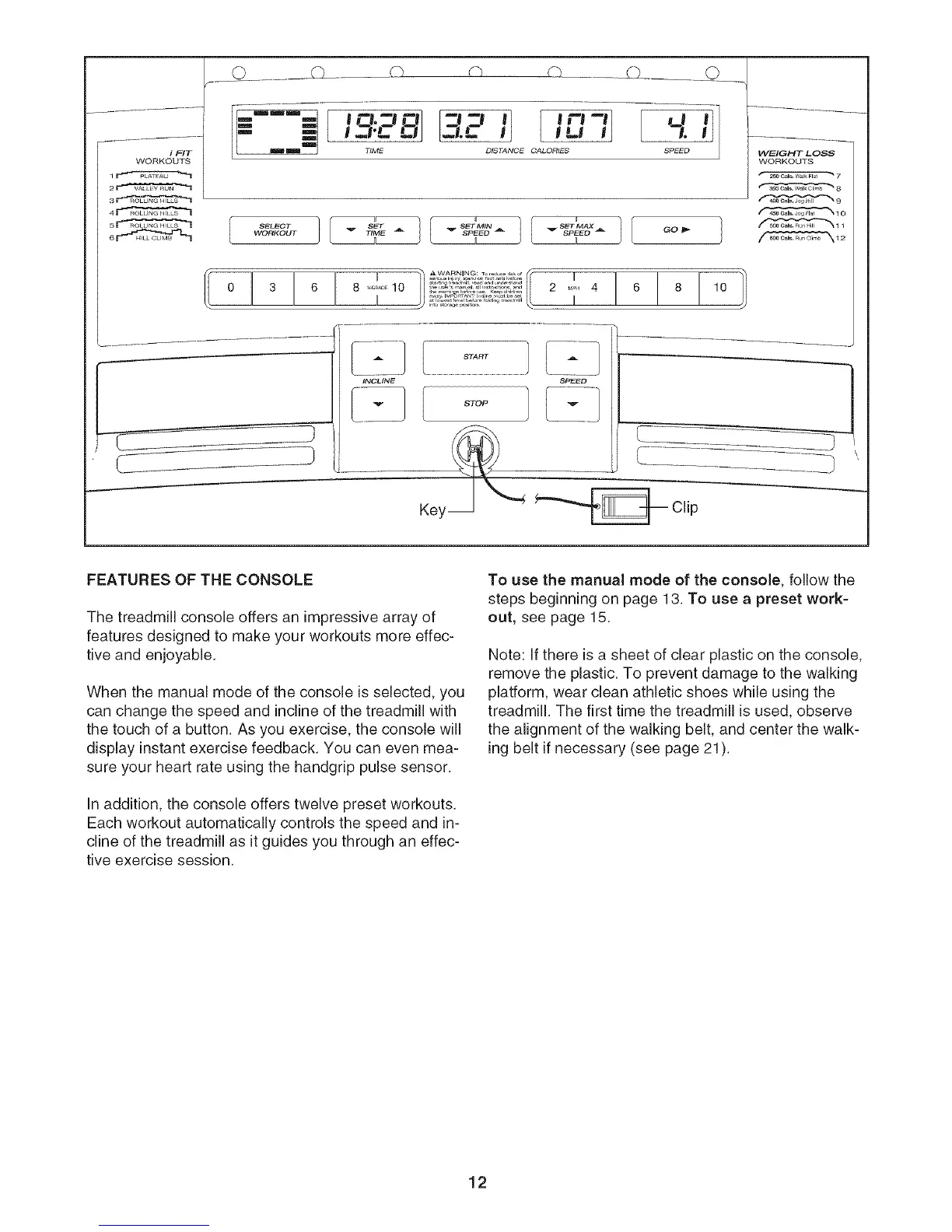
FEATURES OF THE CONSOLE
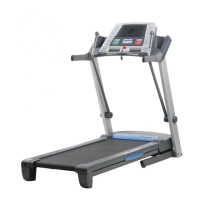
The treadmill console offers an impressive array of
features designed to make your workouts more effec-
tive and enjoyable.
When the manual mode of the console is selected, you
can change the speed and incline of the treadmill with
the touch of a button. As you exercise, the console will
display instant exercise feedback. You can even mea-
sure your heart rate using the handgdp pulse sensor.
Inaddition, the console offers twelve preset workouts.
Each workout automatically controls the speed and in-
cline of the treadmill as it guides you through an effec-
tive exercise session.
To use the manual mode of the console, follow the
steps beginning on page t 3. To use a preset work=
out, see page 15.
Note: If there is a sheet of clear plastic on the console,
remove the plastic. To prevent damage to the walking
platform, wear clean athletic shoes while using the
treadmill. The first time the treadmill is used, observe
the alignment of the walking belt, and center the walk-
ing belt if necessary (see page 21).
12




 To Next Page