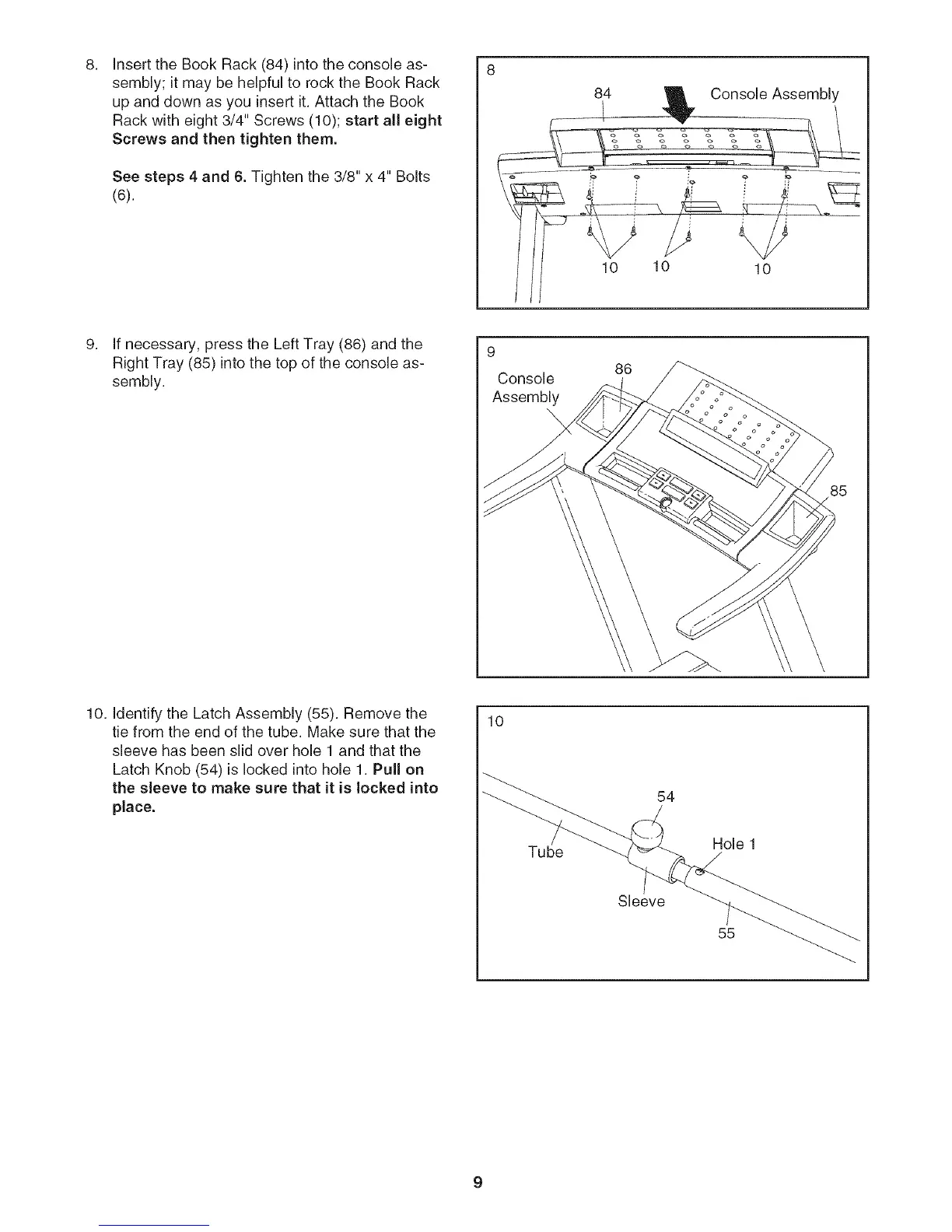
Insert the Book Rack (84) into the console as-
sembly; it may be helpful to rock the Book Rack
up and down as you insert it. Attach the Book
Rack with eight 3/4" Screws (10); start all eight
Screws and then tighten them.
See steps 4 and 6. Tighten the 3/8" x 4" Bolts
(6).
10 10
Console Assembly
\
10
If necessary, press the Left Tray (86) and the
Right Tray (85) into the top of the console as-
sembly.
9
Console
Assembly
86
10. Identify the Latch Assembly (55). Remove the
tie from the end of the tube. Make sure that the
sleeve has been slid over hole 1 and that the
Latch Knob (54) is locked into hole 1. Pull on
the sleeve to make sure that it is locked into
place.
10
Tube
54
Sleeve
Hole 1
55




 To Next Page