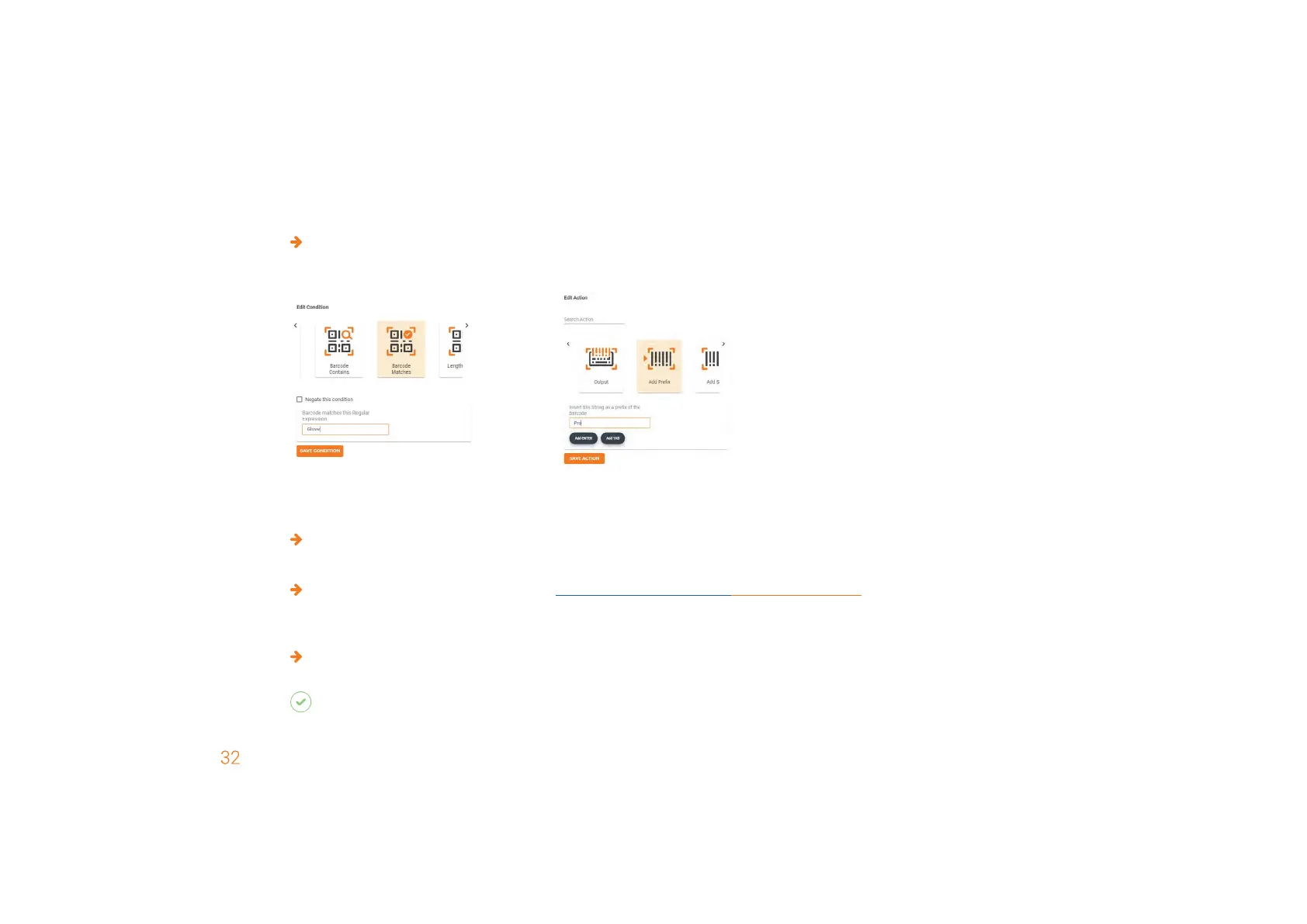
Create the condition “Barcode Matches: Gloves” and the action “Add Prefix Pro.”
1. set condition
(if)
2. set action
(then)
7
TH
STEP: CONFIGURE DEVICES AND FIRMWARE UPDATE
For the configuration of the device:
Click on Save. Assign a name and download the configuration file.
For a firmware update:
Download the latest firmware version at https://insight.proglove.com/devices/downloads or get it from your ProGlove
contact person. Follow the next steps.
To configure PG Insight Mobile:
Copy the downloaded configuration file in the following folder on your mobile device: (/sdcard)/Android/data/de.proglove.
connect/files`
RESULT
The configuration file will be deployed automatically on the mobile phone.



 To Next Page