EasyManua.ls Logo

Progressive Dynamics PD1600 Series - User Manual

Progressive Dynamics PD1600 Series
16 pages
Print Icon
To Next Page IconTo Next Page
Loading...
Installation and Operation Guide for
PD1600 Series Pure Sine Wave Inverters
© 2019 Progressive Dynamics Enterprises, LLC. All rights reserved.
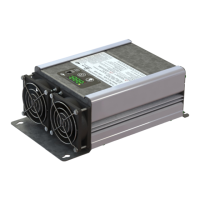
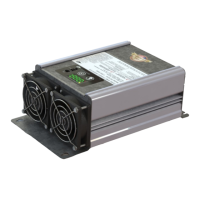
The PD1600 Series Inverters are 120 VAC, 60 Hz, pure sine wave inverters with integrated transfer switch. Available in 1000W, 1800W,
and 2000W models, the PD1600 Series Inverters have been robustly designed with safety and protection features for installation in recrea-
tional and commercial vehicles. With a built in transfer switch this inverter can switch seamlessly between inverter power and external
shore power without any power interruptions. It has been UL458 certified in both the US and Canada so you can feel comfortable knowing
that your inverter is safe.
With the recreational and commercial vehicle industry in mind, the PD1600 Series Inverter was designed to be compact and light-weight to
fit the strict size and weight constraints often found within vehicles. The improved thermal design reduces the ventilation space required,
which contributes to a even smaller space requirement for your inverter.
Progressive Dynamics, Inc. has a complete line of power products for your commercial and recreational vehicle needs. PDI has existing
product lines of Power Converters, Automatic Transfer Switches, AC Distribution Panels, and DC Distribution Panels. These product lines
along with the newly introduced inverters make Progressive Dynamics the only part supplier you need to build a complete power system
for your recreational or commercial vehicle. Our experienced sales and service department are available to help determine which power
solutions are best suited to your needs.
701580 Rev. B
Member

Other manuals for Progressive Dynamics PD1600 Series

Questions and Answers

  • B
    Brian ScottAug 17, 2025
    What to do if my Progressive Dynamics PD1600 Inverter displays E-3?
    • D
      donnawilliamsAug 17, 2025
      If your Progressive Dynamics Inverter displays E-3, it indicates an overload. First, check the output wiring for a short circuit. Then, determine what loads are connected to the inverter's output and remove any unnecessary loads until the power consumption is below the maximum rated power.
  • T
    Tiffany EdwardsAug 20, 2025
    What does E-6 mean on a Progressive Dynamics Inverter?
    • C
      Christine BriggsAug 20, 2025
      If your Progressive Dynamics Inverter displays E-6, it means a short circuit has been detected on the AC output. Check the AC wiring to ensure wires aren’t touching. Also, inspect each AC load for failure and determine the surge requirements for AC loads, as motorized loads might draw peak power exceeding the peak power rating.
  • B
    Beverly GeorgeAug 22, 2025
    How to fix E-4 error on Progressive Dynamics Inverter?
    • A
      Aaron LambAug 22, 2025
      If your Progressive Dynamics Inverter displays E-4, it indicates an over-temperature condition. Check that the fan opening isn't blocked by debris. Remove any items surrounding the inverter to ensure adequate airflow. If possible, move the inverter to a well-ventilated space and try to lower the ambient air temperature to room temperature.
  • J
    jasonatkinsAug 25, 2025
    What does E-1 mean on my Progressive Dynamics PD1600 Inverter?
    • J
      Jonathan MorseAug 26, 2025
      If your Progressive Dynamics Inverter displays E-1, it means the input voltage has dropped below 10.5 VDC. Recharge the batteries to at least 12.0VDC. Also, ensure all DC input connections are tightened.
  • B
    Brian MurrayAug 28, 2025
    Why is my Progressive Dynamics PD1600 turning on and off with E-1 error?
    • M
      Michael TaylorAug 28, 2025
      If your Progressive Dynamics Inverter is turning on and off and displaying E-1 when off, it's likely the batteries are nearly fully discharged. Recharge the batteries to at least 12.0VDC. Also, ensure all DC input connections are tightened, verify the DC input wire size and length comply with minimum diameter, and consider replacing the batteries.
  • A
    Alan WoodAug 30, 2025
    What to do if my Progressive Dynamics PD1600 Inverter shows E-2?
    • J
      James McguireAug 31, 2025
      If your Progressive Dynamics Inverter displays E-2, it means the input voltage has exceeded 15.5VDC. Turn off the inverter by holding down the power button. Locate the DC source and verify it is properly connected for 12VDC operation.
  • J
    julialucasSep 2, 2025
    What to do if Progressive Dynamics PD1600 displays E-1 when batteries are fully charged?
    • L
      lisa33Sep 2, 2025
      If your batteries are fully charged but your Progressive Dynamics Inverter displays E-1 immediately after being turned on, it could be due to a connection issue. Ensure all DC input connections are tightened. Also, make sure the DC input wire size and length comply with Figure 15.
  • J
    Jasmine JohnsonSep 5, 2025
    How to troubleshoot flashing fault light on Progressive Dynamics PD1600 Series Inverter?
    • M
      Marcus LawsonSep 5, 2025
      If the Progressive Dynamics PD1600 Series Inverter has a flashing fault light, it means the inverter has detected a fault. Press the select button to view the error code, and press it again to see the battery voltage.
  • J
    Jeffrey Sherman MDSep 8, 2025
    What to do if Progressive Dynamics PD1600 Inverter is off and nothing happens when power button is pressed?
    • H
      hoodlaurenSep 8, 2025
      If your Progressive Dynamics Inverter is off and nothing happens when the power button is pressed, it's likely that DC input power isn't being properly applied to the DC input terminals. Ensure all DC input connections are tightened, any external DC disconnect switches are in the on position, and the DC input wires are connected to positive and negative correctly. If using a remote display panel, ensure it’s connected to the inverter using the provided 25’ cable.
  • K
    Kenneth WatsonSep 12, 2025
    What does E-5 mean on Progressive Dynamics PD1600 Inverter?
    • K
      Kelsey Garcia PhDSep 12, 2025
      If your Progressive Dynamics Inverter displays E-5, it means that during startup, the inverter drew too much current while charging the input capacitors, causing it to shut down. Ensure all DC input connections are tightened and make sure the DC input wire size and length comply with Figure 15.

Summary

Limited Warranty

Key Features

Protection Features

Includes under/over voltage, reverse battery, overload, short circuit, and over-temperature protection.

Choosing a Location For Your Inverter

Installation Safety Warnings

Highlights critical hazards like fire, shock, and ignition risks associated with inverter placement.

Mounting Instructions

Mounting Safety Warnings

Crucial safety warnings for installation, including electrical hazards and proper placement.

Electrical Connection Instructions

Connection Information Table

Provides wire size, strip length, and connection torque specifications for DC and AC wiring.

Electrical Connection Safety

Emphasizes disconnecting power and adhering to electrical codes for safe wiring.

Display Interface

Display Operation

Troubleshooting

Troubleshooting Guide

Provides solutions for common symptoms like flashing fault lights, E-1/E-2/E-3/E-4 errors, and buzzing sounds.

Troubleshooting E-5 and E-6 Errors

Addresses internal errors (E-5) and short circuits (E-6) with corrective actions.

Technical Specifications

Progressive Dynamics PD1600 Series Specifications

General IconGeneral
Input Voltage12 VDC
Output Frequency60 Hz
WaveformModified Sine Wave
Overload ProtectionYes
Low Voltage AlarmYes
Low Voltage ShutdownYes
CoolingFan

Related product manuals