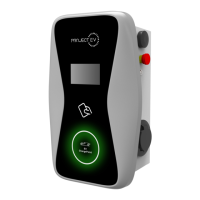
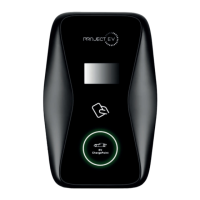
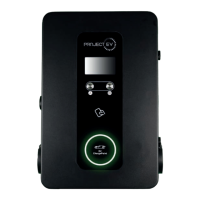
Packaging List
7KW
Number Name
Quantity
Other
Comments
3
1
2
4
5
6
1
1
1
1
4
4
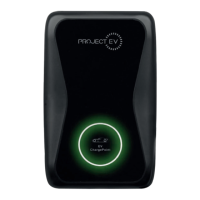
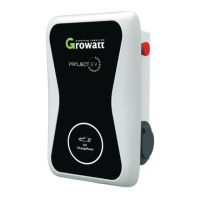
Charger
Quality Certificate
Mounting Bracket
ST6.3X40 Stainless Steel Hex
Head Self Drilling Screws
12X46 Plastic Expansion Plugs
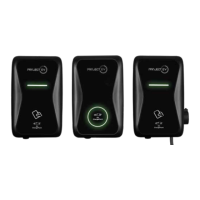
RFID Card* (Where Applicable)
Attached to
charger
RFID
chargers
will be
equipped
with user
card
7 Cable Hook
Only for PE
Model
8 CT Clamp
EVA-07S-
SE +
EVA-07S-
SE-RFID
Only
9
1
1
,, 3DFNDJLQJOLVW
1R 1DPH
4W\
5HPDUN
&KDUJHU
8VHUPDQXDO
4XDOLW\FHUWLILFDWH
0RXQWLQJEUDFNHW
&DEOHKRRN
67;
6WDLQOHVVVWHHOKH[KHDG
VHOIGULOOLQJVFUHZV
;
3ODVWLFH[SDQVLRQSOXJV
)RUFDEOHGYHUVLRQ
IRUVRFNHWYHUVLRQIRUFDEOHG
YHUVLRQRIWKHVFUHZVDUH
IRUFDEOHKRRNIL[LQJ
IRUVRFNHWYHUVLRQIRU
FDEOHGYHUVLRQRIWKHSOXJV
DUHIRUFDEOHKRRNIL[LQJ
,,, ,QVWDOODWLRQDQGZLULQJ
0RXQWRQDZDOO
2SHQWKHSDFNDJLQJ\RX¶OOVHHDFKDUJHSRLQW DPRXQWLQJEUDFNHWDXVHUPDQXDO
DQGDEDJRIPRXQWLQJDFFHVVRULHV7KHUHLVDOVRDQ5),'FDUGLIWKHFKDUJHSRLQWLV5),'
YHUVLRQ)RUFDEOHGYHUVLRQDFDEOHKRRNHULVDOVRLQFOXGHGLQVLGH
5HPRYH WKH PRXQWLQJ EUDFNHW IURP WKH FKDUJH SRLQW XVH LWDVDWHPSODWHWRPDUN
WKH SRVLWLRQ RI WKH GULOO KROHV 'ULOO WKH KROHV DQG KDPPHU WKH H[SDQVLRQ EROWV LQ WKH
DFFHVVRULHVEDJLQWRWKHKROHV7KHQIL[WKHPRXQWLQJEUDFNHWRQWRWKHZDOO
8VHUFDUG
5),'IXQFWLRQZLOOEHHTXLSSHG
ZLWKXVHUFDUG
II. Packaging List III. Installation and wiring
No. Name Qty Remark
1 Charger 1
2 User manual 1
3 Quality certicate 1
4 Mounting bracket 1
5 Cable hook 1 For cables version
6
ST6.3X40
Stainless steel hex-head
self drilling screws
4-7
4 for socket version, 7 for cabled
version (3 of the 7 screws are for
cable hook xing
7
12x46
Plastic expansion plugs
4-7
4 for socket version, 7 for cabled
version (3 of the 7 screws are for
cable hook xing
8 User card 1
RFID function will be equipped with
user card
3.1 Mount on a wall
3.1.1 Open the packaging, you’ll see a charge point, a mounting bracket, a user manual
and a bag of mounting accessories. There is also an RFID card if the charge point is
RFID version. For cabled version, a cable hooker is also included inside.
3.1.2 Remove the mounting bracket from the charge point, use it as a template to mark
the position of the drill holes. Use the expansion bolts from the accessories bag and
hammer these into the drilled holes. Then x the mounting bracket onto the wall.
6 7
,, 3DFNDJLQJOLVW
1R 1DPH
4W\
5HPDUN
&KDUJHU
8VHUPDQXDO
4XDOLW\FHUWLILFDWH
0RXQWLQJEUDFNHW
&DEOHKRRN
67;
6WDLQOHVVVWHHOKH[KHDG
VHOIGULOOLQJVFUHZV
;
3ODVWLFH[SDQVLRQSOXJV
)RUFDEOHGYHUVLRQ
IRUVRFNHWYHUVLRQIRUFDEOHG
YHUVLRQRIWKHVFUHZVDUH
IRUFDEOHKRRNIL[LQJ
IRUVRFNHWYHUVLRQIRU
FDEOHGYHUVLRQRIWKHSOXJV
DUHIRUFDEOHKRRNIL[LQJ
,,, ,QVWDOODWLRQDQGZLULQJ
0RXQWRQDZDOO
2SHQ WKHSDFNDJLQJ\RX¶OOVHHDFKDUJHSRLQW DPRXQWLQJEUDFNHWDXVHUPDQXDO
DQGDEDJRIPRXQWLQJDFFHVVRULHV7KHUHLVDOVRDQ5),'FDUGLIWKHFKDUJHSRLQWLV5),'
YHUVLRQ)RUFDEOHGYHUVLRQDFDEOHKRRNHULVDOVRLQFOXGHGLQVLGH
5HPRYHWKH PRXQWLQJEUDFNHWIURP WKHFKDUJHSRLQW XVHLWDV DWHPSODWHWR PDUN
WKH SRVLWLRQ RI WKH GULOO KROHV 'ULOO WKH KROHV DQG KDPPHU WKH H[SDQVLRQ EROWV LQ WKH
DFFHVVRULHVEDJLQWRWKHKROHV7KHQIL[WKHPRXQWLQJEUDFNHWRQWRWKHZDOO
8VHUFDUG
5),'IXQFWLRQZLOOEHHTXLSSHG
ZLWKXVHUFDUG
II. Packaging List III. Installation and wiring
No. Name Qty Remark
1 Charger 1
2 User manual 1
3 Quality certicate 1
4 Mounting bracket 1
5 Cable hook 1 For cables version
6
ST6.3X40
Stainless steel hex-head
self drilling screws
4-7
4 for socket version, 7 for cabled
version (3 of the 7 screws are for
cable hook xing
7
12x46
Plastic expansion plugs
4-7
4 for socket version, 7 for cabled
version (3 of the 7 screws are for
cable hook xing
8 User card 1
RFID function will be equipped with
user card
3.1 Mount on a wall
3.1.1 Open the packaging, you’ll see a charge point, a mounting bracket, a user manual
and a bag of mounting accessories. There is also an RFID card if the charge point is
RFID version. For cabled version, a cable hooker is also included inside.
3.1.2 Remove the mounting bracket from the charge point, use it as a template to mark
the position of the drill holes. Use the expansion bolts from the accessories bag and
hammer these into the drilled holes. Then x the mounting bracket onto the wall.
6 7
G 6RPH URXWHUVKDYH :L)L RQH LV *+] WKH RWKHU LV *+] 0RVW KRPHV MXVW XVH WKH
*+]:L)LDVWKHLUGHIDXOW:L)L%XWWKHFKDUJHUFDQRQO\FRQQHFWWRWKH*+]:L)L6RLI
WKH FKDUJHU FDQ FRQQHFW WR \RXU PRELOH SKRQH KRWVSRW EXW FDQQRW FRQQHFW WR WKH KRPH
:L)L3OHDVHFKHFNZLWKWKHKRPHRZQHURUFKHFNRQWKHLUURXWHUWRVHHLI\RXDUHXVLQJWKH
*+]:L)L3OHDVHGRXVHWKH*+]:L)LIRUFKDUJHUFRQQHFWLRQ
H &KHFN LI WKH FKDUJHU LV VWLOO FRQQHFWHG WR WKH FRPSXWHU 3OHDVH XQSOXJ LW IURPFRPSXWHU
RWKHUZLVHWKHFKDUJHUZRQªWFRQQHFWWRWKHEDFNRIILFHVHUYHU
I &KHFN LI VHUYHU DGGUHVV LV FRUUHFW LQ WKH§6HUYHU 85/¨ ILHOG 7KH FRUUHFW VHWWLQJ LV
ZVFKDUJHJURZDWWFRPRFSSZV
&DQQRWDFFHVVSDUDPHWHUVHWWLQJSDJH
&OLFN 6WDUW 0HQX!&RQWURO 3DQHO!1HWZRUN DQG 6KDULQJ &HQWHU )RU :LQGRZV DQG
KLJKHUVHDUFKIRUDQGRSHQ&RQWURO3DQHODQGVHOHFW1HWZRUNDQG,QWHUQHW
7RVHWDVWDWLF,3RQ\RXU:LQGRZVFRPSXWHU
A &KHFNLI\RXKDYHFRQQHFWHGWKHFKDUJHUWR\RXUFRPSXWHU
B &KHFNLI\RXKDYHFKDQJHWKHFRPSXWHUªV,3WR[[FDQEHDQ\YDOXHEHWZHHQ
DQGH[FHSW
&OLFN&KDQJHDGDSWHUVHWWLQJV
d. Some routers have 2 WiFi signals, one is 2.4GHz, the other is 5GHz. Most homes
use the 5GHz WiFi as their default WiFi but the charger can only connect to the 2.4GHz
WiFi. So if the charger can connect to your mobile phone hotspot, but cannot connect
to the home WiFi please check the router to see if you are using the 5GHz WiFi. Use the
2.4GHz WiFi for charger connection.
e. Check if the charger is still connected to the computer. Please unplug it from
computer otherwise the charger won’t connect to the back-oce server.
f. Check if server address is correct in the“Server URL” eld. The correct setting is :
ws://ess-charge.atesspower.com:80/ocpp/ws
7.4 Cannot access parameter setting page
a. Check if you have connected the charger to your computer,
b. Check if you have changed the computer’s IP to 192.168.1.x (x can be any value
between 1 and 255 except 5).
To set a static IP on your Windows computer:
(1). Click Start Menu>Control Panel>Network and Sharing Center. (For Windows 8 and
higher, search for and open Control Panel and select Network and Internet).
(2). Click Change adapter settings.
30 31


 To Next Page
 Loading...