Project EV Standard App
Account Management
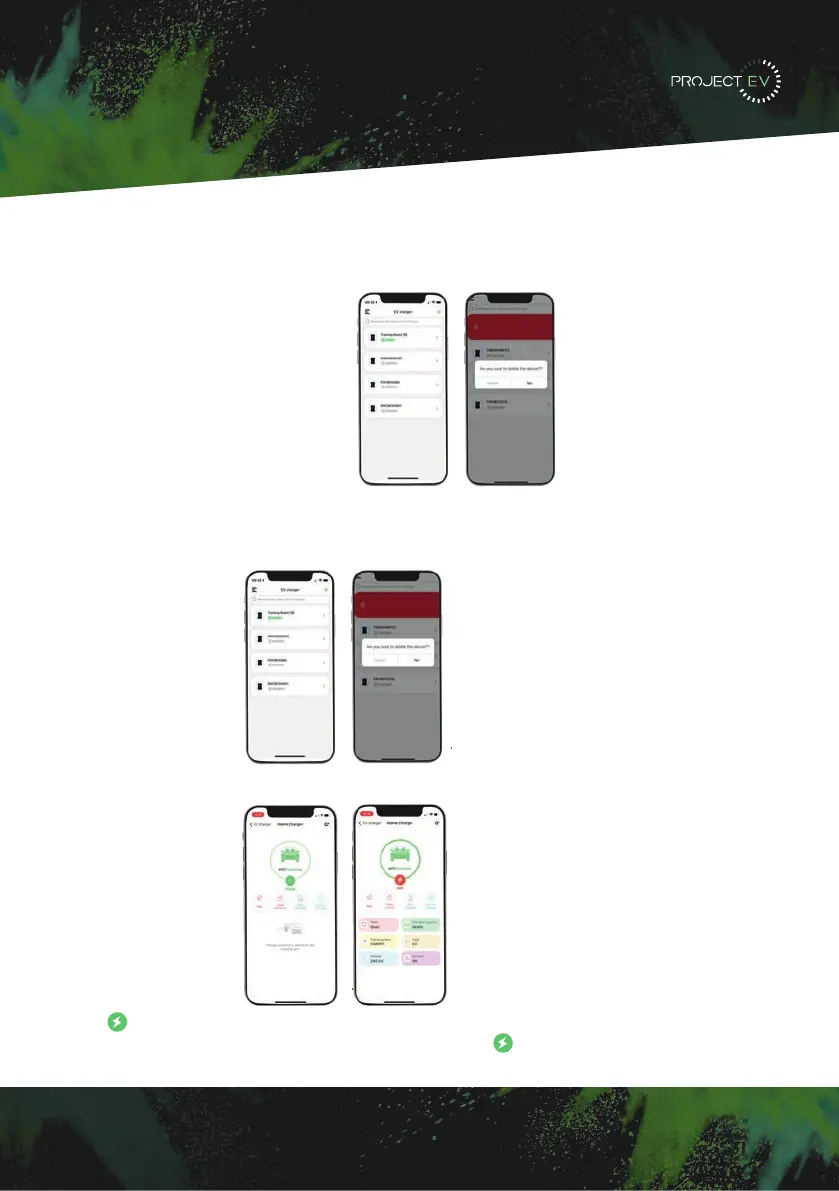
Charger switching and removal
When there are multiple chargepoints, you can switch the chargepoint by clicking on
the name of the chargepoint. Press and hold the chargepoint name to remove the
chargepoint. You can add a new chargepoint by adding a button.
Start and stop control of charger.
Press to turn on/off.
Note: when charger status is Preparing, you can press to start charging.
Add charger
When you use Project EV for the first time, you need to add the charger in the APP to
set up and control it. The process of adding a charger is as follows:
Click ‘Add’ to add a charger by scanning the code or entering the charger ID.
37


 To Next Page