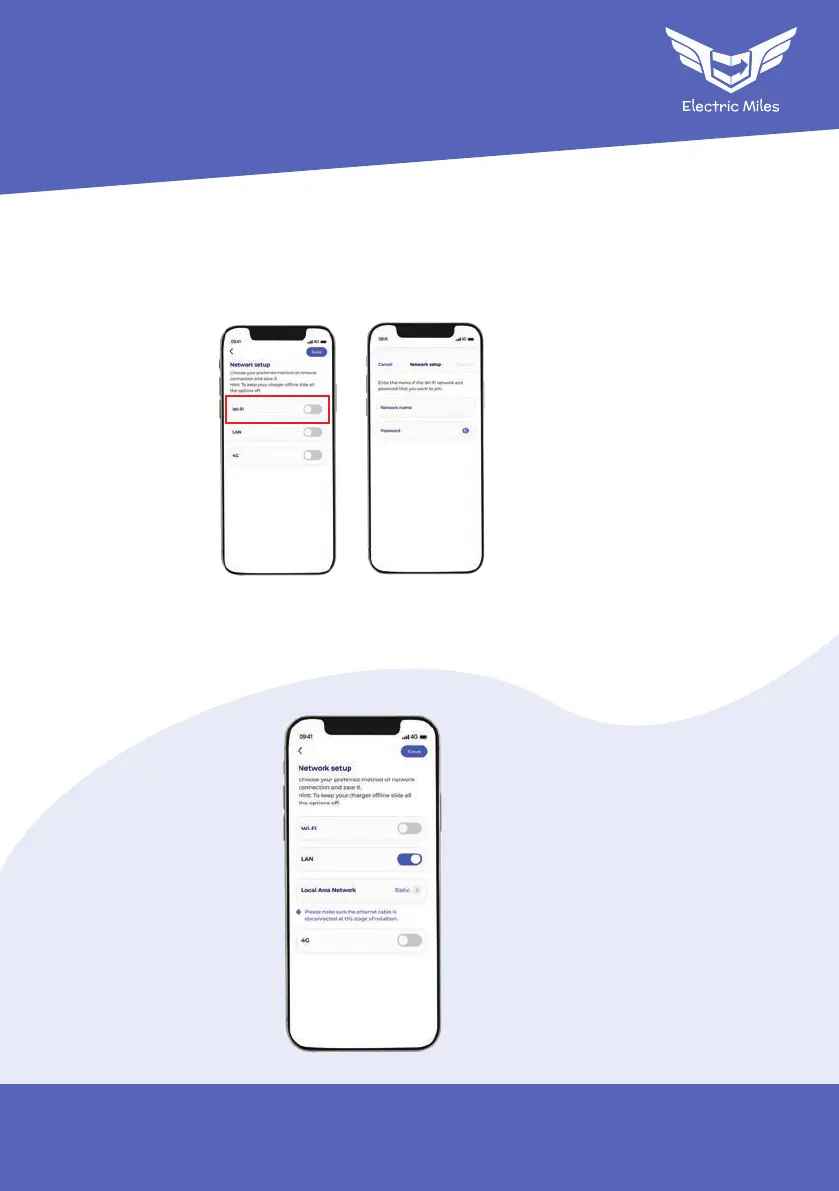
To set up the charger with a Wi-Fi network:
Enable location permissions on your mobile phone to search for Wi-Fi networks near you.
Enter the name and password for the network the charger will be connected to and
connect.
Note: This step by step is IOS specific. For Android phones a list of networks is shown.
To set up the charger with a LAN network:
Do not connect the charger ethernet cable before commissioning.
Installer Miles
Network Setup
43


 To Next Page