Operations in submenu
A. Press the V+ or the V- button to select the option.
B. Press the button to go back to the parent menu.
C. Press the button to enter the submenu and confirm a selection.
D. Press and hold the PLAY button / to return to the Main menu.
How to use the MP3 player
Operations in Music / Voice mode
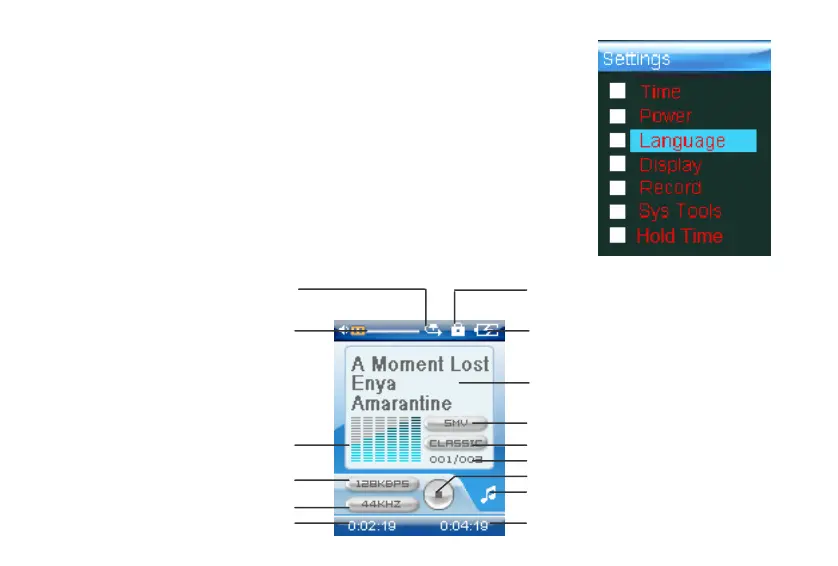
Music mode interface
Pla
mode
Ke
lock
Volume Batter
status
ID3/L
rics
File t
e
Current mode
State indicate
rack number/Total tracks
EQ
S
ectrum
Bit rate
Sam
lin
rate
Track ela
sed time
rack duration
12



 To Next Page