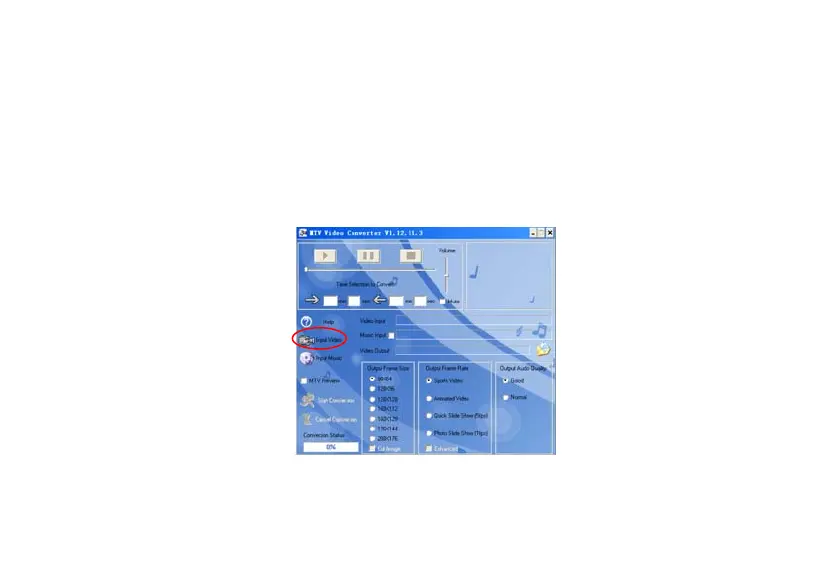
How to convert video to MTV format
A. Select MTV Video Converter and double click on it to enter the folder.
B. Select and double click on VideoConvert.exe program in the selected folder to enter.
C. Click on “Input Video” to select the files that need to be converted. You can set the size and quality at the
same time. The screen resolution of this player is 128x160 pixels, please set the size equal or less than
128x160 pixels. The higher quality produces larger file size and vice versa. The higher the quality setting
value, the clearer the picture will be and vice versa.
D. Click on “Start Conversion” to start converting. Meanwhile you can click on “Cancel Conversion” to stop
converting.
18



 To Next Page