190
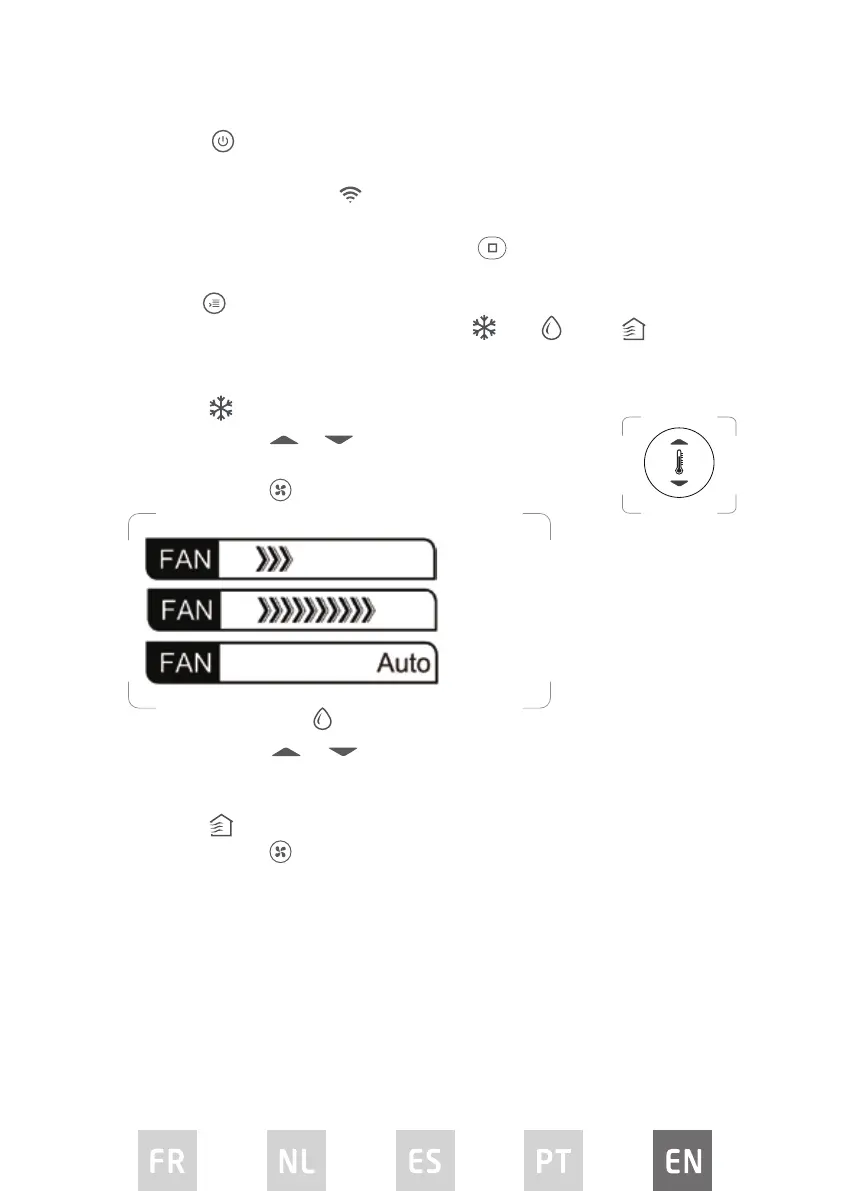
Power button
Press this button to turn the appliance ON or OFF.
The remote display will show
when buttons are pressed to show that the
remote control is sending a signal to the air conditioner.
To turn the control panel display on or o, press
.
Mode button
Repeatedly press this button to select the Cool , Dry or Fan mode.
The corresponding symbol will illuminate on the remote display to indicate which
mode is selected.
• Cool mode
Repeatedly press
or until the desired temperature is
displayed on the remote display.
Repeatedly press
to select the desired fan speed.
• Dry / Dehumidify mode
Repeatedly press
or until the desired temperature is displayed on
the remote display.
In this mode, fan speed can not be changed.
• Fan mode
Repeatedly press
to select the desired fan speed.
In this mode, the temperautre cannot be changed and the remote display
will not show temperature.
Setting the timer function
Your air conditioner has two timer-related functions:
TIMER ON – sets the amount of timer after which the unit will automatically turn
on.
TIMER OFF –sets the amount of time after which the unit will automatically turn
o.
Low speed
High speed
Auto speed


 To Next Page