193
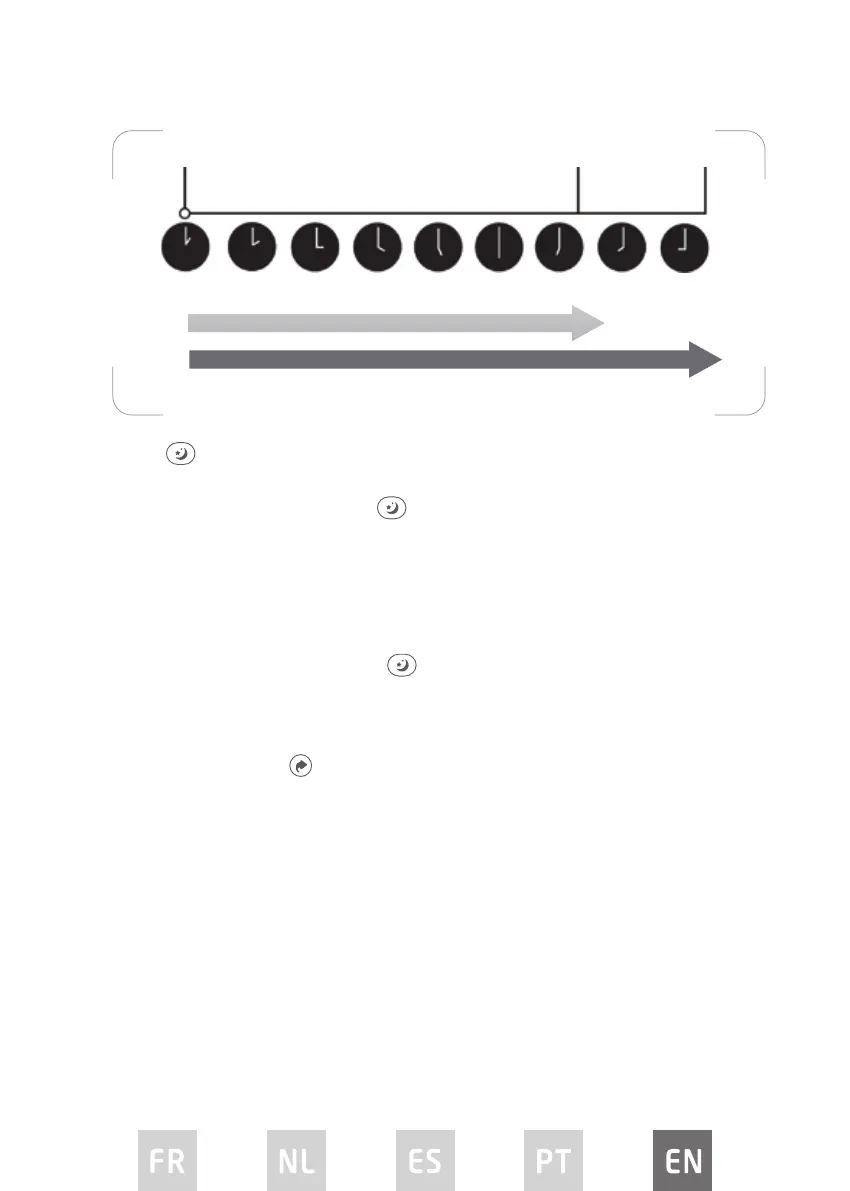
Timer starts.
Current
time 1PM
2PM 3PM 4PM 5PM 6PM 7PM
6 hours later
8 hours later
8PM 9PM
Unit turns ON. Unit turns OFF.
Sleep
The SLEEP function gradually adjusts the temperature of the room to provide a
comfortable environment. Press
to activate the function.
• In COOL mode, the temperature will increase by 1°C in 30 minutes and then
increase by 2°C after an additional 30 minutes.
• This new temperature will be maintained for 7 hours before it returns to the
original selected temperature. This ends the Sleep function and the unit will
continue to operate as originally programmed.
• To cancel this function press
again.
NOTE: The SLEEP function cannot be used under FAN or DRY mode.
SHORTCUT function
• Used to restore the current settings or resume previous settings.
• Press this button when remote control is on, the system will automatically
revert back to the previous settings including operating mode, set
temperature, fan speed and sleep function (if activated).
• If keeping this button pressed for more than 2 seconds, the system will
automatically restore the current operation settings including operating
mode, set temperature, fan speed and sleep function (if activated).
AUTO-RESTART
If the appliance turns o unexpectedly due to a power cut, it will automatically
restart in the previous settings when the power resumes.


 To Next Page