EasyManua.ls Logo

Proline PCI300G-E - User Manual

Proline PCI300G-E
64 pages
Print Icon
To Next Page IconTo Next Page
Loading...
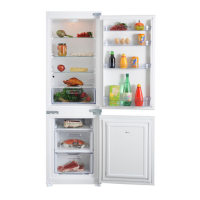
BUILT-IN
FRIDGE FREEZER
Instruction booklet
COMBINE
ENCASTRE
Guide d’utilisation
INBOUW COMBI
KOELKAST-VRIESKAST
Handleiding
RÉFRIGÉRATEUR
PCI300G-E

Table of Contents

Question and Answer IconNeed help?

Do you have a question about the Proline PCI300G-E and is the answer not in the manual?

Summary

Parts of the Appliance and Compartments

Installation Instructions

Preparing for Installation

Steps for preparing the appliance and gathering necessary attachment components.

Appliance Placement and Securing

Guidance on positioning the appliance in kitchen units and securing it with brackets.

Door Installation and Adjustment

Instructions for attaching door guides, rails, and adjusting gaps for proper function.

Before Using the Appliance

Safety Information

Essential safety precautions regarding voltage, usage, handling, and electrical connections.

Refrigerant and Switching On

Information about the refrigerant and the initial procedure for switching on the appliance.

How to Operate the Appliance

Thermostat and Super Freeze Settings

Guide to setting freezer and refrigerator thermostats and using the Super Freeze function.

Display Panel and Initial Turn On

Explanation of the control panel display and the steps for the first appliance startup.

Accessories

Ice Cubes and Internal Light

Details on using the ice cube tray and information about the internal refrigerator light.

Storage of Fresh Food

Storing Frozen Food

Recommendations for storing purchased frozen food products and initial freezer setup.

Defrosting

Freezing Fresh Food

Best practices for freezing fresh food, including hygiene, packaging, and quantity limits.

Refrigerator Defrost Process

Explanation of the automatic defrosting cycle for the refrigerator compartment.

Freezer Defrost Process

Information on frost formation in the freezer and manual defrosting procedures.

Cleaning and Maintenance

Cleaning Procedures

Instructions for cleaning the appliance interior and exterior, and preparing for long-term storage.

Power Failure and Light Bulb Replacement

Procedures for handling power failures and replacing the refrigerator light bulb.

Transportation and Door Reversal

Door Reversing Procedure

Step-by-step guide on how to reverse the appliance doors for different installation needs.

Before Calling After Sales Service

Troubleshooting Appliance Issues

Common problems and checks to perform before contacting customer service for assistance.

Usage Guidelines

Cooling Performance and Climate Class

How ambient temperature and climate class affect the appliance's cooling efficiency.

Important Notes and Food Storage Advice

Key operational notes, tips for storing fresh food, and general usage recommendations.

Usage Details and Compliance

Detailed Dos and Donts

Specific recommendations and prohibitions for optimal food storage and appliance use.

Conformity Information

Details regarding the appliance's compliance with relevant industry standards and regulations.

Specifications

Customer Support and Service

Summary

Parts of the Appliance and Compartments

Installation Instructions

Preparing for Installation

Steps for preparing the appliance and gathering necessary attachment components.

Appliance Placement and Securing

Guidance on positioning the appliance in kitchen units and securing it with brackets.

Door Installation and Adjustment

Instructions for attaching door guides, rails, and adjusting gaps for proper function.

Before Using the Appliance

Safety Information

Essential safety precautions regarding voltage, usage, handling, and electrical connections.

Refrigerant and Switching On

Information about the refrigerant and the initial procedure for switching on the appliance.

How to Operate the Appliance

Thermostat and Super Freeze Settings

Guide to setting freezer and refrigerator thermostats and using the Super Freeze function.

Display Panel and Initial Turn On

Explanation of the control panel display and the steps for the first appliance startup.

Accessories

Ice Cubes and Internal Light

Details on using the ice cube tray and information about the internal refrigerator light.

Storage of Fresh Food

Storing Frozen Food

Recommendations for storing purchased frozen food products and initial freezer setup.

Defrosting

Freezing Fresh Food

Best practices for freezing fresh food, including hygiene, packaging, and quantity limits.

Refrigerator Defrost Process

Explanation of the automatic defrosting cycle for the refrigerator compartment.

Freezer Defrost Process

Information on frost formation in the freezer and manual defrosting procedures.

Cleaning and Maintenance

Cleaning Procedures

Instructions for cleaning the appliance interior and exterior, and preparing for long-term storage.

Power Failure and Light Bulb Replacement

Procedures for handling power failures and replacing the refrigerator light bulb.

Transportation and Door Reversal

Door Reversing Procedure

Step-by-step guide on how to reverse the appliance doors for different installation needs.

Before Calling After Sales Service

Troubleshooting Appliance Issues

Common problems and checks to perform before contacting customer service for assistance.

Usage Guidelines

Cooling Performance and Climate Class

How ambient temperature and climate class affect the appliance's cooling efficiency.

Important Notes and Food Storage Advice

Key operational notes, tips for storing fresh food, and general usage recommendations.

Usage Details and Compliance

Detailed Dos and Donts

Specific recommendations and prohibitions for optimal food storage and appliance use.

Conformity Information

Details regarding the appliance's compliance with relevant industry standards and regulations.

Specifications

Customer Support and Service

Proline PCI300G-E Specifications

General IconGeneral
CategoryFreezer
ModelPCI300G-E
BrandProline
TypeChest Freezer
Capacity300 Liters
Energy ClassA+
Noise Level42 dB
Defrosting SystemManual
Door ReversibleNo
ColorWhite

Related product manuals