BM-16
This document is protected by copyrights.
Copying, using, or distributing without permission of PROMOTECH is prohibited.
11
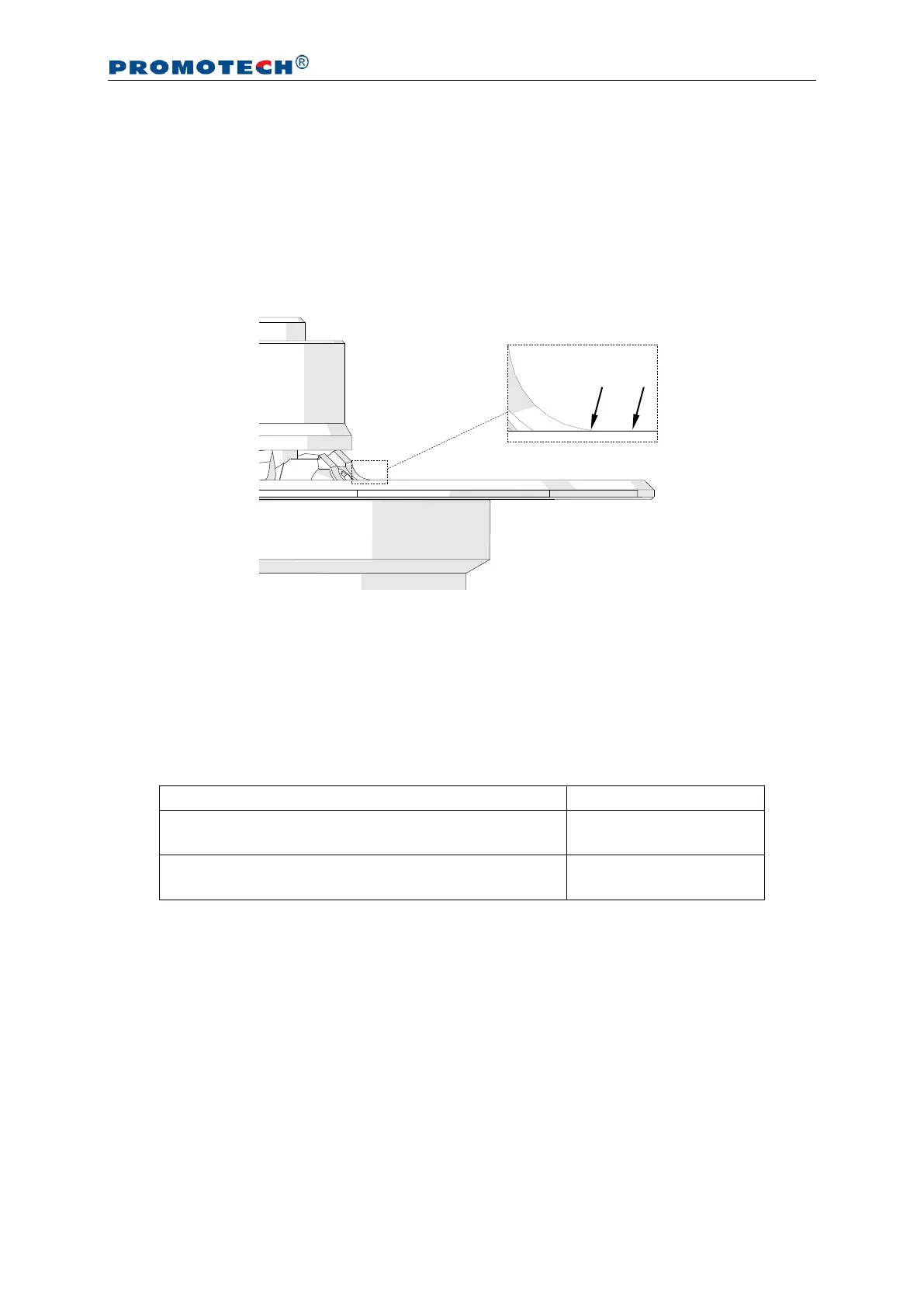
3.3. Adjusting the guide for bevelling with radius
Unplug the machine from the power source, and then in the manner described before
loosen the clamping screw and rotate the sleeve to set the surface 1 (Fig. 6) on the
same level as the radial cutting edge 2. You can also use an optional radius insert
positioner to set the guide properly. Next, re-tighten the clamping screw, and then
bevel a test edge and readjust the position of the guide if necessary.
Fig. 6. Guide adjusted for bevelling with radius
3.4. Preparing
Install a milling head with cutting inserts, and set the required bevel parameters.
Then, use the speed adjustment dial to set the speed corresponding to the type of
the workpiece (Tab. 2).
Aluminum, brass, plastics
Structural steel of standard quality, quality steel
Settings 3–5
(3100–4500 rpm)
Tab. 2. Recommended rotational speeds
The speed adjustment dial allows continuous control of the rotational speed in
the range of 1800–5850 rpm (settings 1–6). The relations between the setting and
speed are as follows: setting 1 – 1800 rpm, 2 – 2400 rpm, 3 – 3100 rpm, 4 – 3800 rpm,
5 – 4500 rpm, 6 – 5850 rpm.
When using structural steel of standard quality or quality steel, set the speed to
setting 4 and decrease the speed if intensive sparking occurs during operation.


 To Next Page