13
OPERATION GUIDE
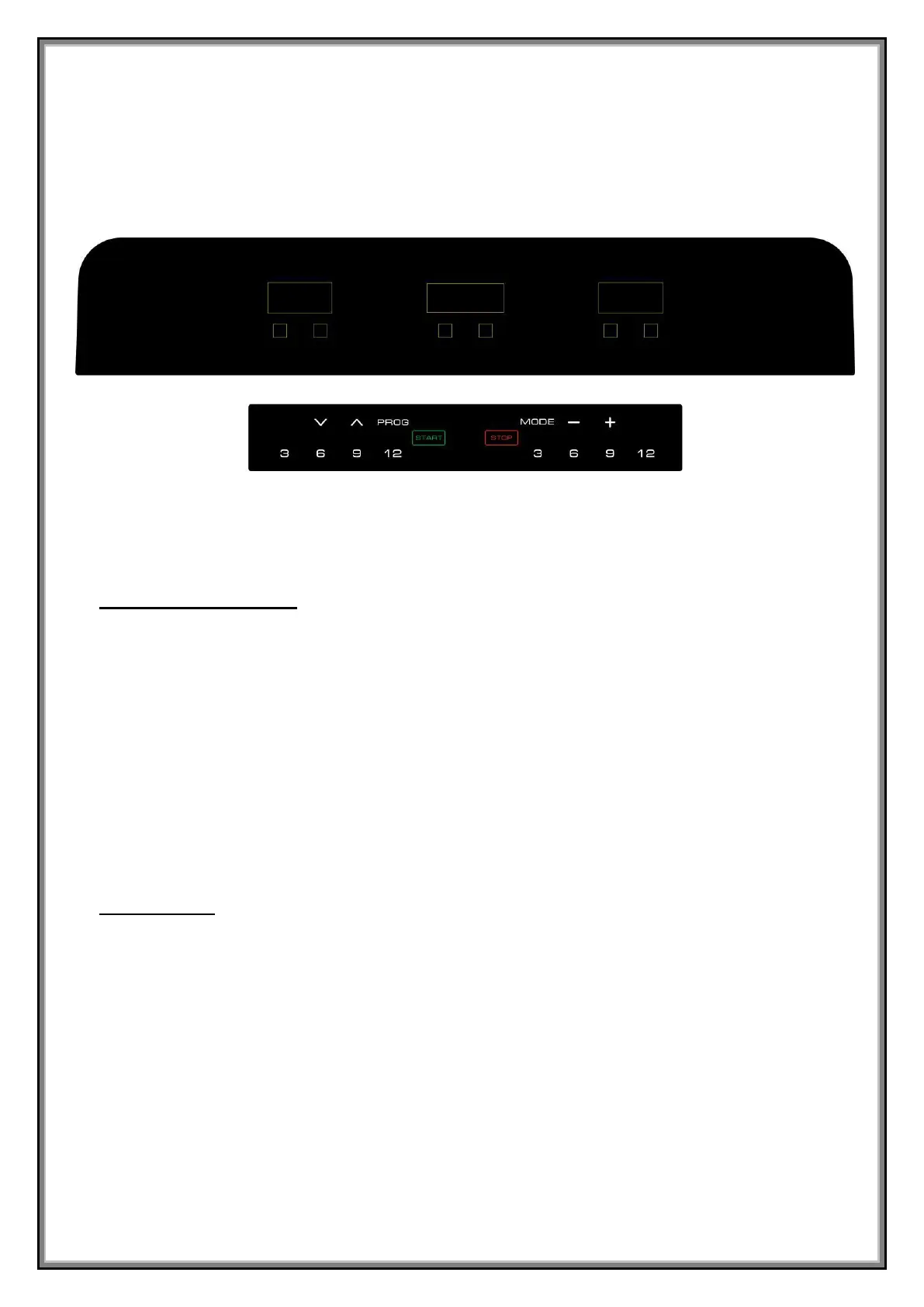
BUTTON FUNCTIONS
:
1. START: Press this button to start the machine.
2. STOP//PAUSE: Press this button to pause or stop the machine.
3. PROG:Press this button to choose ”0.0” ,”P01-P02-P03-…P14-P15”,”U1-U2-U3”,”FAT”.
4. MODE:Press this button to choose between time, distance, calories workout targets.
5. SPEED +: Press this button to increase the speed.
6. SPEED -: Press this button to reduce the speed.
7. QUICK SPEED: Press 3,6,9,12 to choose speed quickly.
8. QUICK INCLINE:Press 3,6,9,12 to choose incline quickly.
MEDIA HUB :
1. BLUETOOTH MUSIC: select SYMK from the list of available devices of cell phone and connect.
Note: Bluetooth automatically disconnects when answering a call and need to be connceted again
after the call.
2. USB CHARGING: You can plug in a device to charge via USB.


 To Next Page