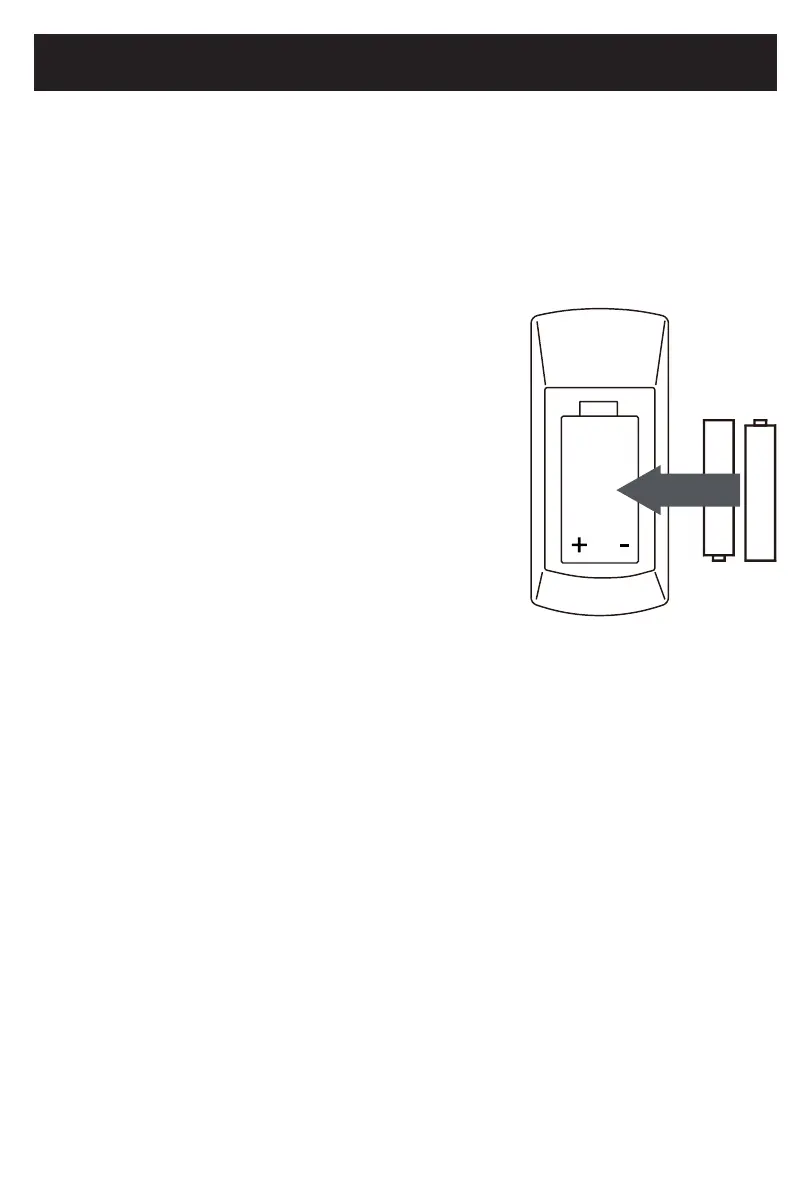
Battery Installation:
1. Press the tabs on the battery door and lift it off.
2. Inserttwo(2)AAAsizebatteries(Werecommend
InniCellbatteriesformaximumperformance)into
the battery compartment. Make sure to match the
(+)and(–)endsofthebatterycompartment.
3. Replace the battery compartment door.
BATTERY PRECAUTIONS:
Followtheseprecautionswhenusingabatteryinthis
device:
• Onlyusethesizeandtypeofbatteryspecied.
• Besuretofollowthecorrectpolaritywheninstalling
the battery as indicated in the battery compartment.
A reversed battery may cause damage to the device.
• Donotmixdifferenttypesofbatteriestogether(e.g.AlkalineandCarbon-zinc)orold
batteries with fresh ones.
• Ifthebatteriesinthedeviceareconsumedorthedeviceisnotusedforalongperiod
oftime,removethebatteriestopreventdamageorinjuryfrompossiblebattery
leakage.
• Donottrytorechargenon-rechargeablebatteries;theymayoverheatandrupture
(Followbatterymanufacturer’sdirections).
• Donotdisposeofbatteryinre.Batterymayexplodeorleak.
• Cleanthebatterycontactsandalsothoseofthedevicepriortobatteryinstallation.
Remote Control
23. REPEAT: Press repeatedly to set repeat mode.
24. A-B: Duringplayback,presstosetthebeginningpointofA-Brepeat.Pressagaintosetthe
endpointofA-Brepeat.Theunitwillstartplaybackattheselectedsection.Toresumenormal
playback,presstheA-Bbuttonagain.
25. ANGLE: Press repeatedly to select the available viewing angle.
26. OSD (On Screen Display): Press repeatedly to display the playback information.
10
2015.09.25
08:29:53
+08'00'



 To Next Page