Setting Menu
Setting Menus:
In fully stop mode, press the SETUP button on the remote control, the setting menu will
appear on the screen as below. Use the Direction , , , , Numeric and ENTER buttons
to select and highlight the function you need to set or reset. Press the
or confirm the selection. After setting, press the SETUP
exit.
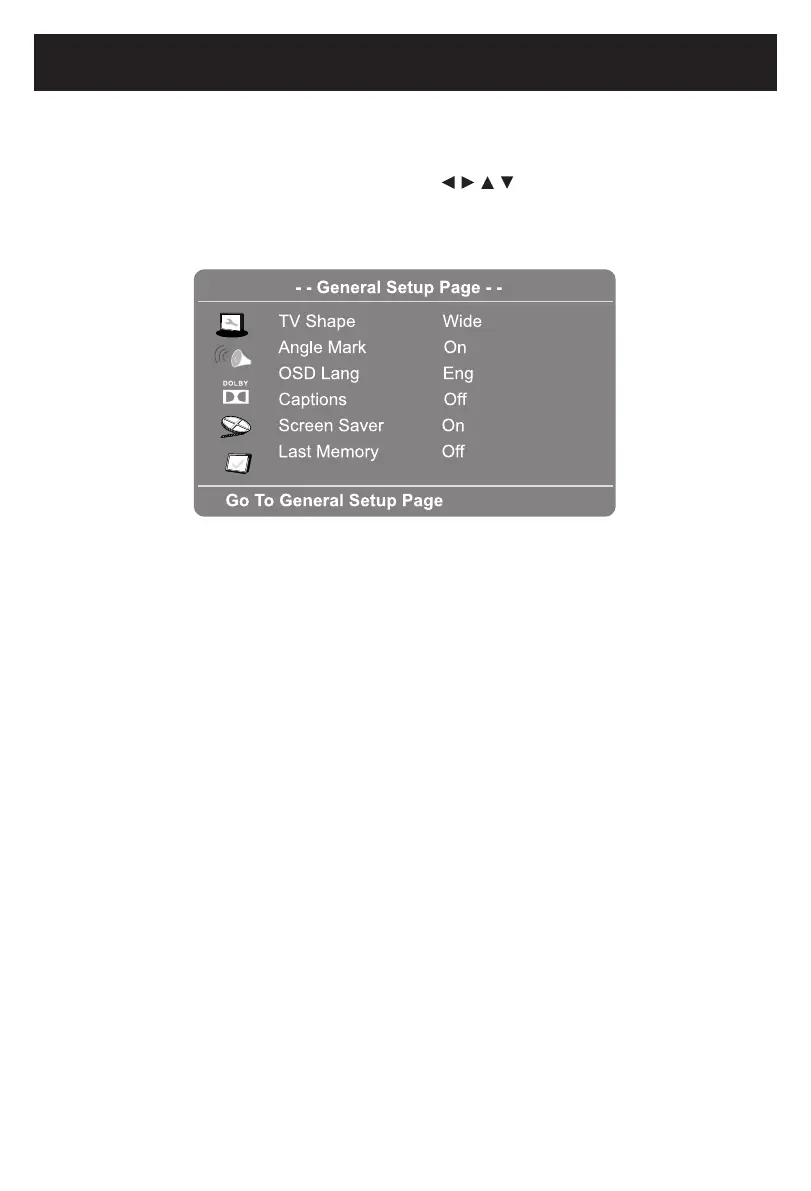
IN GENERAL SETUP PAGE:
1. IftheTVshapeisselected,usetheDirection and
matchtheconnectedTV.
2. If Angle Mark is selected, use the Direction and
to On, when multi-anglesareavailableintheplayingDVD,themulti-anglelogo
will
appear on the screen.
3. IfOSDLang(OnScreenDisplayLanguage)isselected,usetheDirection and
buttons to set the OSD language as desired.
4. If Captions is selected, use the Direction and buttons to set it On or Off.
IfsettoOn,whenmulti-languageareavailableinplayingdisc,thecaptionswill
appear on screen.
5. If Screen Saver is selected, use the Direction and
approximatelyveminutes.
6. IfLastMemoryisselected,usetheDirection and
time.
ENTER
button to
enter
button to save the settings
and
ENTER
buttons to set the aspect
ratio to
ENTER
buttons to set it On or Off.
If set
ENTER
ENTER
ENTER
buttons to set it On or Off.
If set
to On, the screen saver will come on when the unit stops or the image is paused
for
ENTER
buttons to set it On or Off.
If set
to On, the unit will start playback from the position where the disc was stopped
last
17
2015.0
9.25
08:30:
36
+08'00'



 To Next Page