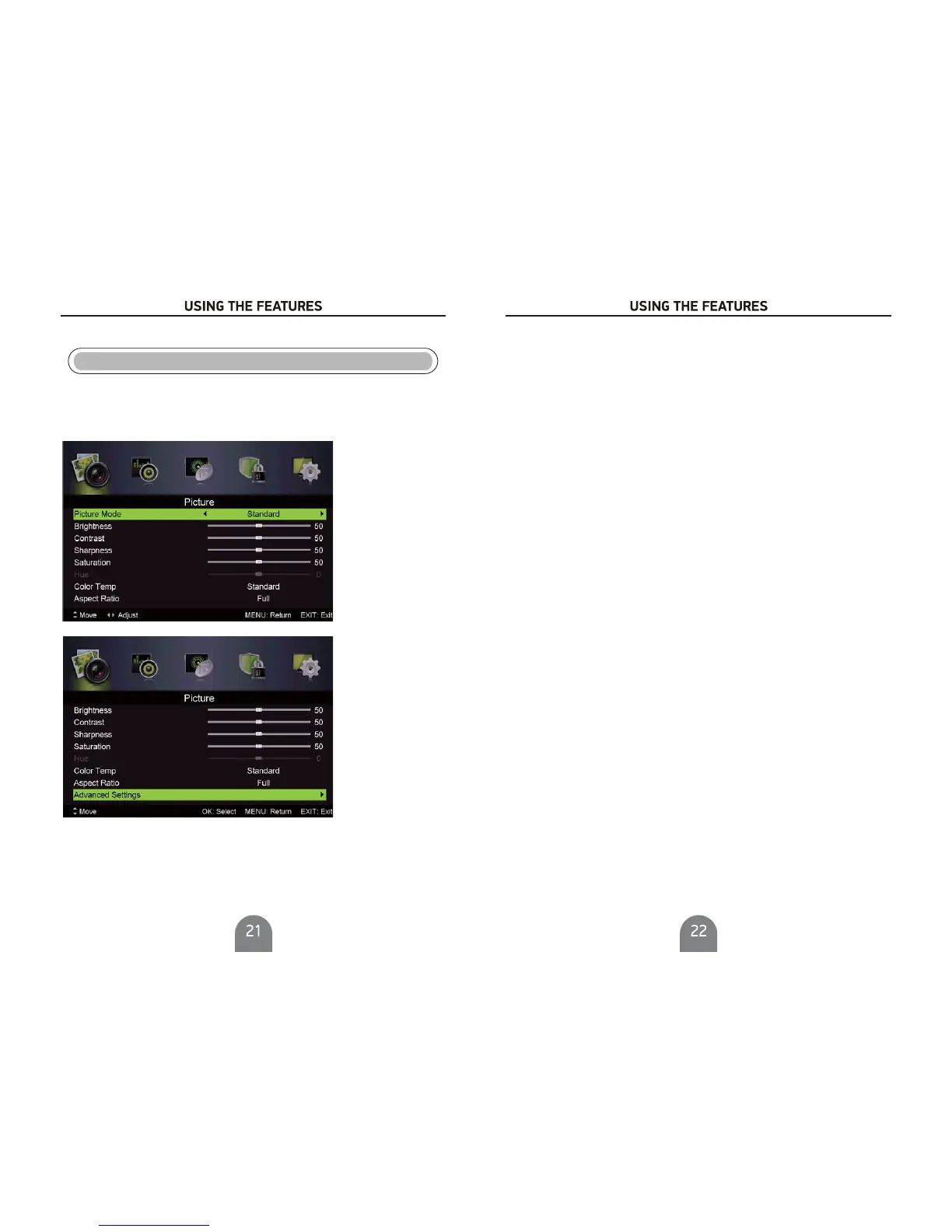
Main Menu Operation
Picture Menu
.
ress to enter
Press button to display the main menu.MENU
Pres s Ż/ Źbutton select in the main menu,then p
1. Press / button to select the option that you want to adjust in the menu.
2. Press Ż/ Źbutton to adjust.
3. After fi nishing your adjustment, Press button to return back to the previ ous menu.
PICTURE
PICTURE
MENU
VG
Picture MODE
Press / button to select Picture Mode, then pressŻ / Źbutton to select.
Brightness/ Saturation/Hue
Press ź / Ÿ button to select option, then press Ż / Ź button to adjust.
Contrast/ Sharpness/
Color Temp
Change the overall color cast of the picture.
Color Temp
Press / button to select , then pressŻ / Ź button to select Standard/Cool/Warm.
Aspect Ratio
Press / button to select Aspec
t Ratio, then pressŻ / Ź button to select.
Full/4 3 /Zoom1/Zoom2 To select the available display format.:
NR
Set options to reduce video noise.
NR
Press / button to select , then pressŻ / Źbutton to select .
Advanced Settings
Adjust advanced video features to fine tune the picture.
Advanced Settings
Press / button to select , then press Ż / Ź button to enter sub-menu.
Mpeg NR
Set options
to reduce MPEG noise.
Mpeg NR
Press / button to select , then pressŻ / Ź buttontoselect.
Press / button to select , then pressŻ / Ź button to select .
(Available : Off, ,Medium, ).
Dynamic Contrast Weak Strong
Dynamic Contrast
Automatically adjust picture detail and brightness.
Dynamic Contrast



 To Next Page