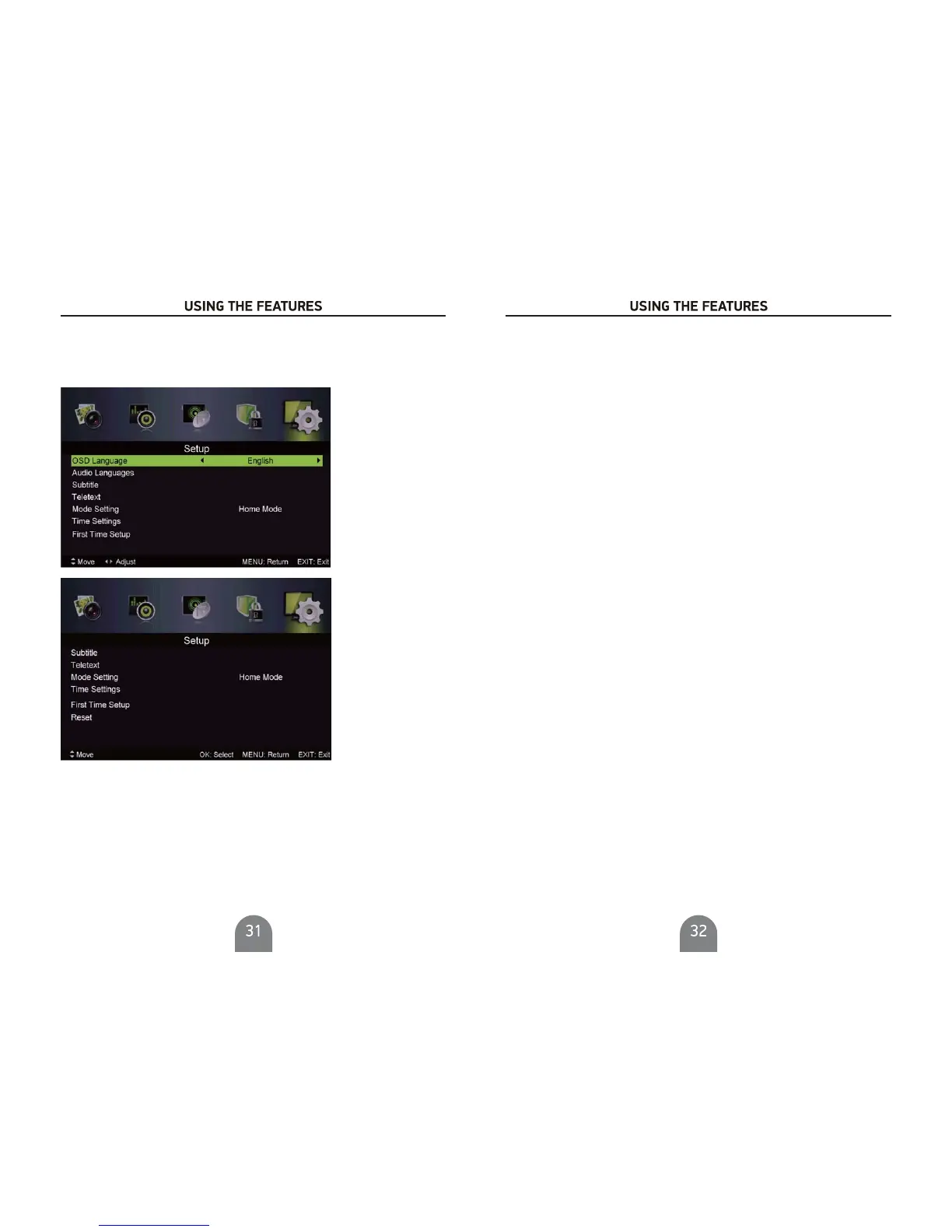
Setup Menu
Press button to display the main menu.MENU
Pres s Ż/ Źbutton select in the main menu,then press VG to enterSETUP
1. Press / button to select the option that you want to adjust in the menu.
2. PressŻ / Ź button to adjust.
3. After finishing your adjustment, Press button to save and return back to the previous menu.
SETUP
MENU
Select an audio l anguage can be di splayed.Default English is s
elected as audi o language.
Press / button to select Audio Languages, then press OK button to enter sub-menu.
Pres s / / Ż/ Ź button to select the Audio Pri mary Language and Audio Secondary Language.
Audio Languages
Subtitle
Select a subtitle language can be displayed.Default English i s selected as subtitle language.
Press / button to select Subtitle, then press OK button to enter sub-menu.
Pres s
/ button to select OSD Language, then pressŻ/ Źbutton to select.
OSD Language
Select an OSD menu language can be displayed.Default English is selected as menu language.
Mode
Press / button to select then pressŻ / Ź button to select On or Off.
Mode,
Press / / Ż / Ź button to select the Subtitle Primary Language and Subtitle Secondary Language.
Hearing Impaired
Press / button to select Heari
ng Impaired, then press Ż / Ź button to select On or Off.
Mode Setting
Mode Setti ng
Press / button to select
Telet ext
Adjust settings. Only available under DTV ,ATV,AVand SCART source.
Teletext
Teletext
Press / button to select , then press Ż / Ź button to enter sub-menu.
Time Settings
Time SettingsPress / button to select , then press Ż / Ź button to enter sub-menu.
Select your time zone.
Press / button to select
then press Ż / Ź
button to enter sub-menu.Time Zone,
Time Zone
Set a timer for the TV to turn off automatically.
Sleep Timer
( Sleep Timer:Off ,5mins, 15mins, 30mins, 60mins, 90mins, 120mins, 240mins)
Sleep Timer
Press / button to select ,
Available
press Ż / Ź button to select.
Press / button to select Auto Sleep ,
Auto Sleep
press Ż / Ź button to select Off,3 hours,4hours
or 5 hours.
OSD Time
OSD Time
( OSD Time:Off,10seconds,20seconds,30seconds,60seconds).
Press / button to select ,
Available
press Ż / Ź button to select.
Set Auto Sync to Off,then you can set the time manually .
Note: In the case of loss of power, the clock setting will be lost.
Time
Press / button to select
then press Ż / Ź button to enter sub-menu.Time ,



 To Next Page