Press button to display the main menu.MENU
Pres s Ż/ Źbutton to select i n the main menu,then press VGGto enter
1. Press / button to select the option that you want to select i n the menu.
2. Press button to enter sub-menu.
3. Press button to return back to the previ ous menu.
CHANNEL
CHANNEL
Enter
MENU
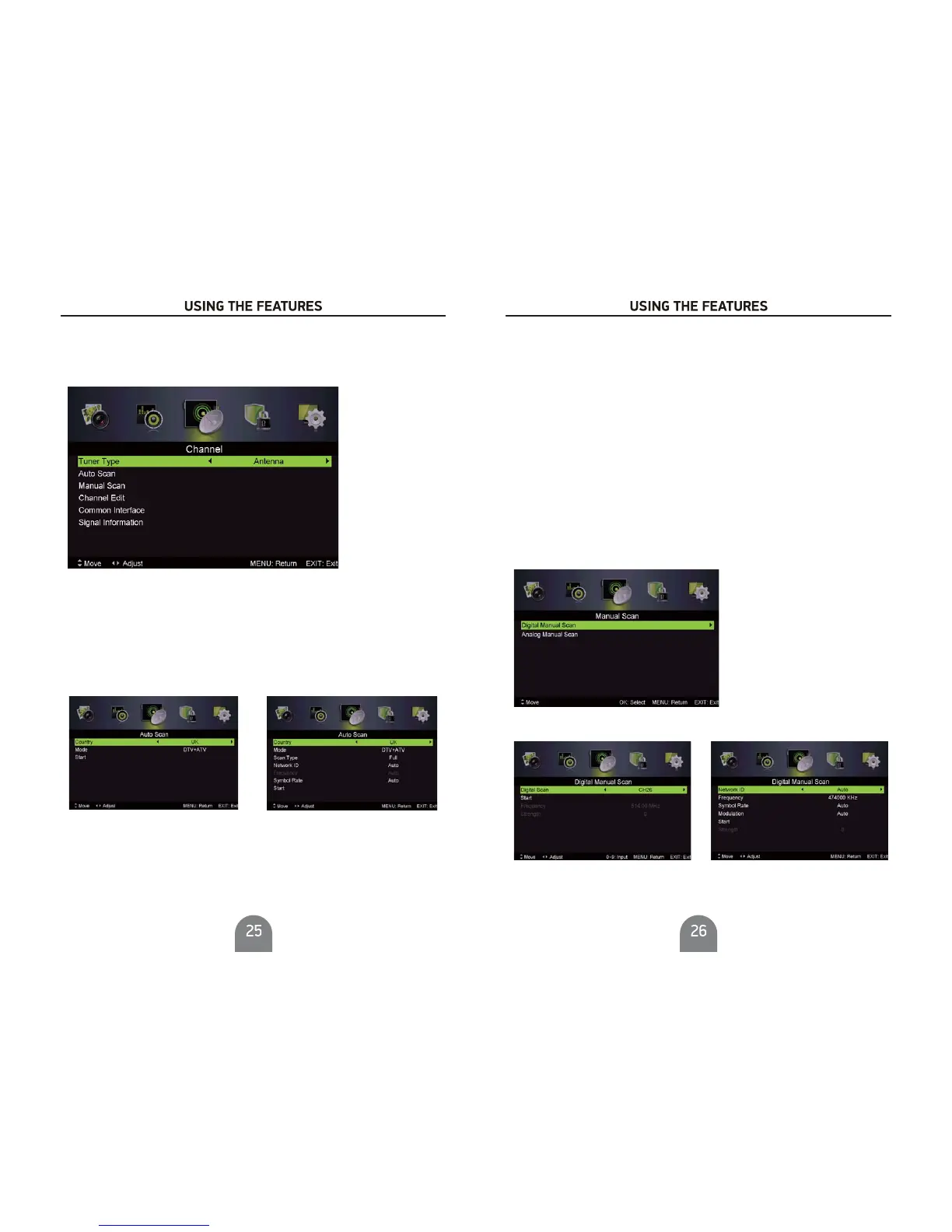
Tuner Type
Auto Scan
Type
Auto Scan
Press / button to select Tuner , then press Ż/ Ź
button to select Antenna or Cable.
Press / button to select , then press Ż/ Źbutton to enter sub-menu.
Tuner type is Tuner type is
Antenna Cable
Channel Menu
Country
Pres s Ż/ Źbutton to select country
Mode
DTV+ATV, DTV, ATVPres s Ż/ Źbutton to select Mode: .
Scan Type
Advanced,Quick,Full.Pres s Ż/ Źbutton to select Scan Type:
e
nter digi tal numbers.
Network ID
Auto orPres s Ż/ Źbutton to select Network ID:
e
nter digital numbers.
Frequency
Auto
orPres s Ż/ Źbutton to select Frequency:
e
nter digi tal numbers.
Symbol Rate
Symbol Rate Auto orPres s Ż/ Źbutton to select :
Start
Press Ż / Źbuttontostarttheautosearching.
It will search digital channels first,then analog channels.
Before execute auto channel search,please confirm your antenna type is Antenna or Cable.
Wrong setting of Signal Type maybe cause finding no channel.
Man
ual Scan
Manual Scan
Search for the channels manually.
Press / button to select , then press Ż/ Źbutton to enter sub-menu.
Digital Manual Scan
Press / button to select , then press Ż/ Źbutton to enter sub-menu.
Digital Manual Scan
Tuner type is Tuner type isAntenna Cable



 To Next Page