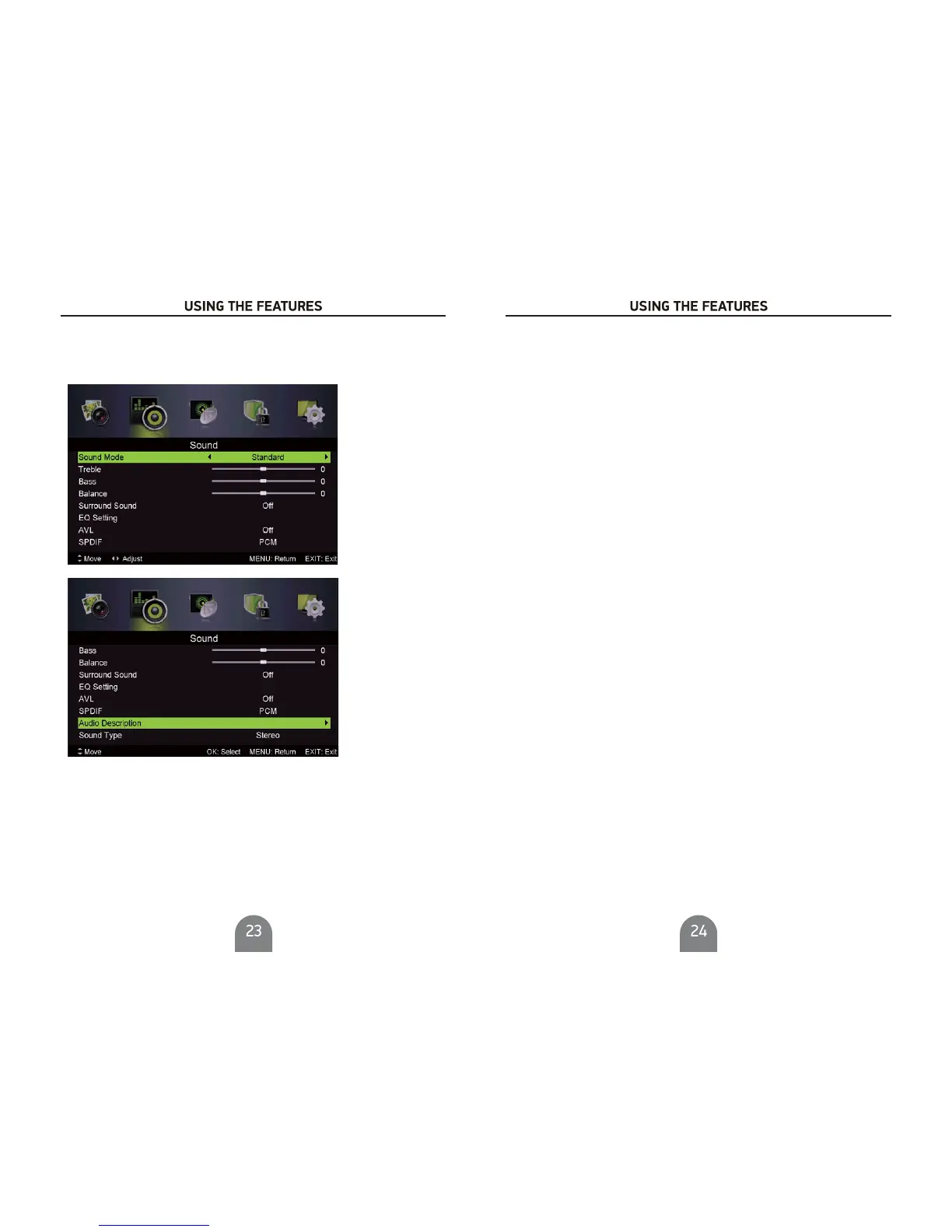
Sound Menu
ress VG to enter.
Press button to display the main menu.MENU
Pres s Ż/ Źbutton select in the main menu,then p
1. Press / button to select the option that you want to adjust in the menu.
2. Press Ż/ Źbutton to adjust.
3. After fi nishing your adjustment, Press button to return back to the previ ous menu.
SOUND
SOUND
MENU
Sound Mode
Audio Mode
Press / button to select , then pressŻ / Ź button to select.
Treble/Bass/Balance
Press / button to select option, then press Ż / Ź button to adjust.
Surround Sound
Press / button to select Surround Sound, then pressŻ / Ź button to select On or Off.
Press / button to select , then press Ż / Ź button to enter sub-menu.
EQ Setting
EQ Setting
Adjust the curve of 7 band
s equalizer.
AV L
Automatically reduces sudden volume changes,for example,when switching beween the channels.
Press / button to select AVL, then pressŻ / Ź buttontoselectOnorOff.
SPDIF
Press / button to select Digital Output, then press Ż / Ź button to select Off / Auto/PCM .
Audio Description
Audio Descri ption
Press / button to select , then press Ż/ Źbutton to enter sub-menu.
Pres
s / button to select , then pressŻ / Źbutton to select On or Off.
When the mode i s can be adj ust by users
Mode
Mode
On,Volume .
Press / button to select Sound Type, then pressŻ/ Źbutton to select.
(Available Sound Type: Stereo,Dual I,Dual II,Mixed).
Sound Type
NOTE:
Balance:
AV L:
This item can adjust the speaker’s output, it enables you to listen to best at your position.
This item
uses for reducing the difference between channel and program’s
volume automatic ally.
it made the overall water to be even. This function will also reduce the fluctuation of the sound.



 To Next Page