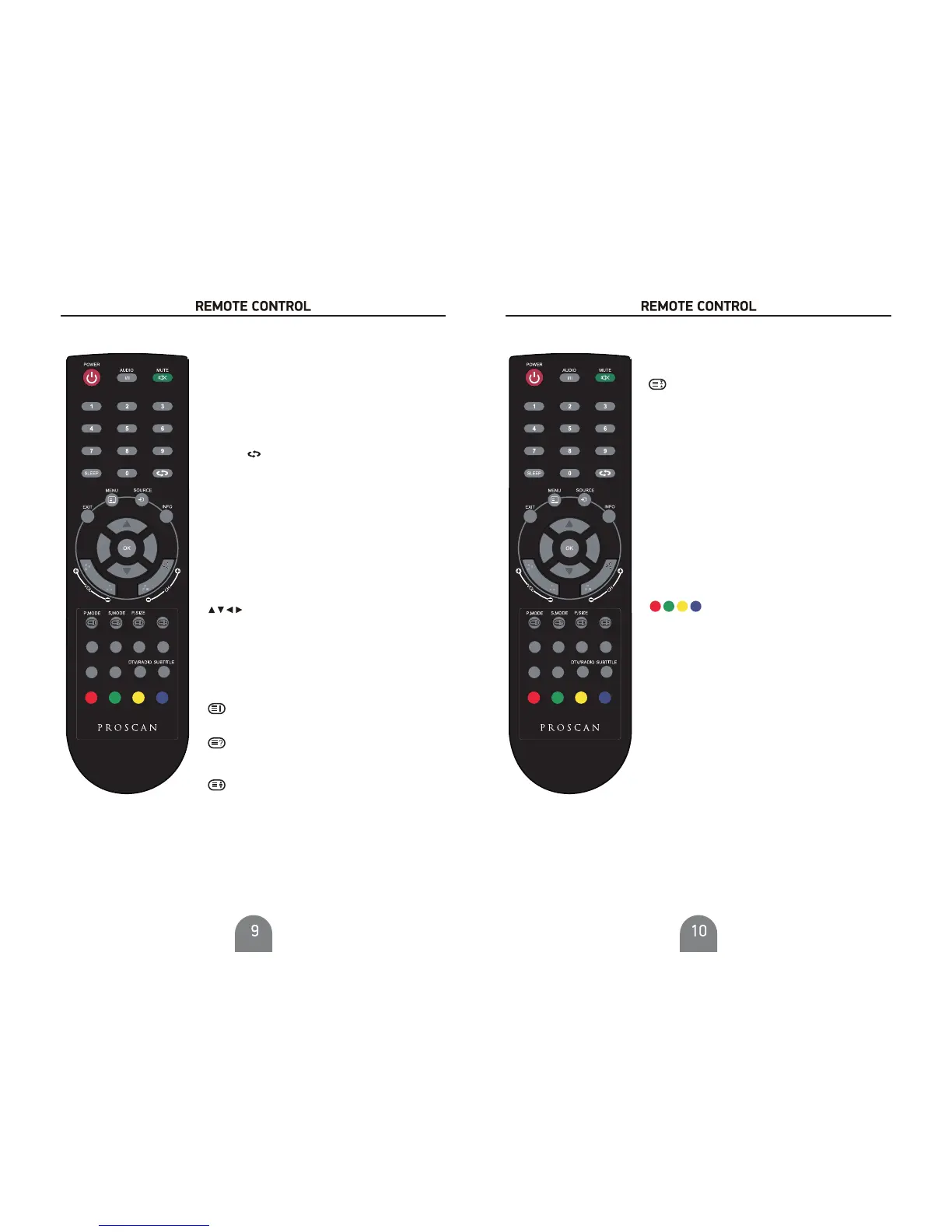
0-9
RETURN
MENU
EXIT
POWER
Turns the LCD TV on and into standby
mode.
Pressing a number selects a channel.
Switches back and forth between
the current and previous channels
Displays the OSD menu on the screen.
Exits the OSD menu.
/OK
Allows you to navigate the on-
screen menus and adiust the system setting
to you preferenceOK confirms option settings.
OK Display the channel list
VOL+/VOL-
CH+/CH-
Increases and decreases volume.
Scans up and down the channels.
INFO Pressing once displays a variety of
information such as the current channel and the
input source.
SOURCE
Pressing SOURCE displays the source
OLVWXVHŸźWRVHOHFWWKHYLGHRHTXLSPHQW
connected to the video inputs of your LCD TV,
and press OK button to confirm.
MUTE
Mutes and restores your LCD TV sound.
SLEEP
Set the sleep timer.
AUDIO I/II Switch the audio channel of multimedia
playing
P.MODE
Selection picture mode
Displays the main index in Teletext mode
Reveals hidden information such as the
Displays the top, buttom or all of page
DQVZHUVWRDTXL]LQ7(/(7(;7PRGH
S.MODE
Selects sound effect options
P.SIZE
Cycles through wide screen mode settings
Press the appropriate colour to
GLUHFWDFFHVVIXQFWLRQVLQ7(/(7(;7RU(3*
OSD mode
TEXT
Turns on and off the Teletext function
FAV.CH
Pressing FAV.CH displays favorites.
FAV-
Previous favorite channel
FAV+
Next favorite channel
EPG
6KRZV(OHFWURQLF3URJUDP*XLGH
FREEZE )UHH]HWKHLPDJH
CH.LIST
Displays channel lists on the screen.
DTV/RADIO
In DTV mode, press DTV/RADIO
button to enter DTV or RADIO mode.
S)UHH]HDPXOWLSDJHFKDQJLQJRQ7HOHWH[WPRGH
SUBTITLE Select subtitle of media video file
(needs the support of disk or flie).
CH.LIST (3*
FREEZE
FAV.CH 7(;7
RETURN
FAV- FAV+
CH.LIST (3*
FREEZE
FAV.CH 7(;7
RETURN
FAV- FAV+



 To Next Page