OPTIMAX
®
11
Operation
English
®
Before use...
1. Close water-drainage stop cock.
2. Open water tap.
3. Switch processor on.
4. Check liquid level in replenishment and drainage collecting containers.
5. Wait until the developer temperature is reached. If the temperature has not
been reached, the bath temperature light is flashing.
6. Run cleaning films through processor.
Working procedure
7. Processing films:
Open light protection cover. Important: Put film first on left side of feed tray
and then feed in. During processing films please watch the display “Film
Feed”. If this is lit, wait until it goes off again and an audible tone can be
heard, before inserting the next film.
After work...
8. Switch processor off.
9. Close water tap.
10. Open water-drainage stop cock and drain water out of the machine.
Attention:
Upon first operation and each refilling of a developer check
the function of the circulation pump and vent the pump if re-
quired (see page 9).
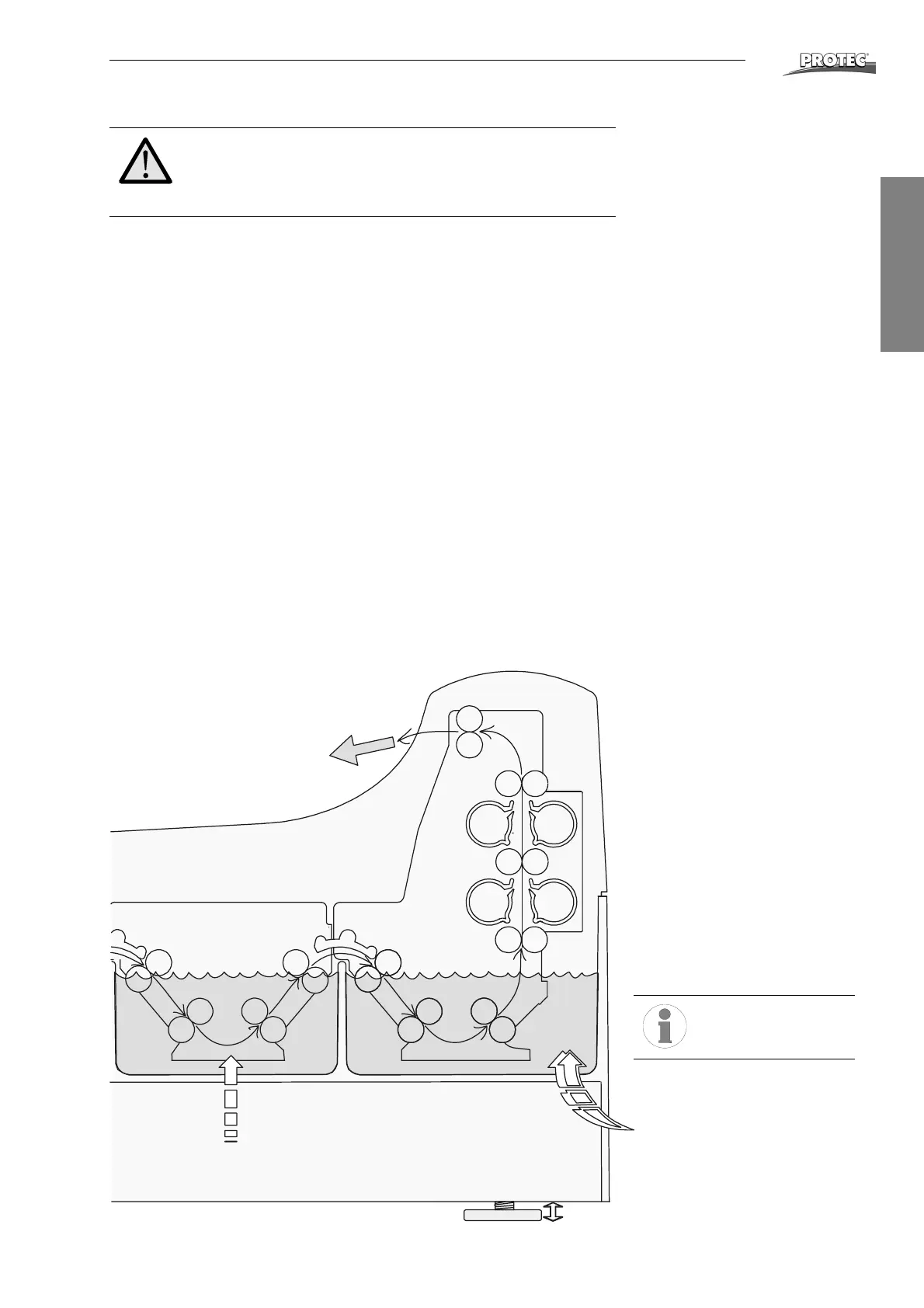
Film exit
Drying
Replenishment Fixer
Fresh water inflow
Washing
Fixing
Do not place any
object on the proc-
essor.


 To Next Page