Installation
6 OPTIMAX
®
®
Installation
1. Requirements for installation
a. Fresh water connection: Stop cock with 3/4" outer-thread diameter (washing
machine connection), Water pressure 2 - 10 bar (29 - 145 psi).
Drainage connection: Plastic tube - inner diameter 50 mm (2”) or larger. A
ventilated syphon which serves as odor preventor should be included in the
planning. The drainage tubes should be installed with a fall of minimum 5 %.
Local Water Authorities regulations should be complied with.
b. Electrical connection: Fused wall socket with ground connection according to
electrical data (see Technical Specification, page 5). It is also required to
install a ground fault interrupt (with 25 A / 30 mA nominal error current).
2. Set up of processor
Unpack the Processor. Remove cover and transport securing brackets on the sides
of the roller racks. Remove roller racks - start with the dryer rack.
In 220-240 V version the OPTIMAX
®
is delivered as a tabletop processor with a two
part floorplate. If the machine is upgraded with the optional stand or cabinet, the
small plastic strip has to be removed.
In 110-120 V version the OPTIMAX
®
is delivered as a tabletop processor with a
three part floorplate. If the machine is upgraded with the optional stand or cabinet,
both small plastic strips and the metal plate have to be removed and a special main
plate must be reconnected.
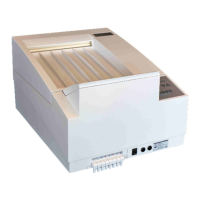
Table-top installation
In the event that the processor is to be installed on a work top or table, the adjust-
able feet should be levelled.
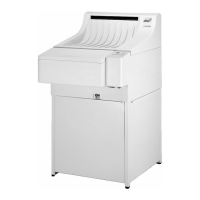
Installing on processor stand or base cabinet
In the event that the processor is to be installed on the stand or cabinet (optional
accessory), the processor will be mounted directly to it. Mount processor according
to manual included with stand or cabinet (the adjustable feet inside the accessory
bag are not required).
Finally the processor needs to be leveled:
Place level across the sidewalls of processor and adjust the leveling feet accord-
ingly. Replace the racks into the processor and close the latches.
Electrical connections should be carried out according to reg-
ulations by an electrician.
Attention!
Machine should not be installed on table-top without adjusta-
ble feet, as this would block the ventilation openings under the
machine and cause overheating.


 To Next Page