EasyManua.ls Logo

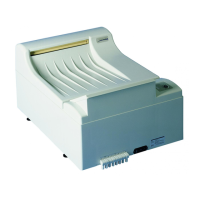
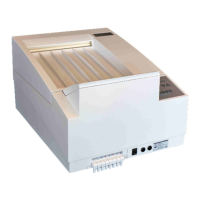
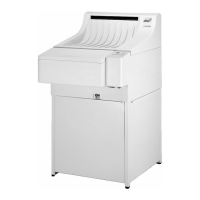
Protec OPTIMAX - User Manual

Protec OPTIMAX
40 pages
Print Icon
To Next Page IconTo Next Page
Loading...
Machine No.:
Type:
Date of Installation:
Issued: 05-2006/3.4
Subject to technical alterations
PROTEC
®
Medizintechnik GmbH & Co. KG
Lichtenberger Straße 35, D-71720 Oberstenfeld, Germany
Telephone: +49-7062-9255-0 e-mail: service@protec-med.com
English
Film Processor
Operation Manual
Question and Answer IconNeed help?

Do you have a question about the Protec OPTIMAX and is the answer not in the manual?

Summary

EU-Declaration of Conformity

Supplementary Guidelines

Details on DIMDI and WEEE compliance for the product.

Introduction

Technical Specifications

Safety Instructions

Installation

Requirements for installation

Necessary connections and prerequisites for processor installation.

Set up of processor

Unpacking, assembly, and initial placement of the processor.

Connecting the Processor

Instructions for connecting water, hoses, and replenishment lines.

Hose Connections

Diagram and guide for proper hose routing and color coding.

Initial Operation

Test run

Procedures for initial system checks and venting.

Fill processor with chemicals

Guidance on preparing and adding chemicals to the processor tanks.

Operation

Short overview and control panel

Explanation of the machine's control panel and LED indicators.

Before use...

Pre-operational checks and setup steps.

Working procedure

Detailed steps for processing films.

After work...

Post-processing shutdown and draining procedures.

Stand-by mode

Description of the machine's energy-saving standby mode.

Switching the machine on

Procedure for powering up the OPTIMAX processor.

Bath temperature

Explanation of the temperature control and display.

Display Film feed

Meaning of the 'Film feed' indicator and its function.

Manual pumping

How to use the manual pumping function for chemical replenishment.

Anti-crystallisation function

How the machine prevents chemical crystallization during standby.

Time replenishment (Anti oxidation function, Flood replenishment)

Function to maintain developer quality during idle periods.

Automatic replenishment

How chemicals are automatically replenished based on film usage.

Rollfilms and paper films

Specific handling for roll and paper films.

Care

Daily Care

Daily cleaning tasks to be performed before and after use.

Weekly Care

Weekly cleaning procedures for the roller racks and internal components.

Thorough Cleaning

Procedure for deep cleaning the processor every three months.

Maintenance; Disposal

Maintenance Protocol

Template for recording installation and maintenance details.

Recommended Maintenance Work

1. Functional check

Checking all main functions of the processor.

2. Cleaning

Comprehensive instructions for cleaning the machine and its components.

Problems and Solutions

Troubleshooting Film Defects

Identifying and resolving issues related to film quality and appearance.

Troubleshooting Machine Errors

Diagnosing and fixing common operational faults and malfunctions.

Accessories

Service Manual

Installation Data

Through the wall mounting film output

Instructions for mounting the processor for through-the-wall film output.

Trouble Shooting

1 Algae

Addressing excessive algae growth in the water tank.

2 General

General troubleshooting steps for power and basic machine functions.

3 Drive

Troubleshooting issues related to the processor's drive system and transport.

4 Bath

Resolving problems with chemical baths, circulation, and temperature.

5 Film defects

Diagnosing and fixing problems related to film quality.

6 Replenishment

Troubleshooting issues with the chemical replenishment system.

7 Dryer

Resolving problems with the dryer fan and heating.

8 Water

Addressing issues with rinsing water flow and tank overflows.

Spare Parts List

Wiring Charts

Summary

EU-Declaration of Conformity

Supplementary Guidelines

Details on DIMDI and WEEE compliance for the product.

Introduction

Technical Specifications

Safety Instructions

Installation

Requirements for installation

Necessary connections and prerequisites for processor installation.

Set up of processor

Unpacking, assembly, and initial placement of the processor.

Connecting the Processor

Instructions for connecting water, hoses, and replenishment lines.

Hose Connections

Diagram and guide for proper hose routing and color coding.

Initial Operation

Test run

Procedures for initial system checks and venting.

Fill processor with chemicals

Guidance on preparing and adding chemicals to the processor tanks.

Operation

Short overview and control panel

Explanation of the machine's control panel and LED indicators.

Before use...

Pre-operational checks and setup steps.

Working procedure

Detailed steps for processing films.

After work...

Post-processing shutdown and draining procedures.

Stand-by mode

Description of the machine's energy-saving standby mode.

Switching the machine on

Procedure for powering up the OPTIMAX processor.

Bath temperature

Explanation of the temperature control and display.

Display Film feed

Meaning of the 'Film feed' indicator and its function.

Manual pumping

How to use the manual pumping function for chemical replenishment.

Anti-crystallisation function

How the machine prevents chemical crystallization during standby.

Time replenishment (Anti oxidation function, Flood replenishment)

Function to maintain developer quality during idle periods.

Automatic replenishment

How chemicals are automatically replenished based on film usage.

Rollfilms and paper films

Specific handling for roll and paper films.

Care

Daily Care

Daily cleaning tasks to be performed before and after use.

Weekly Care

Weekly cleaning procedures for the roller racks and internal components.

Thorough Cleaning

Procedure for deep cleaning the processor every three months.

Maintenance; Disposal

Maintenance Protocol

Template for recording installation and maintenance details.

Recommended Maintenance Work

1. Functional check

Checking all main functions of the processor.

2. Cleaning

Comprehensive instructions for cleaning the machine and its components.

Problems and Solutions

Troubleshooting Film Defects

Identifying and resolving issues related to film quality and appearance.

Troubleshooting Machine Errors

Diagnosing and fixing common operational faults and malfunctions.

Accessories

Service Manual

Installation Data

Through the wall mounting film output

Instructions for mounting the processor for through-the-wall film output.

Trouble Shooting

1 Algae

Addressing excessive algae growth in the water tank.

2 General

General troubleshooting steps for power and basic machine functions.

3 Drive

Troubleshooting issues related to the processor's drive system and transport.

4 Bath

Resolving problems with chemical baths, circulation, and temperature.

5 Film defects

Diagnosing and fixing problems related to film quality.

6 Replenishment

Troubleshooting issues with the chemical replenishment system.

7 Dryer

Resolving problems with the dryer fan and heating.

8 Water

Addressing issues with rinsing water flow and tank overflows.

Spare Parts List

Wiring Charts

Protec OPTIMAX Specifications

General IconGeneral
BrandProtec
ModelOPTIMAX
CategoryComputer Hardware
LanguageEnglish

Related product manuals