OPTIMAX
®
29
Trouble Shooting
English
®
5.2 The film does not transport correctly
• Check the positioning of the racks in the machine and make sure that the
latches are closed.
• Check the roller racks: Position of the guide elements, rollers are in correct
position and are not loose, flat springs are not bent, all gears are in place.
• Motor runs: The worm gear of the drive shaft should be secured with a cotter
pin (see page 29, pos. 38) to avoid twisting. Check the screws and positioning
of the chain and chain wheel.
5.3 Scratches, pressure marks, dirt on film
• Straight scratches in the feed direction indicate faulty guide elements. Check
each rack and straighten up the guide elements. If mechanically damaged,
replace the guide elements.
• Pressure marks caused due to dirty or damaged rollers. Check rollers for visi-
ble damage. Rubber rollers sometimes swell. Exchange defective rollers.
4.3 Developer temperature too low
• Check circulation pump. Air lock in the circulation pump: Ventilate pump (see
Page 9). If no circulation can be detected: Check wiring of circulation pump,
pump possibly defective.
• Developer is not heated: Check temperature safety switch on heat-exchanger.
Check heating element: Current flow resistance should read approx. 66 Ω
(120 V-heating: 36 Ω).
• Check temperature sensor (see 4.2).
• If no error can be found then the microprocessor board is possibly defective.
4.4 Developer temperature too low, fixer temperature too high
• Air lock in the circulation pump: Ventilate circulation (see Page 9).
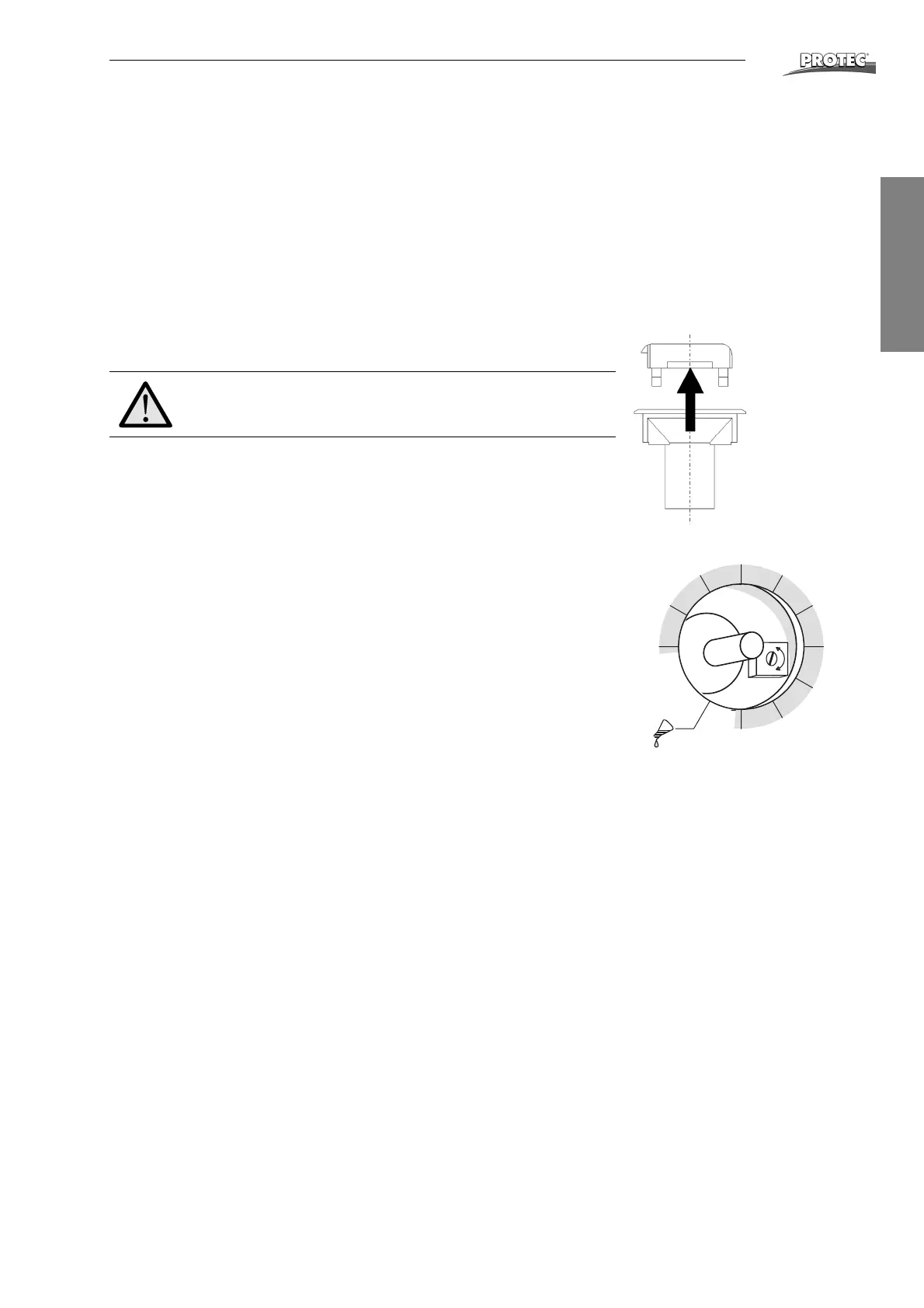
4.5 Removing the turning knob
• Using flat pliers pull the lever from the knob, while holding the bottom part
(knob) down with the other hand.
• Open the screw of the collet (Attention: don’t open completely) and pull the
knob out.
• When reinstalling the knob turn axis on PCB to end position counter clock-
wise. Fix the knob in that the pointer is at position of “Manual pumping”.
4.6 Calibration of developer temperature
Deviating temperatures within +/- 1.5 °C can be calibrated by a potentiometer on
the PCB. It can be reached after removing the turning knob (see 4.5) from above.
Turning clockwise decreases the temperature.
5 Film defects
5.1 Films will not dry
• No air comes out of air channel: Check wiring of dryer fan, fan is possibly
defective.
• Cold air comes out of air channel: Check wiring of heating element in the air
channel, heating element possibly defective.
• Hot air comes out of air channel, but the film is still not dried to satisfaction.
Check chemicals and film type. If this leads to no solution then the transport
speed of the machine can be reduced (see Changing the transport speed,
page 28).
Do not exchange PCB without removing knob!
-
+
28
°C
32
33
34
35
36
7
29
30
31


 To Next Page