30 OPTIMAX
®
Trouble Shooting
®
6 Replenishment
6.1 Replenishment pump does not pump or does not pump sufficiently
6.2 Replenishment rates are too high or too low
• The replenishment rate can be changed by adjusting the stroke of the pump.
To do this, the eccentric on the replenishment pump must be adjusted. Maxi-
mum pump capacity is 240 ml/min(100 %).
6.3 Adjust replenishment pump
• For the adjustment of the eccentric first open the allan screw on the big
eccentric with the red line. If the screw is not reachable, then start the “Manual
pumping” (dial switch) for a short time. If the screw is not reachable, momen-
tarily rotate the temperature switch to “Manual pumping”. When the screw is
reachable, quickly turn the temperature switch back to a temperature position.
• Turn the eccentric so that the red line will be at the desired position and fasten
the allan screw.
7Dryer
7.1 Dryer fan does not function or runs with reduced speed
• Check the correct connecting of the fan cables: bl = blue; bk = black;
br = brown.
• If the fan is connected improperly, then the fan runs only half power.
8 Water
8.1 Rinsing water does not flow
• Water pressure in the water system is too low: Minimum pressure 2 bar
(29 psi).
• Valve activates, no flow passage - filter at inflow is blocked.
• Check green water inlet hose inside the machine.
8.2 Water tank overflows
• Water drainage hose (overflow) should have a constant fall. The hose end
should be positioned above the drainage level in the syphon.
• Check water drainage in the tank and hose for blockage and dirt/build-up.
• When extreme algae growth is present, the overflow can be connected
directly onto the fitting of the water tank.
• Check filter in the suction pipe (repl. container) and clean it if necessary.
• Replenishment pump sucks air in. Check hoses and connections.
• Check eccentric position. Capacity approx. 240 ml/min at setting to 100 %.
(60 Hz: 240 ml/min at 85 %)
• Activate the “Manual pumping” and while on, check the voltage of connection
X2 on the power PCB. If no voltage can be registered - exchange power PCB.
Minimum setting must not be below 75 %.
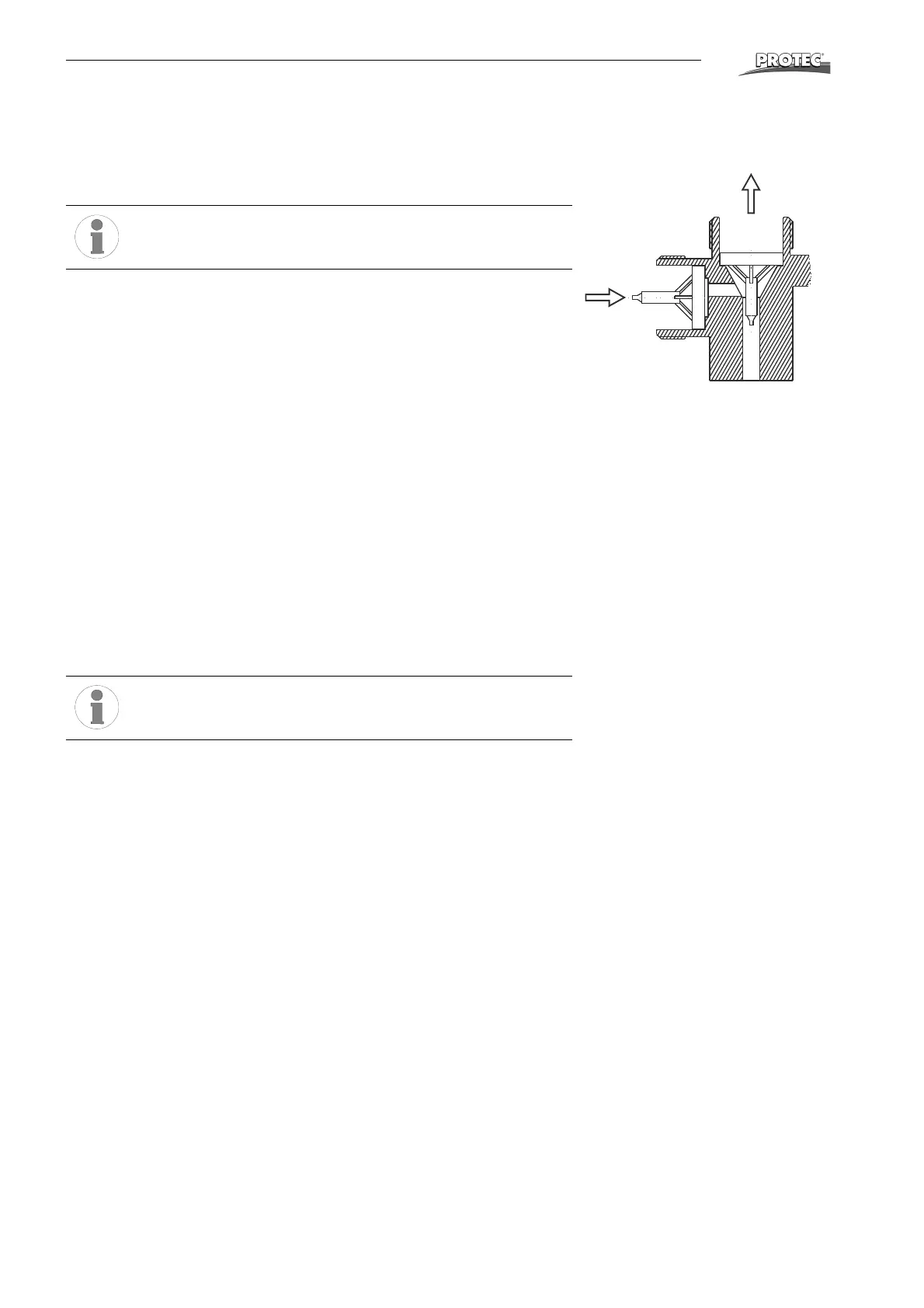
• Clean valve inside connection tube.
Install valve insert correctly: Pay attention to flow-through di-
rection!


 To Next Page